
Introduzzjoni
This manual provides detailed instructions for the setup, operation, maintenance, and troubleshooting of your GPX TCR340 Intelli-Set Clock with Digital Tune AM-FM Radio. Please read this manual thoroughly before using the device to ensure proper function and to maximize your user experience. Keep this manual for future reference.
Setup
1. Konnessjoni tal-Enerġija
Connect the provided AC power adapter to the DC input jack on the back of the unit and then plug the adapter into a standard wall outlet. The unit is designed for corded electric operation.
2. Installazzjoni ta 'Backup tal-Batterija
For battery backup, install the required batteries (not included) into the battery compartment located on the bottom of the unit. This will preserve time and alarm settings during a power outage. Refer to the battery compartment for correct polarity.
3. Automatic Time Setting (Intelli-Set)
The GPX TCR340 features Intelli-Set technology, which automatically sets the time upon initial power connection. Ensure the unit is connected to power, and the time should set itself. You may need to adjust the time zone manually if it does not match your location.
4. Setup ta 'l-antenna
- Antenna FM: Extend the built-in FM wire antenna fully for optimal FM reception. Adjust its position for best signal.
- Antenna AM: The unit has a built-in AM antenna. Rotate the unit for best AM reception.
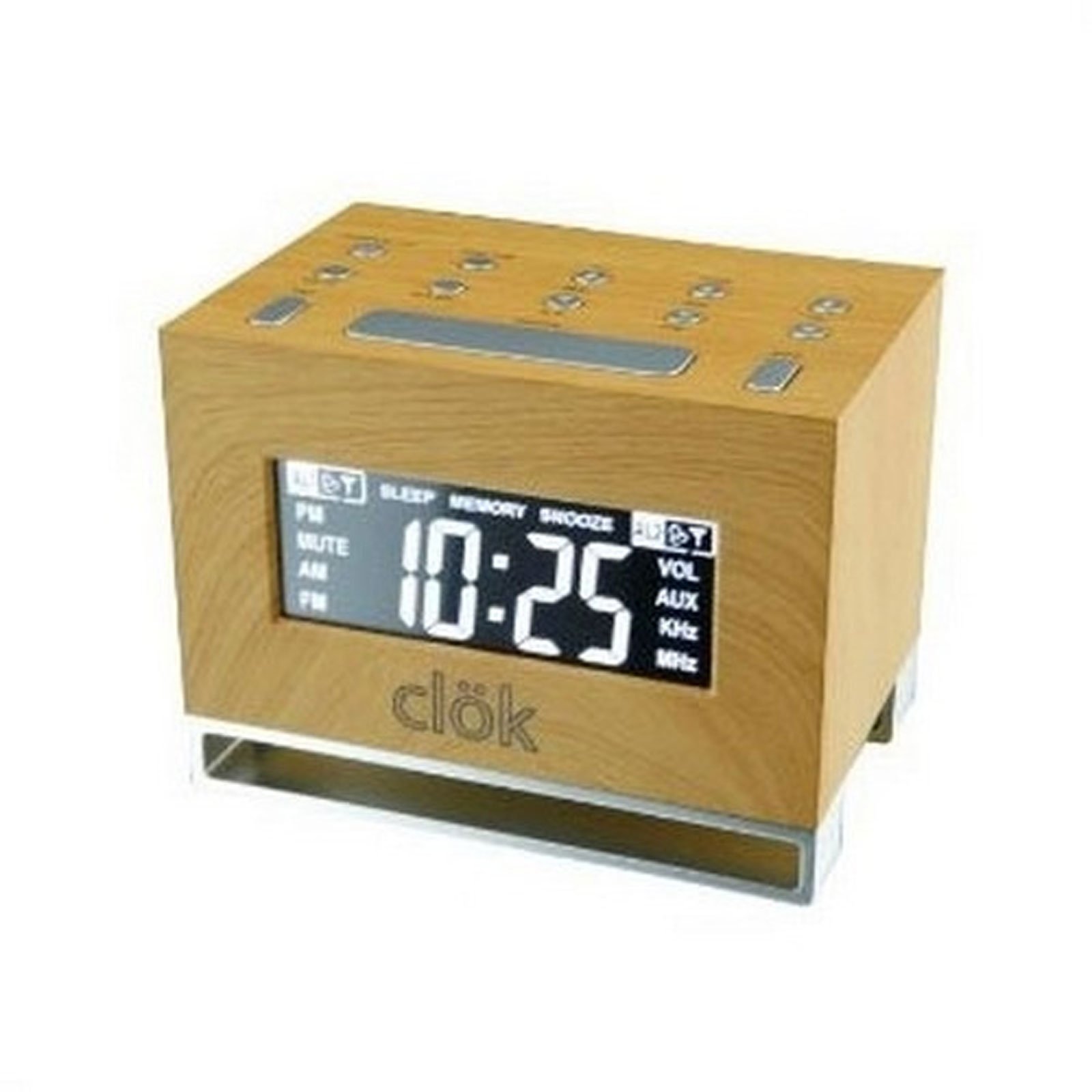
Figura 1: Quddiem view of the GPX TCR340 Intelli-Set Clock Radio, showing the digital display and control buttons.
Istruzzjonijiet Operattivi
1. Kontrolli Bażiċi
Familiarize yourself with the buttons on the top and front of the unit. Common controls include Power, Volume Up/Down, Tune Up/Down, Alarm Set, Snooze, and Display Brightness.
2. Issettjar tal-Ħin
- Agħfas u żomm il- IL-ĦIN IPPOST button (location may vary, typically on the back or top).
- Waqt li żżomm IL-ĦIN IPPOST, uża l- SIEGĦA u MINUTA buttuni (jew INTONA +/-) to adjust the time.
- Rilaxx IL-ĦIN IPPOST biex tikkonferma.
- To adjust the time zone, press and hold the QAWWA button while simultaneously pressing a dedicated ŻONA TAL-ĦIN button (if available) or a button on the back of the unit to cycle through zones.
3. Tħaddim tar-Radju (AM/FM)
- Agħfas il- QAWWA buttuna biex tixgħel ir-radju.
- Agħfas il- BANDA button to switch between AM and FM.
- Uża l- INTONA +/- buttons to manually tune to a desired station. Press and hold for automatic scanning.
- Aġġusta l-volum billi tuża l- VOLUM +/- buttuni.
4. Issettjar ta 'Allarmi
The unit supports dual alarms.
- Agħfas u żomm il- ALLARMI 1 SET or ALLARMI 2 SET buttuna.
- While holding, use the SIEGĦA u MINUTA buttuni (jew INTONA +/-) to set the desired alarm time.
- Irrilaxxa l- SET TA 'ALLARM buttuna.
- Agħfas il- ALLARM 1 ON/OFF or ALLARM 2 ON/OFF button repeatedly to select the alarm source (Radio, Nature Sound, or Buzzer) and activate the alarm. An alarm icon will appear on the display.
- The alarm features a gradual wake function, increasing in volume over time.
5. Funzjoni Snooze
Meta tinstema' allarm, agħfas il-buttuna SNOOZE buttuna biex isikket temporanjament għal ftit minuti. L-allarm jerġa' jdoqq wara l-perjodu ta' snooze.
6. Wirja tad-dawl
Agħfas il- BRIGHTENZA button (or a similar labeled button) to cycle through different display brightness levels. This allows adjustment for various lighting conditions.
7. Nature Sounds
The unit includes pre-programmed nature sounds. To listen, press the ĦSEJJIET TAN-NATURA button (if available) or select it as an alarm source. Use volume controls to adjust playback level.
Manutenzjoni
1. Tindif
Imsaħ l-unità b'ċarruta ratba u niexfa. Tużax prodotti tat-tindif li joborxu, xama', jew solventi għax jistgħu jagħmlu ħsara lill-finitura. Evita li tisprejja likwidi direttament fuq l-unità.
2. Sostituzzjoni tal-batterija
If the battery backup fails to maintain time during a power outage, replace the batteries in the compartment on the bottom of the unit. Ensure correct polarity when inserting new batteries.
3. Kura Ġenerali
- Żomm l-unità 'l bogħod mix-xemx diretta, minn sorsi ta' sħana, u minn trab jew umdità eċċessiva.
- Tpoġġix oġġetti tqal fuq l-unità.
- Evita li twaqqa’ l-unità jew li tissottomettiha għal impatti qawwija.
Issolvi l-problemi
| Problema | Kawża Possibbli | Soluzzjoni |
|---|---|---|
| L-unità ma tixgħelx. | L-adapter tal-AC mhux imqabbad jew difettuż. | Ensure AC adapter is securely plugged into the unit and a working wall outlet. Test the outlet with another device. |
| Riċeviment ħażin tar-radju. | Antenna not properly positioned; interference. | Extend and reposition the FM wire antenna. Rotate the unit for better AM reception. Move away from other electronic devices that may cause interference. |
| L-allarm ma jdoqqx. | Alarm not set or activated; volume too low. | Verify alarm time is set correctly and the alarm is activated (alarm icon visible). Increase alarm volume. Ensure alarm source is selected. |
| Display is too bright or completely dark. | Brightness setting; internal issue. | Agħfas il- BRIGHTENZA button to cycle through display levels. If the display remains dark or unresponsive, try unplugging the unit for a few minutes and then reconnecting power. |
| Il-ħin mhux korrett wara li tintefa' l-enerġijatage. | Il-batteriji tal-backup huma mejta jew mhux installati. | Install fresh batteries in the battery backup compartment. Ensure correct polarity. |
| One or more digits on the display are not lit. | Internal display component failure. | This indicates a potential hardware issue. If under warranty, contact customer support. Otherwise, repair may be required. |
Speċifikazzjonijiet
- Ditta: GPX
- Mudell: TCR340
- Tip ta' wiri: LCD diġitali
- Tuner tar-Radju: Digital AM/FM
- Sors tal-Enerġija: AC Power Adapter (Corded Electric), Battery Backup (Batteries not included)
- Karatteristiċi Speċjali: Intelli-Set Automatic Time Setting, Dual Alarm, Snooze Function, Gradual Wake, Nature Sounds, Adjustable Display Brightness
- Dimensjonijiet tal-Prodott: 3.27"W x 4.84"Għ
- Użu fuq ġewwa/barra: Ġewwa
Garanzija u Appoġġ
For warranty information, please refer to the documentation included with your product packaging or visit the official GPX website. For technical support or service inquiries, please contact GPX customer service directly. Contact details are typically available on the manufacturer's webis-sit jew fl-imballaġġ oriġinali tal-prodott.