
Visual Land ME-7Q-KC-8GB-BLU
Prestige ELITE 7Q-KC User Manual
Model: ME-7Q-KC-8GB-BLU
Introduzzjoni
This manual provides essential information for the operation and maintenance of your Visual Land Prestige ELITE 7Q-KC tablet. Please read this manual thoroughly before using your device to ensure proper functionality and longevity.
The Prestige ELITE 7Q-KC is a 7-inch Quad Core Android tablet designed for portable use, offering smooth performance for streaming, web browsing, and various applications. It features a 7-inch screen with 5-point capacitive multi-touch and 8GB of internal storage.
Setup
1. Spakkjar u Spezzjoni Inizjali
Neħħi bir-reqqa l-komponenti kollha mill-imballaġġ. Ivverifika li l-oġġetti kollha elenkati hawn taħt huma preżenti u mhux imħassra:
- Prestige ELITE 7Q-KC Tablet
- Kawża tat-tastiera
- Adapter tal-Enerġija
- Cable USB
- Manwal għall-Utent (dan id-dokument)
2. Iċċarġja l-Pillola
Before first use, fully charge the tablet. Connect the power adapter to the tablet's charging port and plug it into a power outlet. The charging indicator will illuminate. A full charge typically takes approximately 3-4 hours.
3. Attaching the Keyboard Case
Align the tablet with the designated slot in the keyboard case. Gently press the tablet into place until it is securely seated. The keyboard connects via a USB port on the tablet.
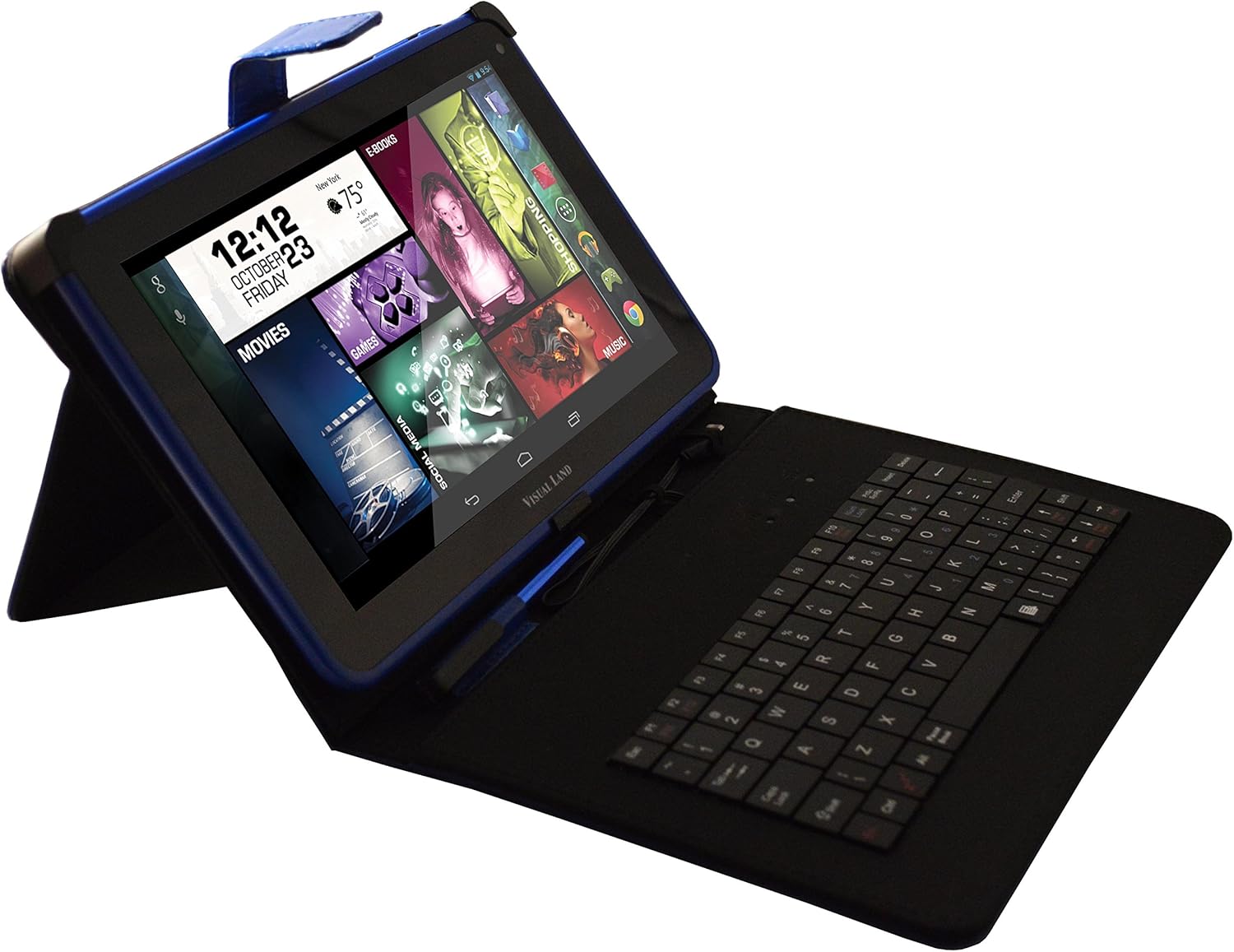
Image: Prestige ELITE 7Q-KC tablet inserted into its matching blue keyboard case, viewed from an angle, showing the tablet screen and the physical keyboard.
4. Tixgħel u Konfigurazzjoni Inizjali
Press and hold the power button located on the side of the tablet until the screen illuminates. Follow the on-screen prompts to complete the initial setup, including language selection, Wi-Fi connection, and Google account setup.
Istruzzjonijiet Operattivi
1. Navigazzjoni Bażika
The tablet operates on Android 4.4 KitKat. Use touch gestures for navigation:
- Tektek: Agħżel oġġett jew iftaħ applikazzjoni.
- Swipe: Skrollja 'l fuq minn skrins jew listi.
- Agħfas biex tiżżumja: Iżżumja 'l ġewwa jew 'il barra fuq immaġnijiet jew web paġni.
- Agħfas fit-tul: Aċċessa l-menus kuntestwali jew iċċaqlaq l-ikoni.
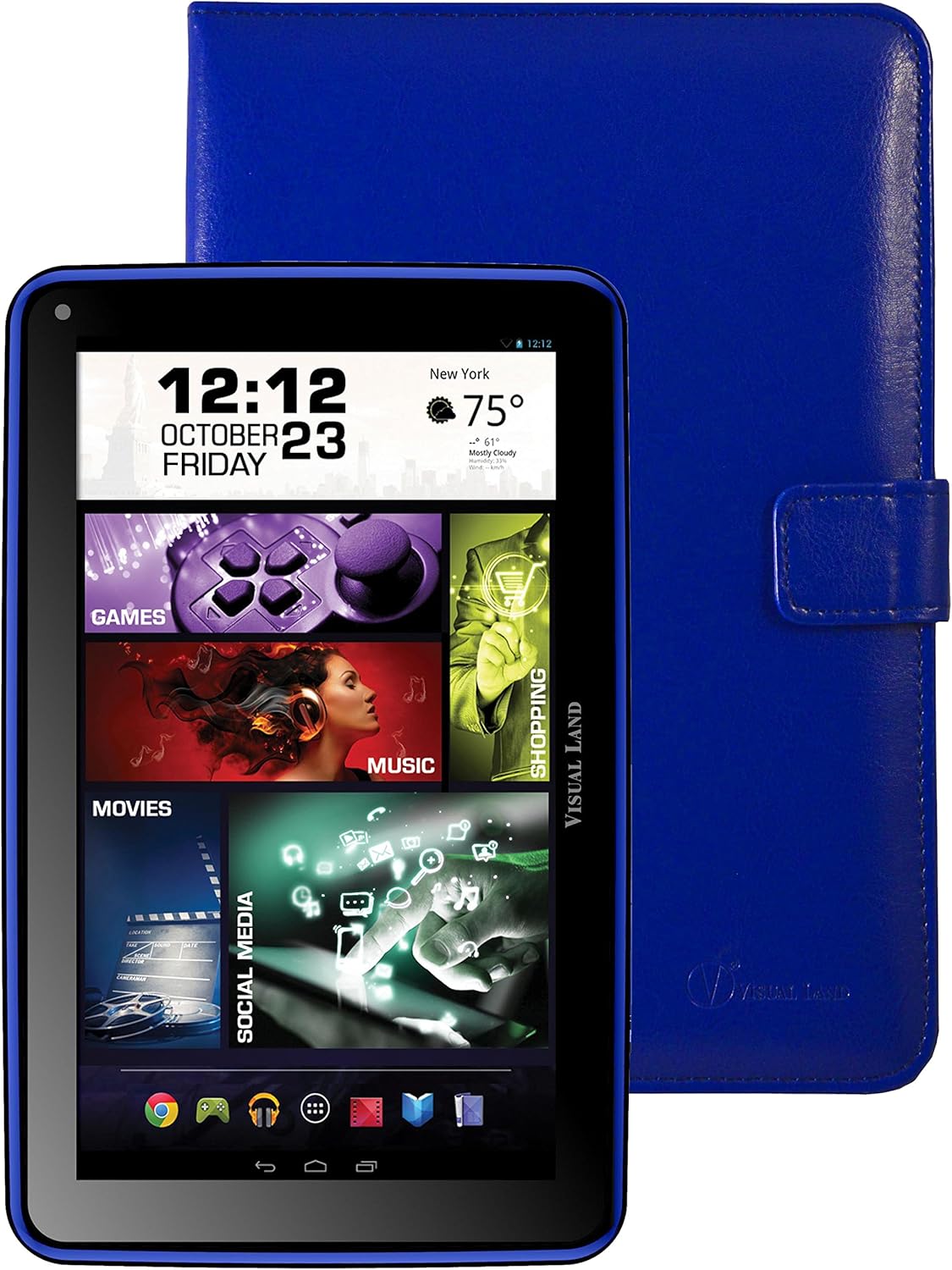
Immaġni: Quddiem view of the Prestige ELITE 7Q-KC tablet displaying the Android home screen with various app icons and widgets, including a clock, weather, and media shortcuts.
2. Konnessjoni mal-Wi-Fi
- Mur fuq Settings.
- Agħżel Wi-Fi.
- Ixgħel il-Wi-Fi On.
- Agħżel in-netwerk mixtieq tiegħek mil-lista u daħħal il-password jekk meħtieġ.
3. Using the Keyboard Case
Once connected, the keyboard case functions as a standard external keyboard. Ensure the tablet is properly seated and the USB connection is firm. The keyboard allows for faster typing and navigation within applications.
4. Accessing Google Play Store
The tablet comes with Google Play pre-installed. Tap the Play Store icon to browse and download applications, games, movies, music, and books. A Google account is required for full access.
Manutenzjoni
1. Tindif tat-Tablet
Uża drapp artab u mingħajr suf biex tnaddaf l-iskrin u l-qafas tat-tablet. Għal tbajja' persistenti, neħħi ftit.ampLaħlaħ id-drapp bl-ilma jew b'prodott tat-tindif tal-iskrin iddisinjat speċifikament għall-elettronika. Evita li tuża kimiċi ħarxa jew materjali li joborxu.
2. Kura tal-batterija
- Evita li tesponi l-pillola għal temperaturi estremi.
- Tħallix il-batterija tiċċarġja kompletament ta' spiss.
- Charge the tablet regularly to maintain battery health.
3. Aġġornamenti tas-Software
Iċċekkja perjodikament għal aġġornamenti tas-sistema biex tiżgura prestazzjoni u sigurtà ottimali. Mur fuq Settings > Dwar tablet > Aġġornamenti tas-sistema.
Issolvi l-problemi
| Problema | Kawża Possibbli | Soluzzjoni |
|---|---|---|
| It-tablet ma jixgħelx. | Batterija baxxa; ħsara fis-sistema. | Charge the tablet for at least 30 minutes. If still unresponsive, press and hold the power button for 10-15 seconds to force a restart. |
| Problemi bil-konnessjoni tal-Wi-Fi. | Password mhux korretta; barra mill-firxa; problema bir-router. | Verify Wi-Fi password. Move closer to the router. Restart the router and the tablet. |
| Touchscreen ma jirrispondix. | Żball temporanju tas-softwer; interferenza fil-protettur tal-iskrin. | Restart the tablet. Ensure the screen is clean. If using a screen protector, ensure it is properly applied or temporarily remove it to test. |
| It-tastiera mhix qed taħdem. | Loose connection; tablet not recognizing. | Ensure the tablet is securely connected to the keyboard case via the USB port. Restart the tablet. |
If problems persist, refer to the support section or contact customer service.
Speċifikazzjonijiet
| Karatteristika | Dettall |
|---|---|
| Numru tal-Mudell | ME-7Q-KC-8GB-BLU |
| Sistema Operattiva | Android 4.4 KitKat |
| Proċessur | 1.2 GHz Quad Core (Allwinner chipset) |
| RAM | 1 GB DDR3 |
| Ħażna Interna | 8 GB |
| Daqs tal-Iskrin | 7 Pulzier |
| Riżoluzzjoni tal-Iskrin | 1024x600 Pixel |
| Konnettività bla fili | 802.11bgn Wi-Fi |
| Portijiet USB | 1 (USB 2.0) |
| Ħajja tal-batterija | Approximately 8 Hours (average use) |
| Dimensjonijiet (LxWxH) | 7.5 x 0.4 x 4.7 pulzieri |
| Piż tal-oġġett | 10.6 uqija |
| Kulur | Blu |

Immaġni: Wara view of the Prestige ELITE 7Q-KC tablet, showing the blue textured back panel and port labels for USB, MicroSD, DC, and Mic, along with the "Prestige ELITE 7Q" branding.
Garanzija u Appoġġ
For warranty information and technical support, please refer to the documentation included with your purchase or visit the official Visual Land websit. Żomm il-prova tax-xiri tiegħek għal talbiet ta' garanzija.
Visual Land Official Store: Visual Land Store on Amazon
Ask a question about this manual
Ask about setup, troubleshooting, compatibility, parts, safety, or missing instructions. Manuals+ will review the question and use this page’s manual context to help answer it.