
1. Introduzzjoni
Thank you for choosing the Lenovo 4XB0G80308 Solid State Drive. This manual provides essential information for the proper installation, operation, and maintenance of your new internal storage device. Please read this manual thoroughly before proceeding with installation to ensure optimal performance and longevity of your SSD.
2. Informazzjoni dwar is-Sigurtà
Dejjem osserva l-prekawzjonijiet ta' sigurtà li ġejjin meta timmaniġġja komponenti elettroniċi:
- Protezzjoni minn Skariku Elettrostatiku (ESD): Il-komponenti elettroniċi huma sensittivi għall-elettriku statiku. Dejjem ilbes ċinga tal-polz antistatika jew tmiss ta' spiss oġġett tal-metall imqabbad mal-art qabel ma timmaniġġja l-SSD.
- Itfi: Ensure your computer system is completely powered off and unplugged from the electrical outlet before installing or removing the SSD.
- Immaniġġja b'Kura: Avoid dropping or subjecting the SSD to physical shock. Hold the SSD by its edges to prevent touching the circuit board or connectors.
- Ventilazzjoni: Ensure adequate ventilation within your computer case to prevent overheating of components.
3. Kontenut tal-Pakkett
Ivverifika li l-pakkett tiegħek fih l-oġġetti li ġejjin:
- Lenovo 4XB0G80308 2.5-Inch SATA Solid State Drive
- Viti tal-immuntar
- Cable SATA
If any items are missing or damaged, please contact your retailer or Lenovo support.
4. Setup u Installazzjoni
Follow these steps to install your Lenovo 2.5-inch SATA SSD into a compatible system, such as a ThinkCentre desktop:
- Ipprepara s-Sistema Tiegħek: Power off your computer completely and unplug the power cord from the wall outlet. Open the computer case according to your system's manufacturer instructions.
- Sib Drive Bay: Identify an available 2.5-inch drive bay in your computer case. Some cases may require a 3.5-inch to 2.5-inch adapter bracket (not included) if only 3.5-inch bays are available.
- Immonta l-SSD: Carefully slide the SSD into the drive bay. Secure it using the provided mounting screws. Ensure the SATA data and power connectors are facing the correct direction for easy access.
- Qabbad Kejbils:
- Connect one end of the provided SATA data cable to the SATA data port on the SSD. Connect the other end to an available SATA data port on your computer's motherboard.
- Connect a SATA power cable from your computer's power supply unit (PSU) to the SATA power port on the SSD.
- Agħlaq il-Kaxxa u Ixgħelha: Once all connections are secure, close your computer case. Reconnect the power cord and power on your computer.
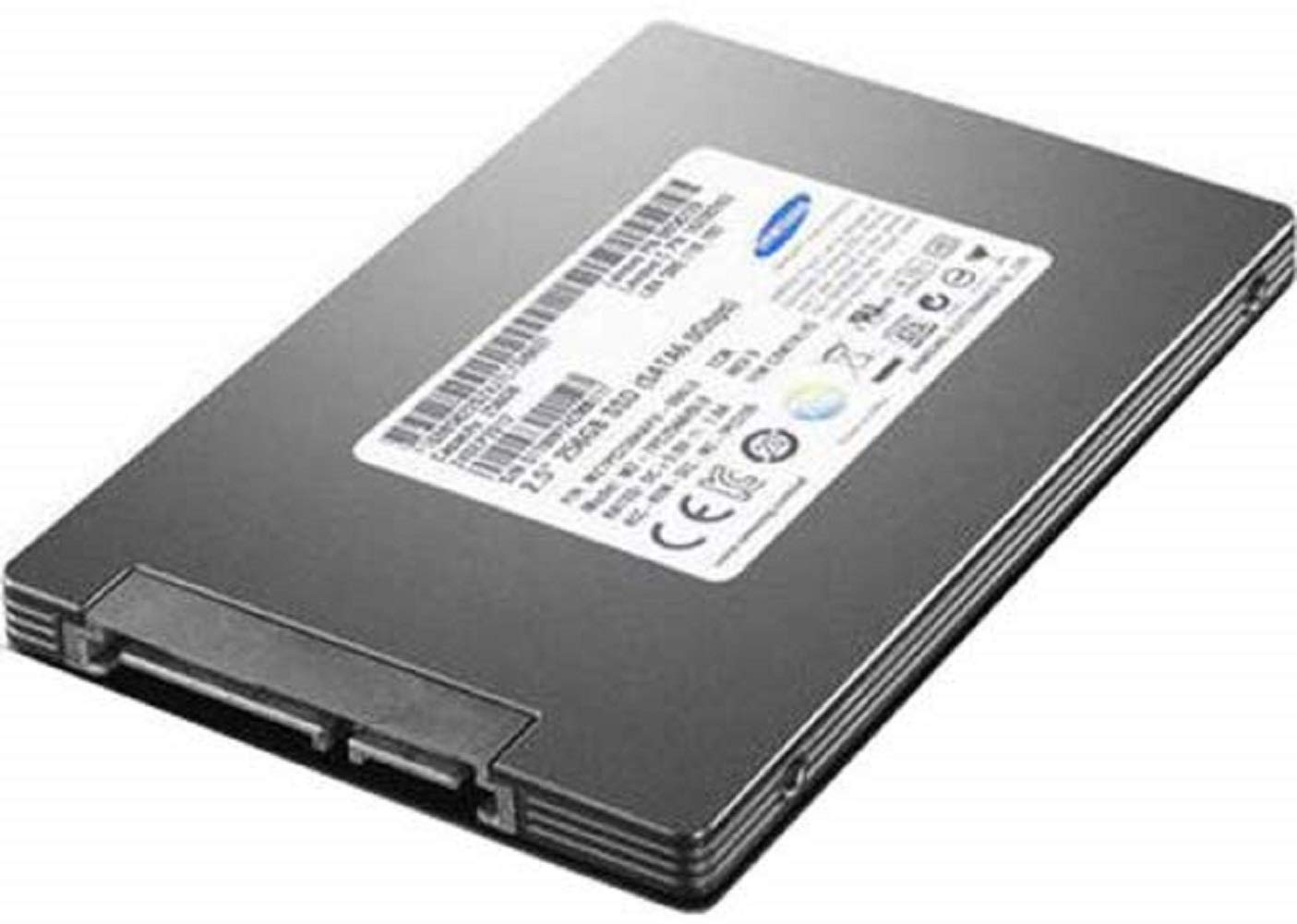
Image: The Lenovo 4XB0G80308 2.5-inch SATA Solid State Drive. This image shows the compact form factor and standard SATA data and power connectors on the device.
5. Tħaddim tal-SSD
After physical installation, the SSD needs to be initialized and formatted by your operating system before it can be used for storage. The process varies slightly depending on your operating system (Windows, macOS, Linux).
5.1. Initializing and Formatting (Windows Example)
- Ikklikkja bil-lemin fuq il-buttuna Start u agħżel 'Disk Management'.
- You should see your new SSD listed as 'Disk [number]' and marked as 'Unallocated'.
- Right-click on the unallocated space of the new SSD and select 'Initialize Disk'. Choose GPT (GUID Partition Table) for modern systems.
- After initialization, right-click on the unallocated space again and select 'New Simple Volume'. Follow the wizard to create a new partition, assign a drive letter, and format it (NTFS is common for Windows).
Once formatted, the SSD will appear as a usable drive in 'This PC' or 'My Computer'.
6. Manutenzjoni
Solid State Drives generally require less maintenance than traditional Hard Disk Drives. However, consider the following for optimal performance and longevity:
- Aġġornamenti tal-Firmware: Iċċekkja perjodikament l-appoġġ ta' Lenovo websit għal kwalunkwe aġġornamenti tal-firmware disponibbli għall-mudell SSD tiegħek. L-aġġornamenti tal-firmware jistgħu jtejbu l-prestazzjoni, l-istabbiltà u l-kompatibilità.
- Kmand TRIM: Ensure your operating system supports and has the TRIM command enabled. TRIM helps the SSD manage its storage space efficiently, maintaining performance over time. Most modern operating systems enable this by default.
- Evita l-Kapaċità Sħiħa: While not strictly necessary, avoiding filling the SSD to its absolute maximum capacity can help maintain performance, as the drive needs some free space for wear leveling and garbage collection.
- Backups regolari: As with any storage device, regularly back up your important data to prevent data loss in case of unforeseen issues.
7 Issolvi l-problemi
If you encounter issues with your SSD, try the following troubleshooting steps:
- SSD Mhux Individwat:
- Check all SATA data and power cable connections. Ensure they are securely seated at both ends (SSD and motherboard/PSU).
- Verify that the SATA port on the motherboard is enabled in the system's BIOS/UEFI settings.
- Try connecting the SSD to a different SATA port or using a different SATA cable.
- Ensure the SSD is properly initialized and formatted as described in Section 5.
- Prestazzjoni bil-mod:
- Confirm that the SSD is connected to a SATA 6Gb/s port on your motherboard. Older SATA 3Gb/s ports will limit performance.
- Check if TRIM is enabled for your operating system.
- Ensure your SSD firmware is up to date.
- Avoid running too many background applications that consume disk I/O.
- Żbalji fis-Sistema Operattiva: If you are experiencing operating system errors related to the drive, consider running disk check utilities (e.g., `chkdsk` on Windows) or reinstalling the operating system if the SSD is your boot drive.
If problems persist, consult the Lenovo support websit jew ikkuntattja l-appoġġ tekniku.
8. Speċifikazzjonijiet
| Karatteristika | Speċifikazzjoni |
|---|---|
| Numru tal-Mudell | 4XB0G80308 |
| Kapaċità | 128 GB |
| Fattur tal-Formola | 2.5 Pulzier |
| Interface | Serjali ATA-600 (SATA 6Gb/s) |
| Pjattaforma tal-Ħardwer | PC |
| Piż tal-oġġett | 11.2 uqija (madwar 317.5 gramma) |
| Dimensjonijiet tal-Prodott (LxWxH) | 9 x 0.75 x 5.25 pulzieri (madwar 22.86 x 1.91 x 13.34 ċm) |
| Manifattur | Lenovo (l-Istati Uniti), Inc. |
9. Garanzija u Appoġġ
For detailed warranty information regarding your Lenovo 4XB0G80308 SSD, please refer to the warranty card included with your purchase or visit the official Lenovo support websit. It-termini u l-kundizzjonijiet tal-garanzija jistgħu jvarjaw skont ir-reġjun u l-bejjiegħ bl-imnut.
For technical assistance, driver downloads, firmware updates, or further support, please visit the official Lenovo support portal: