
Tramex MRH3
Tramex MRH3 Moisture & Humidity Meter Instruction Manual
Brand: Tramex
Model: MRH3
1. Introduzzjoni
The Tramex MRH3 Moisture and Humidity Meter is a versatile, hand-held digital instrument designed for accurate moisture and humidity measurement in various building materials. It offers both non-destructive pinless measurement and the capability to connect optional pin-type electrodes and relative humidity probes for comprehensive analysis. This manual provides detailed instructions for the proper use and maintenance of your MRH3 meter.
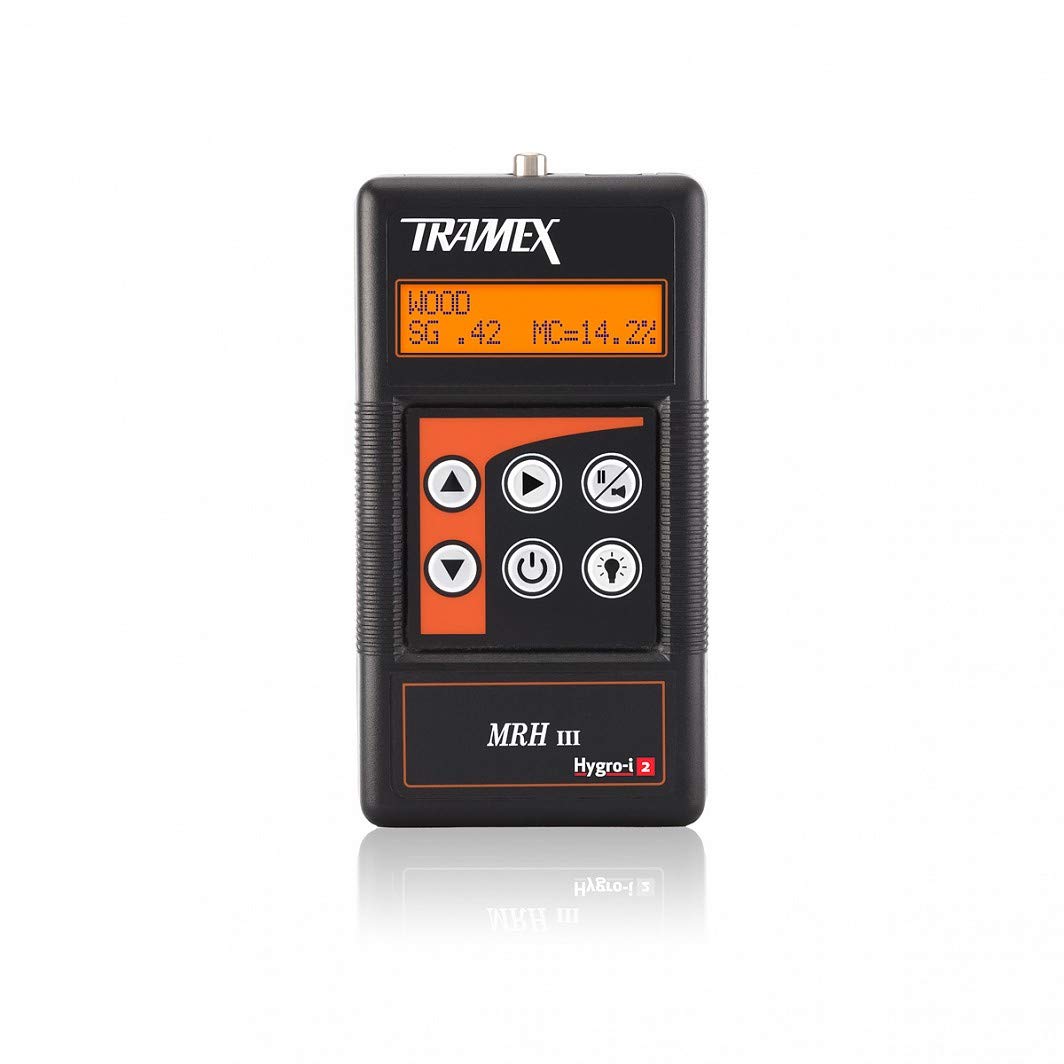
Figure 1: Tramex MRH3 Moisture and Humidity Meter
2. Karatteristiċi ewlenin
- Digital, non-destructive pinless moisture meter.
- Optional plug-in wood probe; Optional plug-in Tramex Hygro-i relative humidity probe for relative humidity, temperature, dew point and mixing ratio readings.
- Deep signal penetration to over 1 inch into the materials being tested without the need to damage the surface; Signal penetration depends on the material being tested and meter setting.
- Specific gravity adjustment for most wood species.
- External Rubber electrodes make direct contact with the material being tested for best sensitivity and repeatability.
3. Setup
3.1 Installazzjoni tal-batterija
The Tramex MRH3 meter requires one 9V battery (included). To install or replace the battery:
- Sib l-għatu tal-kompartiment tal-batterija fuq wara tal-miter.
- Żerżaq l-għatu 'l barra.
- Daħħal il-batterija ta' 9V, waqt li tiżgura li l-polarità tkun korretta.
- Ibdel l-għatu tal-kompartiment tal-batterija.
3.2 Tixgħel/Jitfi
Press the power button (usually marked with a circle and vertical line) to turn the meter on. Press and hold the power button to turn it off.
3.3 Attaching Optional Probes
The MRH3 meter is compatible with various optional probes, such as pin-type electrodes and the Hygro-i2 relative humidity probe. These probes connect to the designated ports on the top or side of the meter. Ensure the connection is secure before use.

Figure 2: MRH3 with optional pin probe for wood moisture content.
4. Istruzzjonijiet Operattivi
4.1 Non-Destructive Pinless Measurement
This mode allows for quick and non-invasive moisture readings by placing the meter directly on the surface of the material.
- Turn on the MRH3 meter.
- Select the appropriate material scale (e.g., "Drywall", "Masonry", "Laminate") using the mode selection buttons. Refer to the meter's display for the current scale.
- Place the meter's rubber electrodes firmly against the surface of the material you wish to test.
- Read the moisture level displayed on the screen. The reading indicates the relative moisture content within the material.
Note: Signal penetration depth varies based on the selected scale and material density.
4.2 Using Pin-Type Electrodes (Optional)
For precise moisture content readings in wood or other materials where penetration is acceptable:
- Connect the pin-type electrode attachment to the MRH3 meter.
- Select the "Wood" scale on the meter. You may need to adjust the specific gravity setting for the type of wood being tested.
- Gently push the pins into the wood surface. Ensure good contact.
- Aqra l-perċentwal tal-kontenut ta' umditàtage murija.
4.3 Using Hygro-i2 Relative Humidity Probe (Optional)
The Hygro-i2 probe allows for ambient relative humidity, temperature, dew point, and mixing ratio measurements, as well as in-situ concrete RH testing.
- Connect the Hygro-i2 probe to the MRH3 meter.
- For ambient readings, hold the probe in the air in the desired location. The display will show RH%, Temperature, and Dew Point.
- For in-situ concrete RH testing, follow ASTM F2170 standards. Drill a hole in the concrete, clean it, insert a sleeve, and then insert the Hygro-i2 probe into the sleeve. Allow sufficient time for equilibrium before taking a reading.

Figure 3: MRH3 displaying Hygro-i2 probe readings.

Figure 4: MRH3 with Hygro-i2 probe for in-situ concrete testing.
4.4 Dimostrazzjoni bil-Vidjo
Watch this official product video for a visual guide on using the Tramex MRH3 meter and its accessories.
Video 1: Tramex MRH3 - Digital Moisture & Humidity Meter overview u dimostrazzjoni tal-użu.
5. Manutenzjoni
5.1 Tindif
Wipe the meter and probes with a clean, damp cloth. Do not use abrasive cleaners or immerse the meter in water.
5.2 Sostituzzjoni tal-batterija
Replace the 9V battery when the low battery indicator appears on the display. Refer to Section 3.1 for battery installation instructions.
5.3 Ħażna
Store the meter in a cool, dry place away from direct sunlight and extreme temperatures. If storing for extended periods, remove the battery to prevent leakage.
5.4 Kalibrazzjoni
The Tramex MRH3 meter is factory calibrated. For optimal performance of the Hygro-i2 probe, periodic calibration checks using a certified salt solution are recommended. Refer to the Hygro-i2 probe's specific instructions for calibration procedures.
6 Issolvi l-problemi
| Problema | Kawża Possibbli | Soluzzjoni |
|---|---|---|
| Il-miter ma jixgħelx. | Batterija mejta jew installata ħażin. | Ibdel il-batterija ta' 9V, waqt li tiżgura l-polarità korretta. |
| Inconsistent or erratic readings. | Poor contact with material; incorrect scale selected; environmental interference. | Ensure firm contact with the surface. Verify the correct material scale is selected. Move away from strong electromagnetic fields. |
| Hygro-i2 probe readings are off. | Probe needs calibration or is damaged. | Perform a calibration check with a certified salt solution. If still inaccurate, the probe may need replacement. |
If you encounter issues not listed here, or if the suggested solutions do not resolve the problem, please contact Tramex customer support.
7. Speċifikazzjonijiet
| Karatteristika | Dettall |
|---|---|
| Numru tal-Mudell | MRH3 |
| Dimensjonijiet tal-Prodott | 24 x 24 x 24 pulzieri; 8.5-il uqija |
| Sors tal-Enerġija | Batterija waħda ta' 1V (inkluża) |
| Tip ta' Kejl | Non-destructive pinless, Pin-type (with optional probe), Relative Humidity (with optional probe) |
| Penetrazzjoni tas-Sinjal | Over 1 inch (material dependent) |
| Manifattur | Tramex |
| L-Ewwel Data Disponibbli | 10 ta’ Diċembru 2012 |
8. Garanzija u Appoġġ
Tramex products are manufactured to high standards and are backed by a manufacturer's warranty. For specific warranty details, please refer to the warranty card included with your product or visit the official Tramex websit.
For technical support, service, or inquiries regarding your Tramex MRH3 meter, please contact Tramex customer service through their official webis-sit jew l-informazzjoni ta' kuntatt ipprovduta fl-imballaġġ tal-prodott tiegħek.
Tista 'wkoll iżżur il- Tramex Store on Amazon għal aktar informazzjoni u prodotti relatati.
Ask a question about this manual
Ask about setup, troubleshooting, compatibility, parts, safety, or missing instructions. Manuals+ will review the question and use this page’s manual context to help answer it.