
Introduzzjoni
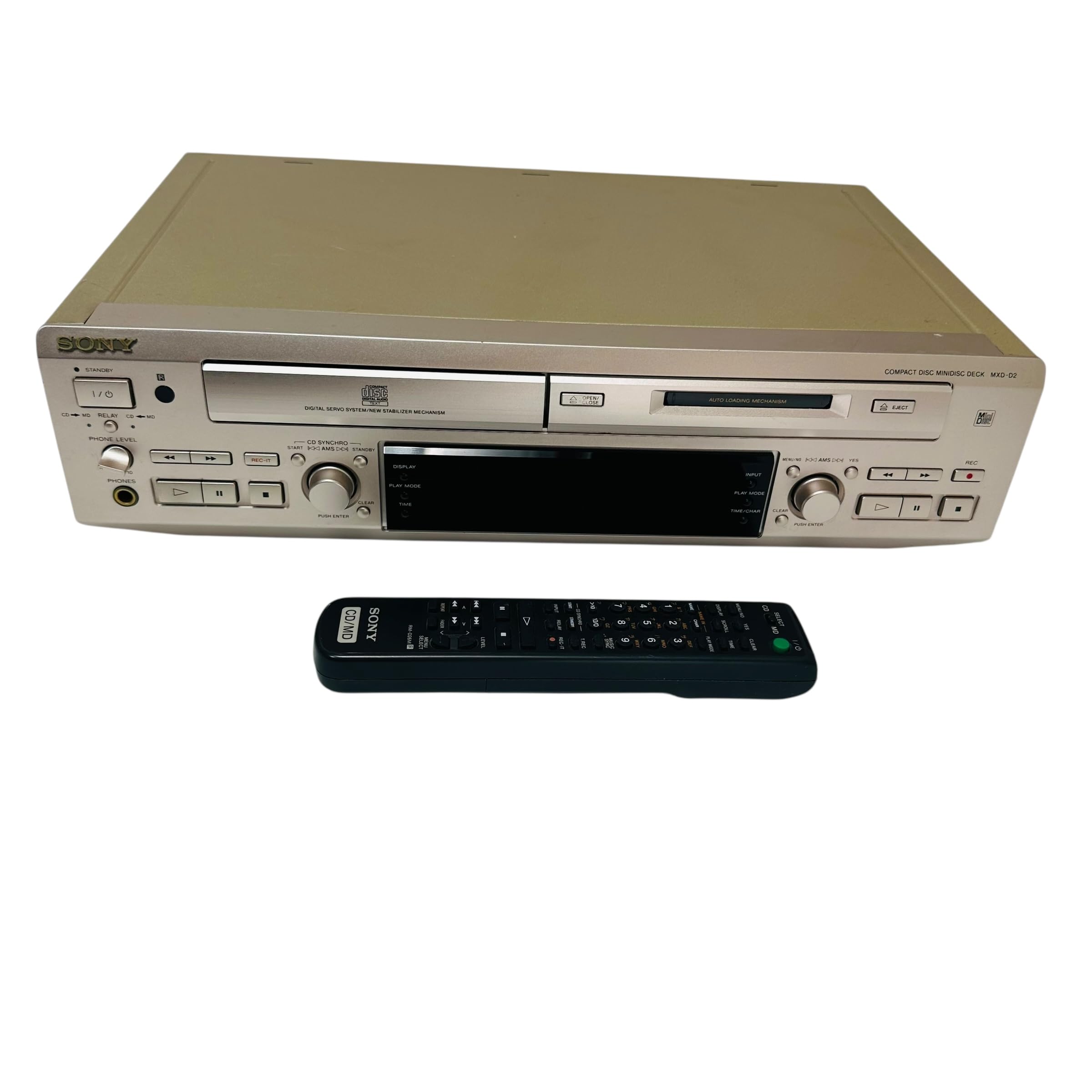
This manual provides essential information for the safe and efficient use of your Sony MXD-D2 MD Recorder/CD Player integrated deck. Please read these instructions thoroughly before operating the unit and retain them for future reference.
Informazzjoni dwar is-Sigurtà
Osserva l-prekawzjonijiet ta' sigurtà li ġejjin biex tevita xokk elettriku, nar, jew ħsara lill-unità:
- Sors tal-Enerġija: Connect the unit only to an AC 100V, 50/60Hz power supply.
- Ventilazzjoni: Ensure adequate ventilation by not blocking the ventilation openings. Do not place the unit on soft surfaces that may block these openings.
- Umdità: Tesponix l-unità għax-xita jew għall-umdità. Evita li tpoġġi oġġetti mimlija b'likwidi, bħal vażuni, fuq l-unità.
- Oġġetti Barranin: Daħħalx oġġetti metalliċi jew likwidi fl-unità.
- Servizzi: Tippruvax tagħmel manutenzjoni fuq l-unità int stess. Irreferi għal kull manutenzjoni f'idejn persunal kwalifikat.
Setup
Spakkjar u Tqegħid
Carefully remove the unit from its packaging. Place the unit on a stable, level surface, ensuring sufficient space around it for proper ventilation.
Konnessjonijiet tal-Panew ta' wara
The rear panel of the MXD-D2 provides various input and output terminals for connecting to other audio components. Refer to the image below for a visual guide to the connections.
Immaġni: Rear panel of the Sony MXD-D2 unit. This view displays the analog RCA input/output, digital coaxial input, optical input/output, and Control 1 port, along with the power cord connection and product information label.
- Konnessjonijiet Awdjo Analoġiċi: Use RCA cables to connect the DĦUL ANALOGIKU (入力) to the audio output of an external device (e.g., a tape deck or tuner). Connect the ĦRUĠ ANALOGU (出力) to the audio input of your amplifier or receiver. Ensure left (左) and right (右) channels are matched.
- Konnessjonijiet Awdjo Diġitali:
- Coaxial Digital Input (コアキシャル 入力): Connect a coaxial digital cable from the digital output of an external device.
- Optical Digital Input (オプチカル 入力): Connect an optical digital cable from the digital output of an external device.
- Optical Digital Output (オプチカル 出力): Connect an optical digital cable to the digital input of an external recording device or ampaktar ħaj.
- Control 1 (コントロール 1): This port is for connecting to other compatible Sony components for synchronized operation. Refer to the manuals of connected components for specific instructions.
- Konnessjoni tal-Enerġija: After all audio connections are made, plug the power cord into an AC 100V wall outlet.
Istruzzjonijiet Operattivi
Qawwa mixgħul/mitfi
Agħfas il- QAWWA buttuna fuq il-pannell ta' quddiem biex tixgħel jew titfi l-unità.
Daqq ta' CD
- Agħfas il- CD MIFTUĦ/GĦELUQ buttuna biex tiftaħ it-trej tas-CD.
- Place a CD with the label side up in the tray.
- Agħfas il- CD MIFTUĦ/GĦELUQ buttuna mill-ġdid biex tagħlaq it-trej.
- Agħfas il- CD PLAY buttuna biex tibda d-daqq.
- Uża l- PAWŻA, STOP, SKIP (►►| / |◄◄), and FITTEX buttuni għall-kontroll tal-plejbek.
MD Playback
- Insert a MiniDisc into the MD slot with the arrow pointing inwards.
- Agħfas il- MD PLAY buttuna biex tibda d-daqq.
- Uża l- PAWŻA, STOP, SKIP (►►| / |◄◄), and FITTEX buttuni għall-kontroll tal-plejbek.
MD Recording
The MXD-D2 allows recording from CD, analog, or digital sources to a MiniDisc.
- Insert a blank or erasable MiniDisc into the MD slot.
- Select the desired input source (CD, ANALOG, DIGITAL COAXIAL, or DIGITAL OPTICAL) using the SELEKTUR TAL-INPUT buttuna.
- For CD-to-MD recording, load the CD and select CD as the input source.
- Agħfas il- MD REC buttuna biex tidħol fil-modalità standby tar-reġistrazzjoni.
- Start playback on the source device (if external) or press CD PLAY (for CD-to-MD recording).
- Agħfas MD REC għal darb'oħra biex tibda tirrekordja.
- Agħfas MD STOP biex tispiċċa r-reġistrazzjoni.
- Immarkar tat-Traċċa: The unit can automatically mark tracks during digital recording. For manual marking, press the MARKA button during recording.
Manutenzjoni
Tindif tal-Unità
Imsaħ il-barra tal-unità b'ċarruta ratba u niexfa. Għal tbajja' iebsa, uża ċarruta ħafifa.ampened with a mild detergent solution, then wipe dry. Do not use abrasive pads, scouring powder, or solvents such as alcohol or benzene.
Kura tad-Diska
- Handle discs by their edges to avoid fingerprints on the recording surface.
- Keep discs in their cases when not in use to protect them from dust and scratches.
- Tesponix id-diski għal dawl tax-xemx dirett jew sorsi tas-sħana.
Issolvi l-problemi
If you experience problems with your unit, consult the following table before seeking professional service.
| Problema | Kawża Possibbli | Soluzzjoni |
|---|---|---|
| Ebda qawwa | Il-korda tal-enerġija mhux imqabbda sew. | Check that the power cord is firmly plugged into the unit and the wall outlet. |
| L-ebda ħoss | Incorrect input selected; audio cables not connected properly; ampVolum tal-lifer baxx wisq. | Select the correct input source. Check all audio cable connections. Increase the volume on your ampaktar ħaj. |
| CD/MD does not play or record | Disc inserted incorrectly; disc is dirty or scratched; disc is unrecordable (for MD). | Ensure the disc is inserted correctly. Clean the disc with a soft cloth. Use a recordable MD. |
| Recording level is too low/high | Source device output level is incorrect. | Adjust the output level on the source device or the recording level on the MXD-D2 if available. |
Speċifikazzjonijiet
| Karatteristika | Dettall |
|---|---|
| Numru tal-Mudell | MXD-D2 |
| Brand | Sony |
| Rekwiżiti ta' Enerġija | AC 100V, 16W, 50/60Hz |
| Formati Midja | Compact Disc (CD), MiniDisc (MD) |
| Inputs Analogiċi | RCA (Left/Right) |
| Outputs Analoġiċi | RCA (Left/Right) |
| Inputs Diġitali | Coaxial (1), Optical (1) |
| Outputs Diġitali | Ottiċi (1) |
| Port ta' Kontroll | Kontroll 1 |
| Apparati Kompatibbli | Speakers, Headphones |
| Numru tas-serje | 213013 (Example) |
| Pajjiż ta' Oriġini | Magħmul fil-Ġappun |
Garanzija u Appoġġ
For warranty information and technical support, please refer to the warranty card included with your product or visit the official Sony websit għar-reġjun tiegħek. Żomm l-irċevuta tax-xiri tiegħek bħala prova tax-xiri.