
Introduzzjoni
The Adesso AKB-132UB Multimedia Desktop Keyboard is designed to enhance your computing experience with its 104-key layout and integrated multimedia and internet hotkeys. This keyboard features quiet membrane key switches for a comfortable and responsive typing experience. It connects to your computer via a USB interface.
Kontenut tal-Pakkett
Jekk jogħġbok ivverifika li l-oġġetti kollha huma preżenti fil-pakkett tiegħek:
- Adesso AKB-132UB Multimedia Desktop Keyboard
- Gwida Quick Start
Setup
- Itfi l-Kompjuter Tiegħek: For optimal installation, it is recommended to power off your computer before connecting the keyboard.
- Qabbad il-Cable USB: Locate an available USB port on your computer. Plug the USB connector of the Adesso AKB-132UB keyboard firmly into the USB port. Note: Some USB keyboards may be sensitive to the specific port used. If the keyboard does not function, try a different USB port, preferably one directly on the computer's motherboard (e.g., at the back of a desktop PC) rather than a USB hub.
- Ixgħel il-Kompjuter Tiegħek: Turn on your computer. The operating system should automatically detect and install the necessary drivers for the keyboard.
- Ivverifika l-Funzjonalità: Once the drivers are installed, test the keyboard by typing in a text editor or navigating your system. The Num Lock, Caps Lock, and Scroll Lock indicator lights should function correctly.
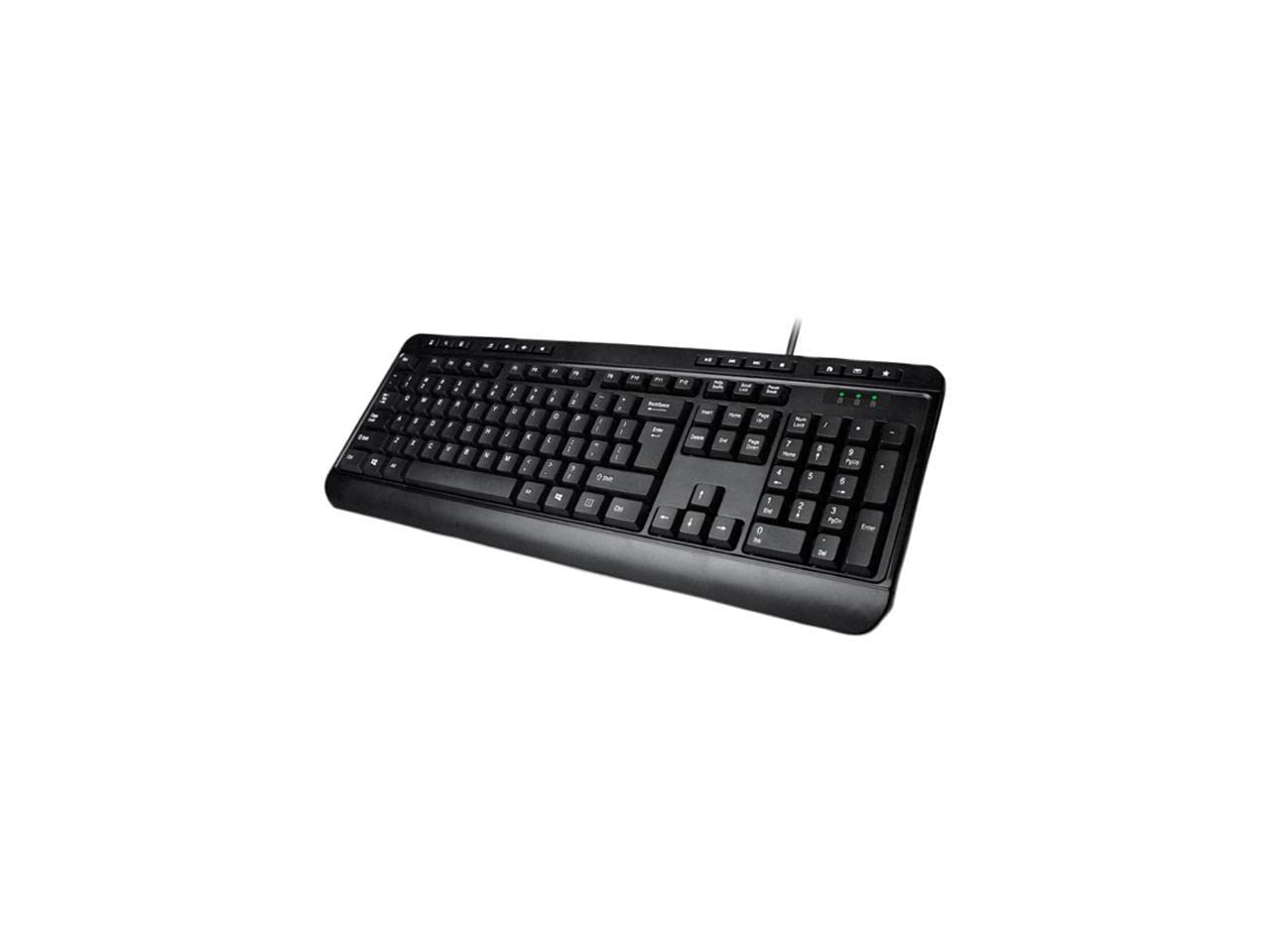
Image: Adesso AKB-132UB Multimedia Desktop Keyboard. This image shows the full keyboard with its standard 104-key layout and the attached USB cable for connection.
Istruzzjonijiet Operattivi
Funzjonijiet Standard tat-Tastiera
The Adesso AKB-132UB features a standard 104-key US layout. Keys operate as labeled. The keyboard utilizes membrane switches, providing a quiet and tactile typing experience.
- Dwal indikaturi: Dawn id-dwal, li jinsabu 'l fuq mit-tastiera numerika, jindikaw l-istatus ta' Num Lock, Caps Lock, u Scroll Lock.
- Mejjel aġġustabbli: The keyboard includes foldable feet on the underside to adjust the typing angle for comfort.
Hotkeys Multimedjali
The keyboard includes 8 dedicated multimedia hotkeys for quick access to media player controls:
- Media Player: Opens your default media player application.
- Volum 'l isfel: Decreases the system volume.
- Volum 'il fuq: Increases the system volume.
- Siekta: Toggles the system sound on or off.
- Play/Pawsa: Jilgħab jew iwaqqaf il-plejbek tal-midja.
- Track preċedenti: Skips to the previous track in your media player.
- Track li jmiss: Skips to the next track in your media player.
- Waqqaf: Iwaqqaf il-plejbek tal-midja.
Windows & Internet Hotkeys
The keyboard also features 6 hotkeys for common Windows and Internet functions:
- Il-Kompjuter Tiegħi: Opens the "This PC" or "My Computer" window.
- Fittex: Opens the system search utility.
- Kalkulatur: Launches the Windows Calculator application.
- Posta: Jiftaħ il-klijent tal-email awtomatiku tiegħek.
- Dar: Jiftaħ id-default tiegħek web browser għall-paġna ewlenija tiegħu.
- Favoriti: Tiftaħ tiegħek web browser's favorites/bookmarks.
Speċifikazzjonijiet
| Karatteristika | Dettall |
|---|---|
| Brand | Adesso |
| Numru tal-Mudell | AKB-132UB |
| Teknoloġija tal-Konnettività | Bil-fili (USB) |
| Layout tat-Tastiera | 104-Key US Layout (QWERTY) |
| Tip taċ-ċavetta | Swiċċijiet tal-membrana |
| Hotkeys Multimedjali | 8 (Media Player, Volume Down, Volume Up, Mute, Play/Pause, Previous Track, Next Track, Stop) |
| Windows & Internet Hotkeys | 6 (My Computer, Search, Calculator, Mail, Home, Favorites) |
| Indikaturi | Num Lock, Caps Lock, Scroll Lock |
| Ċiklu tal-Ħajja | 5 Miljun Keystrokes |
| Kulur | Iswed |
| Materjal | Plastik |
| Piż tal-oġġett | 1.5 Liri |
Issolvi l-problemi
- It-Tastiera Mhux Tirrispondi:
- Ensure the USB cable is securely connected to a working USB port on your computer.
- Try plugging the keyboard into a different USB port, especially a direct port on the computer's rear, bypassing any USB hubs.
- Restart your computer to allow the operating system to re-detect the device.
- Test the keyboard on another computer to determine if the issue is with the keyboard or your computer's setup.
- Keys Not Functioning Correctly or Unexpected Characters:
- Verify that the correct keyboard layout is selected in your operating system settings.
- Kun żgur li ma jkun hemm l-ebda oġġetti barranin imwaħħla taħt iċ-ċwievet.
- For specific keys like the 'Enter' key, be aware that some keyboard layouts may place the backslash key adjacent to it. Familiarization with the physical layout is key.
- Wobbly Keyboard:
- Ensure the keyboard is placed on a flat, stable surface.
- Check if the adjustable tilt feet are fully extended or retracted evenly.
Manutenzjoni
To maintain the performance and longevity of your Adesso AKB-132UB keyboard:
- Tindif: Uża artab, ftit damp cloth to wipe the surface of the keyboard. Avoid using harsh chemicals or abrasive cleaners. For cleaning between keys, use compressed air to remove dust and debris.
- Evita t-tixrid: Żomm il-likwidi 'l bogħod mit-tastiera biex tevita ħsara lill-komponenti interni.
- Ħażna: Meta ma tkunx qed tużaha għal perjodi twal, aħżen it-tastiera f'ambjent nadif u niexef.
Garanzija u Appoġġ
The Adesso AKB-132UB Multimedia Desktop Keyboard comes with a Garanzija limitata ta 'sena mid-data tax-xiri. Din il-garanzija tkopri difetti fil-materjali u l-abbilità taħt użu normali.
For technical support, warranty claims, or further assistance, please contact Adesso customer service. Refer to the official Adesso webis-sit għall-aktar informazzjoni ta' kuntatt aġġornata.
Note: This product contains chemicals known to the State of California to cause cancer and birth defects or other reproductive harm.