
Introduzzjoni
This manual provides comprehensive instructions for the setup, operation, maintenance, and troubleshooting of your Neato Robotics XV Signature Robotic Vacuum. Designed for efficient and thorough cleaning, this robotic vacuum utilizes advanced laser-guided navigation and smart sensor technology to navigate your home effectively.
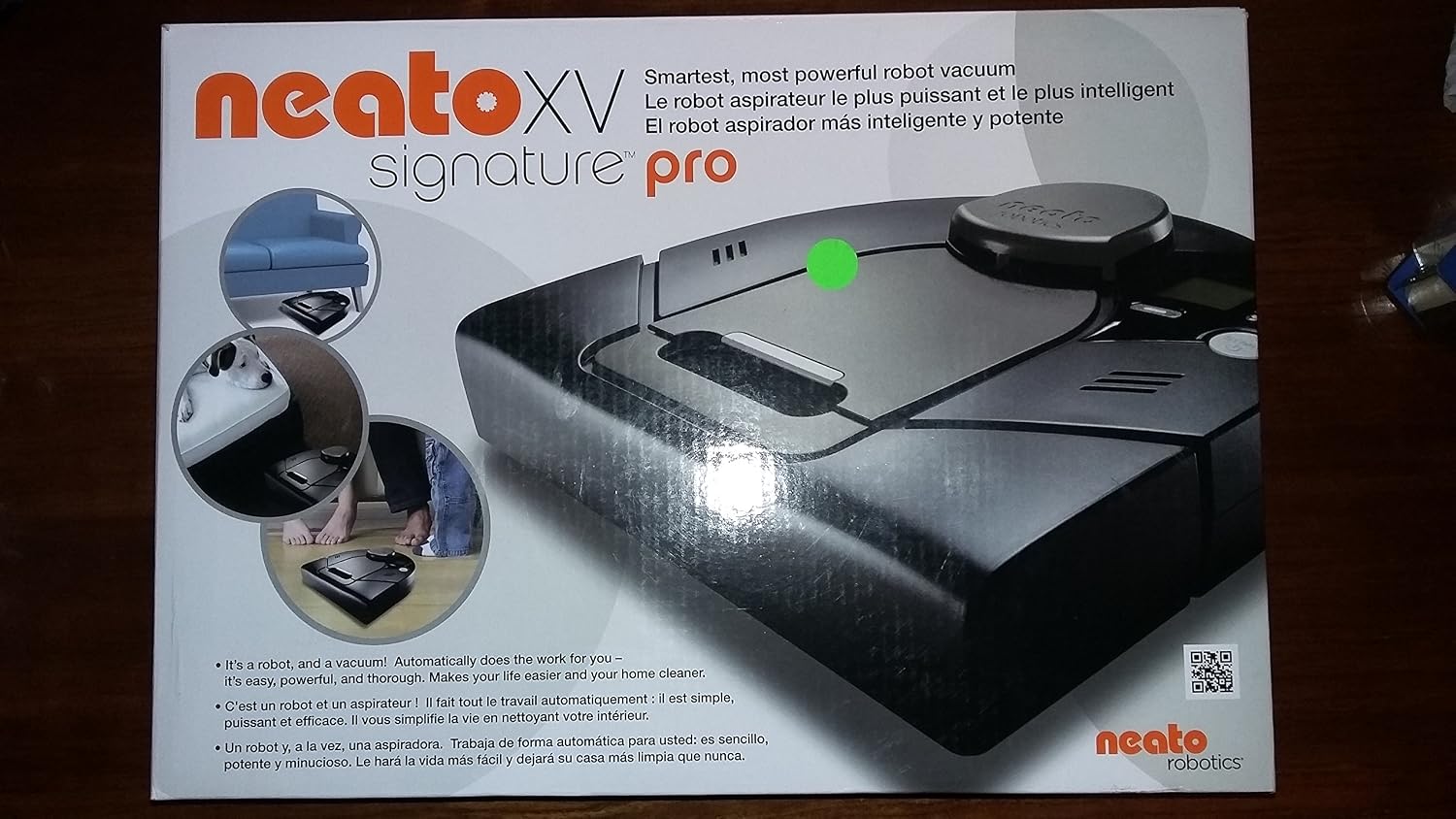
Image: The Neato Robotics XV Signature Robotic Vacuum, showcasing its design and key features on its packaging. The packaging emphasizes its smart, powerful, and thorough cleaning capabilities.
Setup
Before initial use, ensure your Neato Robotic Vacuum is properly charged. This is crucial for optimal battery performance and cleaning efficiency.
- Iċċarġjar inizjali: Place your robot vacuum on its charge base. The robot is ready to clean when the status light turns solid green.
- Overnight Charge: For the first use, charge the batteries overnight. This applies even if the status light turns solid green after a short charging period.
- Battery Conditioning: After the initial overnight charge, run through three complete cycles of charging and cleaning until the robot needs to recharge. This process helps to maximize the battery capacity and runtime.
It-Tħaddim tal-Vacuum Robotiku Tiegħek
The Neato XV Signature Robotic Vacuum is designed for autonomous cleaning with intelligent navigation.
- Laser Guided Navigation: The vacuum uses advanced laser-guided navigation and smart sensor technology to scan and map the room. It plans the most efficient cleaning path, moving automatically from room to room, cleaning close to edges, in corners, and carefully around furniture. It constantly updates its map, adapting to new objects in the room.
- Teknoloġija tas-Sensor Intelliġenti: Equipped with smart sensors, the robot automatically detects and avoids stairs, and navigates around furniture without excessive bumping.
- Modi ta 'Tindif:
- Scheduled Cleanings: Easily schedule daily cleanings using the Control Center.
- Spot Clean: Initiate a spot clean for concentrated cleaning in a specific area.
- Instant Multi-Room Cleaning: Simply push a button for immediate cleaning across multiple rooms.
- Design for Efficiency: The unique square front and low-profile design allow the vacuum to get close to corners and walls, maximizing pick-up of dirt, dust, debris, and pet hair. It seamlessly transitions between different floor types, including rugs with fringe.
Manutenzjoni
Regular maintenance ensures the longevity and optimal performance of your Neato Robotic Vacuum.
- Bagless Dirt Bin: The vacuum features a large, bagless dirt bin for easy emptying. Regularly empty the bin to maintain suction power.
- High-Performance Filters: The Neato XV Signature comes with high-performance filters, ideal for reducing dust and allergens. Clean or replace filters regularly as recommended to ensure efficient air filtration.
- Blade Brush: The blade brush is designed to work on all floor types. Periodically check and clean the brush for any tangled hair or debris to ensure effective cleaning.
- Battery Recalibration: To improve battery capacity and lengthen runtime, you may need to recalibrate the batteries. This is recommended in situations such as:
- When the robot or batteries are new.
- After a software update.
- If your cleaning area has expanded.
Steps for Battery Recalibration:
- Turn off any scheduled cleanings and confirm the robot's ON/OFF switch is in the 'on' position.
- Reset the batteries by navigating to Menu -> Support -> New Batteries on the robot's display.
- Place the Neato robot on its charge base overnight to ensure a full charge.
- Run the robot until it finishes cleaning the maximum area you ever want it to clean (e.g., the entire house), or until the robot displays "Battery Low" and needs to recharge.
- Dock the robot on its charge base for a full charge, until the status light turns solid green.
- Run the robot as usual until it needs to recharge again.
- If the runtime improves to longer than 40 minutes, the batteries have been recalibrated. If the run-time is still less than 40 minutes, repeat the recharging cycle.
Issolvi l-problemi
Common issues and their solutions for your Neato Robotic Vacuum.
- Battery Error Codes (0002, 0003, 0008, 0009): If you receive any of these battery notifications, it indicates that your robot is either in the off position or the batteries have a loose connection.
- Check the switch inside the dust bin and place it in the down position to activate the battery connection.
- If the issue persists, open the battery compartment and verify that the battery connection is secure. Instructions for this can be found on the Neato support site.
- Robot li Qed Jeħel: Neato robots are designed to free themselves from binds. However, certain furniture configurations can cause issues.
- If the robot gets stuck or "blinded" under sagging furniture (like bed mattresses or couches), consider placing a box in the center underneath the furniture or raising the furniture by a couple of inches to provide the necessary 4-inch clearance.
- You can also use the boundary marker (if included) to prevent the robot from going under problematic furniture.
Speċifikazzjonijiet
| Brand | Neato Robotics |
| Isem tal-Mudell | XV Signature |
| Numru tal-Mudell tal-Oġġett | 9450079 |
| Karatteristika Speċjali | High performance filters |
| Kulur | Iswed |
| Komponenti Inklużi | Pinzell |
| Tip ta 'filtru | Skartoċċ |
| Ħajja tal-batterija | 2 Sigħat |
| Sors tal-Enerġija | Mħaddma bil-batterija |
| Metodu ta' Kontroll | Mess |
| Apparati Kompatibbli | Amazon Echo |
| Fattur tal-Formola | Robotika |
| Dimensjonijiet tal-Prodott | 12.5 x 13 x 4 pulzieri |
| Piż tal-oġġett | 13 liri |
| Batteriji Meħtieġa | Yes (2 Product Specific batteries included) |
| Assemblea Meħtieġa | Nru |
| Istruzzjonijiet Speċifiċi għall-Użu | Tapit |
Garanzija u Appoġġ
Your Neato Robotics XV Signature Robotic Vacuum comes with a 6-month warranty.
For further queries or technical assistance, please contact Neato Robotics' Customer Care at 1-877-296-3286.
Software upgrades for new features may be available and can be applied to your robot.