
iClebo YCR-M05-10
iClebo Arte Robot Vacuum Wet Mop User Manual
Model: YCR-M05-10
Prodott Overview
The iClebo Arte is an advanced robot vacuum and wet mop designed for comprehensive cleaning on various floor types, including carpet and hardwood. It features self-cleaning capabilities, advanced navigation, remote control, and camera-mapping technology to ensure thorough coverage.

Figura 1: Minn fuq għal isfel view of the iClebo Arte robot vacuum, showcasing its sleek black design with orange accents and digital display.
Karatteristiċi Ewlenin
- Cleans up to 94% more than other robot cleaners.
- Usage Time: Approximately 160 minutes on normal floor.
- Equipped with 15 sensors to minimize collisions.
- Vacuum cleaner u mopp simultanjament.
Setup
Żpakkjar u Ċarġ Inizjali
Carefully remove the iClebo Arte from its packaging. Place the charging base against a wall in an open area, ensuring no obstacles are within 1 meter to the sides and 2 meters in front. Connect the power adapter to the charging base and plug it into a wall outlet. Place the robot on the charging base, ensuring the charging contacts align. The robot will begin charging.
Setup tal-Kontroll mill-bogħod
Insert the required batteries into the remote control. The remote allows for convenient control of the robot's functions, including starting, stopping, setting cleaning modes, and scheduling.
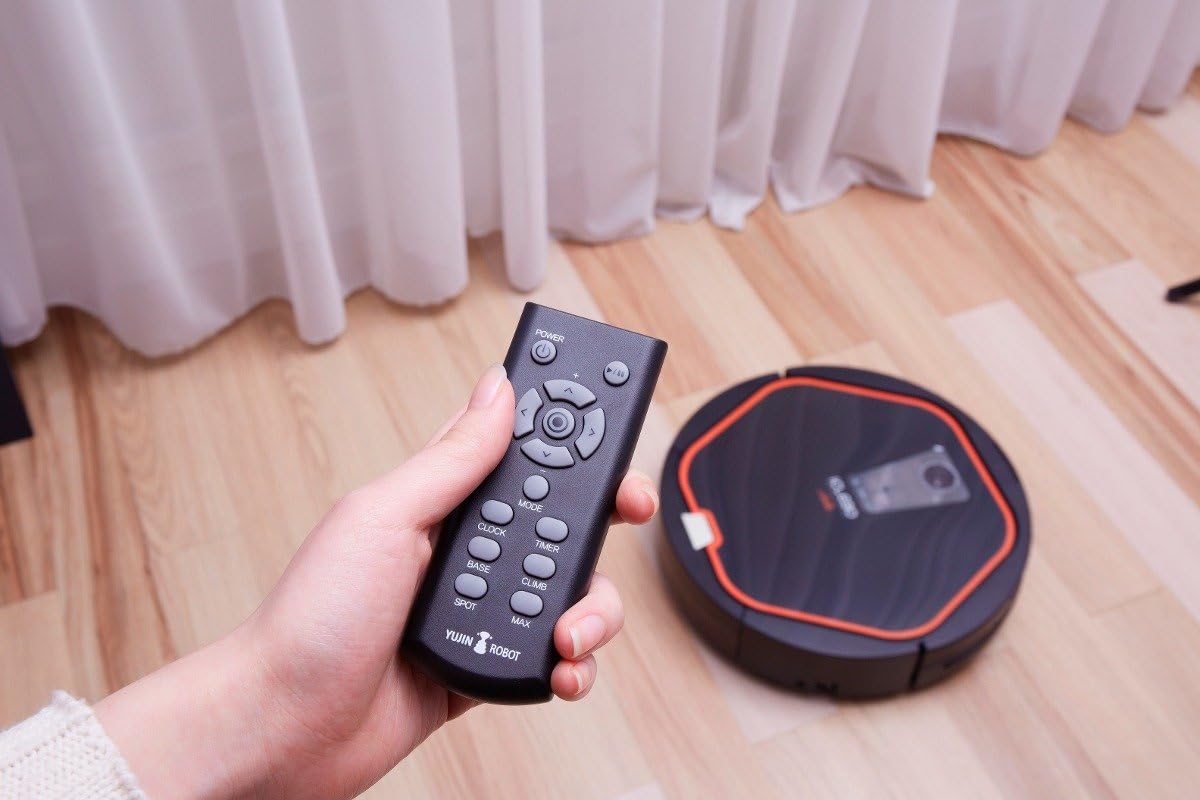
Figure 2: A hand holding the iClebo Arte remote control, with the robot vacuum visible in the background.
Istruzzjonijiet Operattivi
Modi tat-Tindif
- Modalità Awtomatika: The robot intelligently navigates and cleans the entire accessible area using its camera-mapping system.
- Modalità Spot: For concentrated cleaning of a specific dirty area. Place the robot directly over the area and activate spot mode.
- Modalità Manwali: Control the robot's movement directly using the remote control.
Wet Mopping Function
Attach the microfiber mop pad to the bottom of the robot. The iClebo Arte can vacuum and mop simultaneously, effectively cleaning spills and fine dust.
Navigazzjoni Avvanzata
The iClebo Arte utilizes a vision mapping system to create a map of your home, ensuring systematic and efficient cleaning coverage. It avoids repeatedly cleaning the same areas and ensures all accessible spaces are covered.
Sejbien ta 'Ostakli
Equipped with a 3-step obstacle detection system including IR sensors, bumper sensors, and acceleration sensors, the iClebo Arte effectively avoids collisions and navigates around furniture and other obstacles. Its low height allows it to clean under most furniture and climb over thresholds up to 20mm.

Figure 3: The iClebo Arte robot vacuum cleaning underneath a sofa, demonstrating its low-profile disinn.
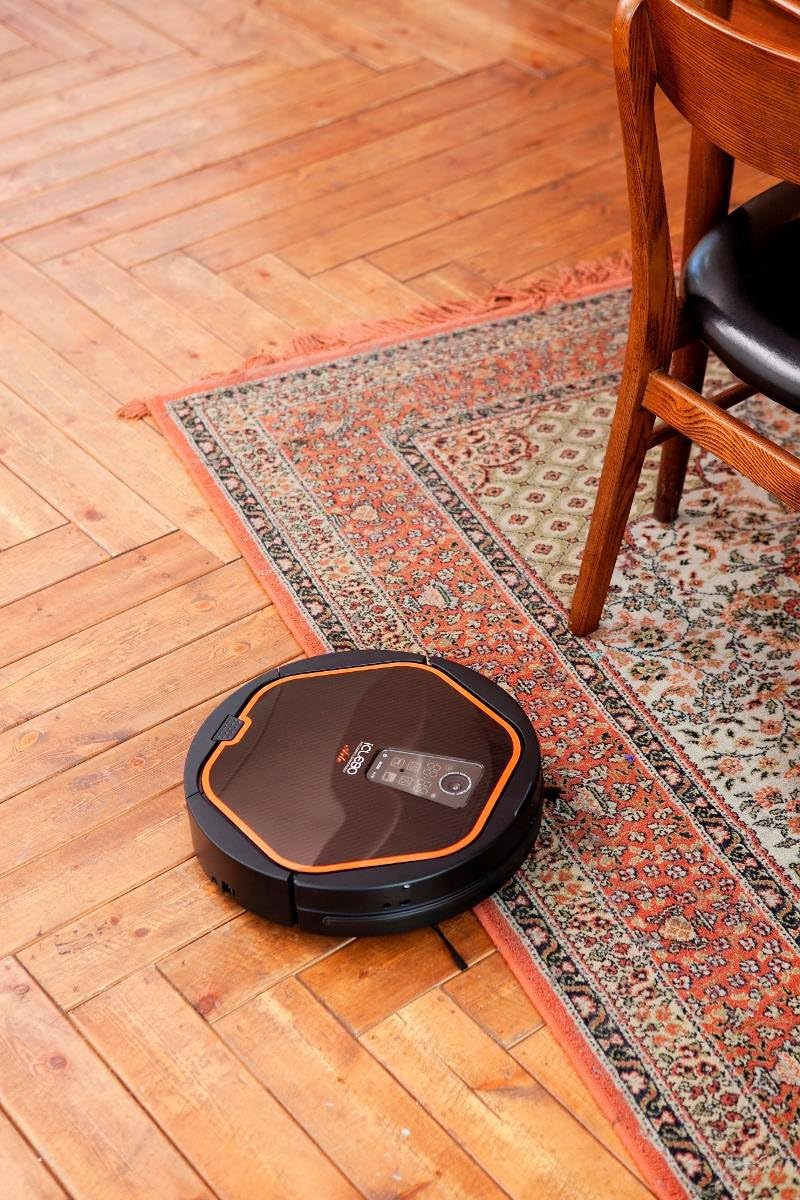
Figure 4: The iClebo Arte robot vacuum climbing over a low threshold from a hardwood floor to a rug, showcasing its ability to handle different floor levels.
Iċċarġjar Awtomatiku
When the battery level is low, the iClebo Arte will automatically return to its charging base to recharge, ensuring it's always ready for the next cleaning cycle.
Manutenzjoni
Tbattil tal-Dustbin
Regularly empty the dustbin to maintain optimal cleaning performance. Press the release button to remove the dustbin, open it, and dispose of collected debris.
Xkupilji u Filtri għat-Tindif
Periodically inspect and clean the main brush and side brushes to remove tangled hair or debris. Clean or replace the filter as needed to ensure efficient suction.
Issolvi l-problemi
Kwistjonijiet Komuni u Soluzzjonijiet
| Problema | Kawża Possibbli | Soluzzjoni |
|---|---|---|
| Robot mhux jiċċarġja | Charging contacts not aligned; Power adapter unplugged | Kun żgur li r-robot ikun imqabbad sew; Iċċekkja l-konnessjonijiet tal-enerġija |
| Ir-robot jeħel spiss | Ostakli fit-triq tat-tindif; Sensuri maħmuġin | Clear small obstacles; Clean IR and bumper sensors |
| Prestazzjoni fqira tat-tindif | Bin tal-iskart mimli; Filtru misdud; Xkupilji mikulin | Vojta l-kontenitur tat-trab; Naddaf/ibdel il-filtru; Naddaf/ibdel ix-xkupilji |
| Robot does not return to base | Base location obstructed; Low battery | Ensure clear path to base; Allow robot to fully charge |
Speċifikazzjonijiet
| Karatteristika | Dettall |
|---|---|
| Brand | iClebo |
| Isem tal-Mudell | Arte |
| Numru tal-Mudell tal-Oġġett | YCR-M05-10 |
| Piż tal-oġġett | 6.2 liri |
| Dimensjonijiet tal-Prodott | 13.4 x 13.4 x 3.5 pulzieri |
| Kulur | Iswed, Oranġjo |
| Sors tal-Enerġija | Mħaddma bil-batterija |
| Voltage | 110 Volts |
| Wattage | 42 watt |
| Livell tal-ħoss | 56 dB |
| Tip taċ-Ċellula tal-Batterija | Jonju tal-litju |
| Ħajja Medja tal-Batterija | 3 snin |
| Metodu ta' Kontroll | Remote |
| Karatteristika Speċjali | Pet hair, Bagless |
| Tip ta 'filtru | Skartoċċ |
| Manifattur | Yujin Robot |
| Oriġini | Imported (Korea, Republic of) |
Garanzija u Appoġġ
The iClebo Arte comes with a manufacturer's warranty. For specific warranty details and to register your product, please refer to the documentation included with your purchase or visit the official iClebo websit.
For technical support, troubleshooting assistance, or replacement parts, please contact iClebo customer service.
Manwal tal-Utent (PDF): Niżżel PDF
Visit the iClebo Store: iClebo Amazon Store
Ask a question about this manual
Ask about setup, troubleshooting, compatibility, parts, safety, or missing instructions. Manuals+ will review the question and use this page’s manual context to help answer it.