
Introduzzjoni
This manual provides essential information for the safe and efficient operation of your Eaton 5PX 3000 2U Rack/Tower LCD Uninterruptible Power Supply (UPS). The Eaton 5PX 3000 is designed to provide reliable power protection for servers, storage, and network equipment. Please read this manual thoroughly before installation and operation.
Informazzjoni dwar is-Sigurtà
Osserva l-prekawzjonijiet ta' sigurtà li ġejjin biex tevita korrimenti u ħsara lill-UPS jew lit-tagħmir konness:
- Sigurtà Elettrika: Din l-unità fiha volum perikolużtages. Do not open the UPS enclosure. Servicing should only be performed by qualified personnel.
- Sigurtà tal-batterija: Batteries can present a risk of electrical shock and high short-circuit current. Remove watches, rings, or other metal objects before handling batteries. Use tools with insulated handles.
- Ambjent ta' Installazzjoni: Install the UPS in a controlled environment, free from excessive dust, moisture, and extreme temperatures. Ensure adequate ventilation.
- L-ertjar: Dejjem qabbad il-UPS ma' sokit tal-enerġija ertjat.
- Piż: The UPS is heavy. Use proper lifting techniques or assistance during installation to avoid injury.
Kontenut tal-Pakkett
Iċċekkja li l-oġġetti kollha huma preżenti fl-imballaġġ:
- Eaton 5PX 3000 2U Rack/Tower LCD UPS Unit
- Rack mounting kit (rails, screws)
- Tower stand kit
- Kejbil USB
- Cable tas-serje
- Korda tal-enerġija tad-dħul
- Output power cords
- Gwida Quick Start u Istruzzjonijiet tas-Sigurtà
Setup
1. Installazzjoni Fiżika
The Eaton 5PX 3000 can be installed in a standard 19-inch rack or as a tower unit.
Installazzjoni tar-rack:
- Attach the rack mounting rails to the rack using the provided hardware.
- Carefully slide the UPS unit onto the installed rails until it is fully seated.
- Secure the front of the UPS to the rack using the provided screws.
Installazzjoni tat-Torri:
- Attach the tower stands to the bottom of the UPS unit.
- Place the UPS on a stable, level surface, ensuring adequate clearance for ventilation.
2. Qawwa tal-Konnessjoni
Connect the UPS to a dedicated, grounded electrical outlet using the supplied input power cord. Ensure the outlet matches the UPS voltage rekwiżiti (120V).
3. Tagħmir li Jqabbad
Connect your critical equipment (servers, network devices) to the output receptacles on the rear of the UPS. The UPS features 7 outlets with various connector types (L5-30P, 5-20R, L5-30R). Distribute the load evenly across the outlets if possible.
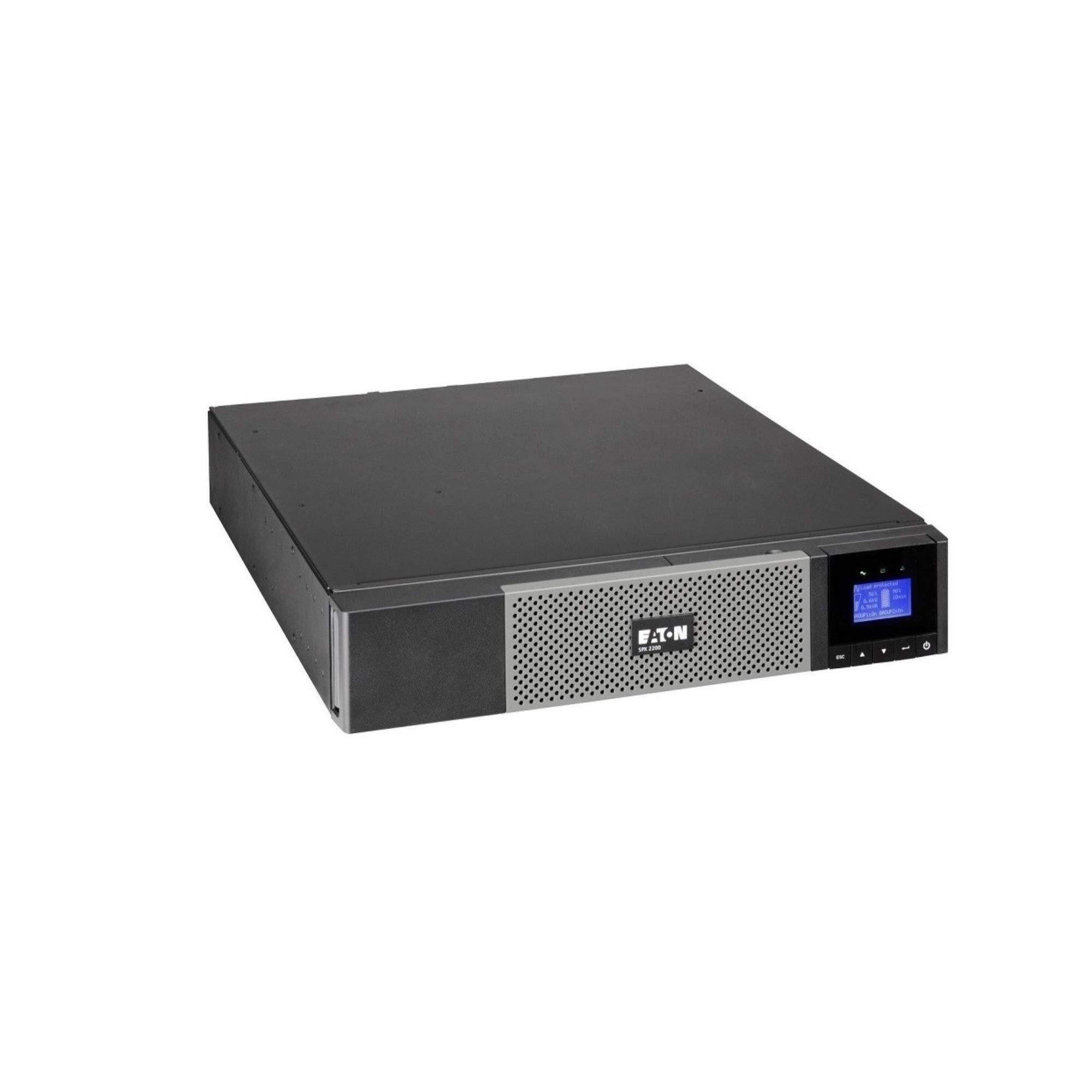
Immaġni: Quddiem view of the Eaton 5PX 3000 2U Rack/Tower LCD UPS, showing the LCD display and front panel controls.
4. L-Ewwel Tixgħil
- After connecting all equipment and the input power, press and hold the power button on the front panel for a few seconds until the LCD display illuminates.
- The UPS will perform a self-test and then display its operational status.
- Allow the UPS batteries to charge for at least 24 hours before relying on them for extended backup power.
Operazzjoni
Display LCD Overview
The front panel LCD provides real-time information about the UPS status, battery charge, load level, and various settings. Use the navigation buttons to scroll through menus and adjust parameters.
Funzjonijiet Bażiċi
- Power On/Off: Press and hold the power button to turn the UPS on or off.
- Allarm Mute: Briefly press any button to silence an active alarm.
- Awto-Test: Initiate a battery self-test through the LCD menu to check battery health.
Ġestjoni tal-batterija
The UPS automatically manages battery charging and discharge. For optimal battery life, avoid frequent deep discharges. The LCD will indicate battery charge level and estimated runtime.
Integrazzjoni tas-Software
The Eaton 5PX 3000 supports communication with computers and network management systems via USB or serial ports. Install Eaton's power management software (available from the Eaton website) for advanced monitoring, graceful shutdown of connected devices, and remote management capabilities.
Manutenzjoni
Sostituzzjoni tal-batterija
The batteries in your UPS are user-replaceable. The typical lifespan of UPS batteries is 3-5 years, depending on usage and environmental conditions. The UPS LCD or management software will indicate when battery replacement is recommended. Always use genuine Eaton replacement battery modules to ensure compatibility and performance. Refer to the detailed battery replacement instructions in the full product manual or on the Eaton support websit.
Tindif
Periodically clean the exterior of the UPS with a soft, dry cloth. Ensure ventilation openings are free from dust and obstructions to maintain proper airflow and cooling.
Aġġornamenti tal-Firmware
Eaton may release firmware updates to improve performance or add features. Check the Eaton support website periodically for available updates and follow the provided instructions for installation.
Issolvi l-problemi
This section addresses common issues you might encounter with your Eaton 5PX 3000 UPS.
| Problema | Kawża Possibbli | Soluzzjoni |
|---|---|---|
| L-UPS ma jixgħelx | No input power; Battery not connected or discharged | Check power cord connection and wall outlet. Ensure internal battery connectors are secure. Allow batteries to charge. |
| Il-UPS jagħmel ħoss kontinwu | On battery power; Overload; Battery fault | Check input power. Reduce connected load. Perform a battery self-test or consider battery replacement. |
| Short runtime on battery | Overload; Old batteries; Batteries not fully charged | Reduce connected load. Replace batteries if they are old. Allow batteries to charge for 24 hours. |
| LCD shows an error code | Internal fault; Specific issue | Refer to the full user manual for a list of error codes and their corresponding solutions. Contact technical support if the issue persists. |
Speċifikazzjonijiet
Key technical specifications for the Eaton 5PX 3000 2U Rack/Tower LCD UPS (Model: 5PX3000RT2U):
- Ditta: Eaton
- Numru tal-Mudell: 5PX3000RT2U
- Fattur tal-Formola: Rack/Torri (2U)
- Wattage: 3000 Watts
- Qawwa massima: 2700 Watts
- Output Wattage: 2430 Watts
- Voltage: 120 Volts
- Input Voltage: 120 Volts (AC)
- Ħruġ Voltage: 120 Volts (AC)
- Kurrent tal-Ħruġ: 20.25 Amps
- Medda ta' Frekwenzi: 47-53 Hz and 56.5-63.5 Hz
- Numru ta' Ħwienet: 7
- Tip ta' Konnettur: L5-30P, 5-20R, L5-30R
- Tip ta 'plagg tal-enerġija: Tip B - 3 pinnijiet (Amerika ta' Fuq)
- Kompożizzjoni taċ-Ċellola tal-Batterija: Aċidu taċ-Ċomb
- Runtime (typical): 20 minutes (at half load)
- Materjal tal-għeluq: Azzar Liga
- Kulur: Iswed
- Piż tal-oġġett: 0.01 Pounds (Note: This weight is likely incorrect in the source data and should be verified with actual product specifications)
Garanzija u Appoġġ
Informazzjoni dwar Garanzija
Eaton provides a standard warranty for the 5PX 3000 UPS. The specific terms and duration of the warranty may vary by region and purchase date. Please refer to the warranty card included with your product or visit the official Eaton websit għal informazzjoni dettaljata dwar il-garanzija u r-reġistrazzjoni.
Appoġġ Tekniku
For technical assistance, troubleshooting beyond this manual, or to inquire about replacement parts, please contact Eaton customer support. Support contact information can be found on the official Eaton webis-sit jew fid-dokumentazzjoni pprovduta mal-UPS tiegħek.