
Introduzzjoni
This manual provides essential instructions for the proper installation, operation, and maintenance of your KYOCERA TASKALFA 300Ci toner cartridge. Please read this manual thoroughly before using the product to ensure optimal performance and longevity.
Setup u Installazzjoni
Follow these steps to correctly install the KYOCERA TASKALFA 300Ci toner cartridge into your compatible printer.
- Iftaħ il-Kartuċċa mill-pakkett: Carefully remove the new toner cartridge from its packaging. Avoid touching the drum surface or electrical contacts.
- Ħawwad l-Iskartoċċ: Mexxi l-iskartoċċ orizzontalment bil-mod diversi drabi biex tqassam it-toner b'mod uniformi ġewwa.
- Iftaħ l-Għatu tal-Printer: Refer to your printer's manual to locate and open the toner compartment cover.
- Neħħi l-Kartuċċa l-Qadima: Press the release lever (if present) and pull the used toner cartridge straight out of the printer. Place it in a protective bag for recycling.
- Daħħal il-Kartuċċa l-Ġdida: Align the new toner cartridge with the guides in the printer and push it firmly until it clicks into place. Ensure it is securely seated.
- Agħlaq il-Qoxra tal-Istampatur: Close the toner compartment cover. The printer should automatically detect the new cartridge.
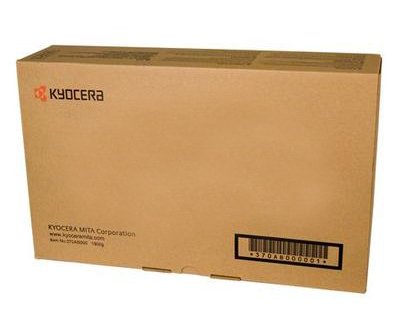
Image: KYOCERA TASKALFA 300Ci Toner Cartridge. This image shows the toner cartridge in its packaging, ready for installation.
Istruzzjonijiet Operattivi
Once installed, the KYOCERA TASKALFA 300Ci toner cartridge operates automatically with your printer. Here are some operational considerations:
- Monitoraġġ tal-Livell tat-Toner: Your printer's control panel or software utility will typically display the current toner level. Monitor this to anticipate when a replacement cartridge will be needed.
- Kwalità tal-Istampar: If print quality degrades (e.g., faded prints, streaks), it may indicate low toner or a need for maintenance. Refer to the troubleshooting section.
- Replacement Notification: The printer will usually display a message or indicator when the toner cartridge is nearing empty or requires replacement.
Manutenzjoni
Proper handling and storage can extend the life and performance of your toner cartridge.
- Ħażna: Aħżen il-cartridges tat-toner ġodda fl-imballaġġ oriġinali tagħhom, mhux miftuħ, f'post frisk u niexef 'il bogħod mix-xemx diretta u minn temperaturi estremi.
- Immaniġġjar: Always handle the cartridge by its designated grips. Avoid touching the drum or electrical contacts.
- Riċiklaġġ: Dispose of used toner cartridges responsibly. Many manufacturers and retailers offer recycling programs.
Issolvi l-problemi
Jekk tiltaqa' ma' problemi, ikkonsulta l-pariri komuni li ġejjin għas-soluzzjoni tal-problemi:
| Problema | Kawża Possibbli | Soluzzjoni |
|---|---|---|
| Stampi Sbiaditi jew Ċari | Low toner level; uneven toner distribution. | Gently rock the cartridge to redistribute toner. If problem persists, replace the cartridge. |
| Strixxi jew Linji fuq l-Istampi | Toner residue; damaged drum. | Perform a printer cleaning cycle. If the issue continues, the cartridge may be faulty or the drum damaged, requiring replacement. |
| Printer Not Recognizing Cartridge | Cartridge not seated correctly; dirty electrical contacts. | Remove and reinsert the cartridge firmly. Clean electrical contacts on both the cartridge and printer with a lint-free cloth. |
Speċifikazzjonijiet
- Ditta: KYOCERA
- Mudell: TASKALFA 300Ci
- Piż tal-oġġett: 2.48 liri
- ASIN: B008N4AX3Y
- Manifattur: KYOCERA
- Data L-Ewwel Disponibbli: 15 ta’ Novembru, 2012
Garanzija u Appoġġ
For specific warranty information regarding your KYOCERA TASKALFA 300Ci toner cartridge, please refer to the documentation provided with your original printer or contact KYOCERA customer support directly. KYOCERA provides support for its products to ensure customer satisfaction.
KYOCERA Customer Support: Please visit the official KYOCERA website or refer to your printer's user manual for contact details and support resources.