
1. Introduzzjoni
Thank you for choosing the Coby LEDTV3216 32-Inch 720p 60Hz Slim-Bezel LED HDTV. This manual provides essential information for the safe and efficient operation of your television. Please read these instructions thoroughly before use and retain them for future reference.
The Coby LEDTV3216 offers a 32-inch widescreen display, a built-in digital TV tuner (ATSC/NTSC/QAM), and multiple connectivity options including HDMI and VGA. It features energy-efficient technology, digital noise reduction, and V-chip parental control.
2. Informazzjoni dwar is-Sigurtà
Biex tiżgura tħaddim sikur u tevita ħsara, osserva l-prekawzjonijiet li ġejjin:
- Sors tal-Enerġija: Qabbad it-TV biss ma' provvista tal-enerġija AC 100-240V, 50/60Hz.
- Ventilazzjoni: Timblokkax il-fetħiet tal-ventilazzjoni. Kun żgur li jkun hemm biżżejjed spazju madwar it-TV għal fluss tal-arja xieraq.
- Ilma u Umdità: Do not expose the TV to rain, moisture, or place objects filled with liquids on or near it.
- Sorsi tas-Sħana: Keep the TV away from radiators, heat registers, stoves, or other heat-producing appliances.
- Tindif: Unplug the TV from the wall outlet before cleaning. Use a soft, dry cloth. Do not use liquid or aerosol cleaners.
- Servizzi: Tippruvax isservi dan il-prodott int stess. Irreferi l-manutenzjoni kollha lil persunal tas-servizz kwalifikat.
- Immuntar tal-ħajt: If wall-mounting, ensure the mount is VESA 200mm x 200mm compatible and installed by qualified personnel.
3. Kontenut tal-Pakkett
Ivverifika li l-oġġetti kollha huma preżenti fil-pakkett:
- Coby LEDTV3216 32-Inch LED HDTV
- Stand tat-TV
- Kontroll mill-bogħod (jeħtieġ 2 batteriji AAA, inklużi)
- Korda tal-Enerġija
- Manwal għall-Utent (dan id-dokument)
4. Setup
4.1 It-twaħħil tal-Istand
Biex twaħħal l-istand inkluż:
- Poġġi t-TV wiċċu 'l isfel fuq wiċċ artab u nadif biex tevita li tagħmel ħsara lill-iskrin.
- Allinja l-bażi tal-istand mat-toqob tal-immuntar fil-qiegħ tat-TV.
- Waħħal l-istand billi tuża l-viti pprovduti. Kun żgur li l-viti kollha huma ssikkati sew.
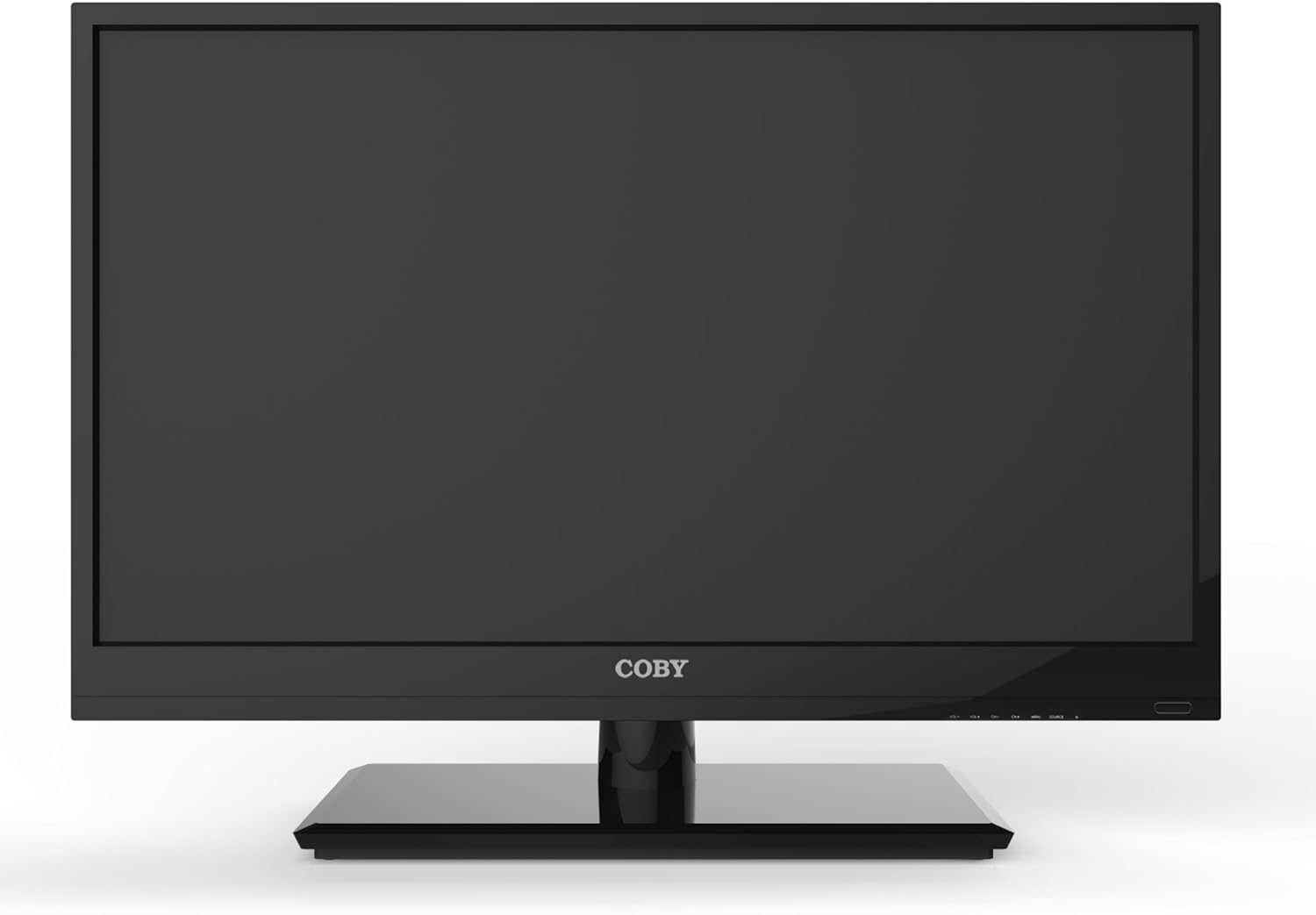
Figura 4.1: Quddiem view of the Coby LEDTV3216 with stand.
4.2 Immuntar mal-Ħajt (Mhux obbligatorju)
The TV supports VESA 200mm x 200mm wall mounts. Wall mount hardware is not included. For safe installation, it is recommended to have the TV wall-mounted by a professional.
4.3 Apparat li jgħaqqad
The Coby LEDTV3216 offers various input ports on the rear panel for connecting external devices.
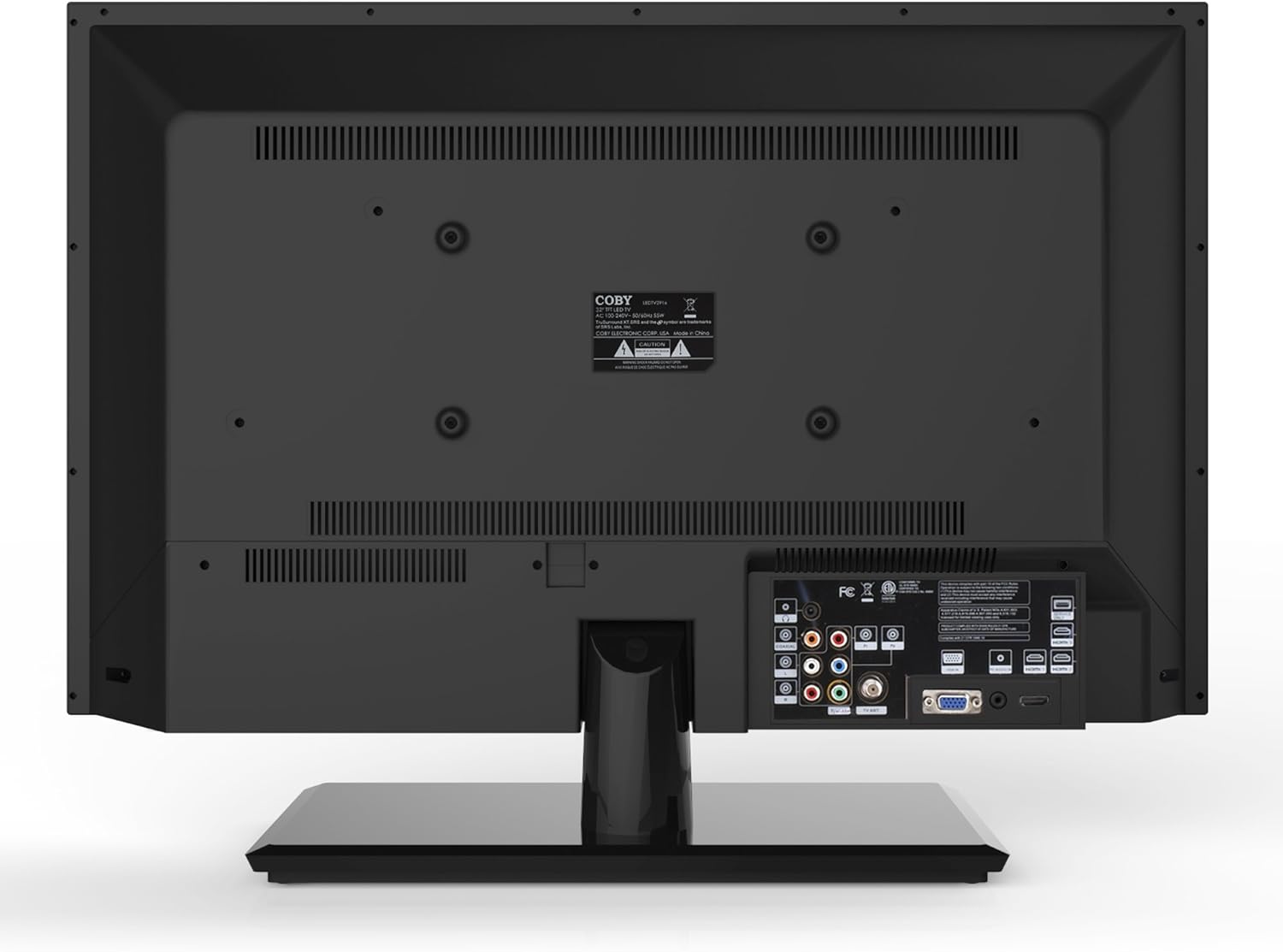
Figura 4.2: Wara view with input ports.
- HDMI: Connect high-definition devices such as Blu-ray players, game consoles, or cable/satellite boxes using an HDMI cable. The TV has 1 HDMI port.
- VGA (PC Input): Connect a computer to use the TV as a monitor. Use a VGA cable for video and a 3.5mm audio cable for audio input.
- Antenna/Kejbil: Connect an antenna or cable TV feed to the RF input for receiving broadcast channels.
- Vidjo Komponent (YPbPr): Connect devices using component video cables (red, green, blue) and corresponding audio cables (red, white).
- Vidjo Kompost (AV): Connect older devices using composite video (yellow) and stereo audio (red, white) cables.
4.4 Qawwa Inizjali
After connecting all desired devices and the power cord, press the Power button on the TV or remote control. Follow the on-screen prompts for initial setup, including language selection and channel scanning.
5. It-tħaddim tat-TV
5.1 Funzjonijiet ta' Kontroll mill-bogħod
The remote control allows you to access all TV functions. Insert the two included AAA batteries into the remote control, observing polarity.
- Qawwa: Ixgħel jew jitfi t-TV.
- Input/Sors: Selects the input source (HDMI, VGA, TV, AV, Component).
- Volum (+/-): Jaġġusta l-livell tal-volum.
- Kanal (CH +/-): Jibdel il-kanali tat-TV.
- Menu: Opens the on-screen display (OSD) menu.
- Buttuni tan-Navigazzjoni ('il fuq/'l isfel/'il fuq/'il fuq/'il fuq): Innaviga permezz tal-għażliet tal-menu.
- OK/Daħħal: Jikkonferma l-għażla.
- Ħruġ: Jagħlaq il-menu.
- Siekta: Itfi jew jattiva l-ħoss.
- Informazzjoni: Displays channel or program information.
5.2 Navigazzjoni tal-Menu
Agħfas il- Menu button on the remote to access the main menu. Use the navigation buttons to select categories such as Picture, Sound, Channel, Time, and Setup. Press OK to enter a sub-menu and adjust settings. Press Ħruġ biex titlaq il-menu.
5.3 Settings tal-Istampa
Adjust settings like Brightness, Contrast, Color, Tint, and Sharpness to optimize your viewing experience. Picture modes (e.g., Standard, Dynamic, Movie, User) are available for quick adjustments.

Figure 5.1: Coby LEDTV3216 displaying an image.
5.4 Settings tal-Ħoss
Adjust Bass, Treble, and Balance. Sound modes (e.g., Standard, Music, Movie, User) are available. The TV features premium sound powered by SRS Labs.
5.5 Issettjar tal-Kanal
Perform auto-scan or manual scan to find available channels. The built-in digital TV tuner supports ATSC, NTSC, and QAM standards.
5.6 Parental Control (V-Chip)
The V-chip parental control feature allows you to block programs based on their rating. Access this setting through the menu and follow the on-screen instructions to set up a password and content restrictions.
6. Karatteristiċi
Key features of the Coby LEDTV3216 include:
- Energy efficient technology (standby power less than 0.5W).
- Extended backlight life expectancy (30,000 hours).
- Built-in digital TV tuner (ATSC/NTSC/QAM).
- HDMI digital connection for perfect signal transmission.
- PC VGA connection for use as a computer monitor.
- Premium sound powered by SRS Labs.
- Tnaqqis tal-istorbju diġitali.
- V-chip parental control, Closed-Caption, and Electronic Program Guide support.
- Energy Star 5.3 compliant.
- Multi-language on-screen display.
- Wall-Mountable design (200mm x 200mm VESA Mount).
7. Speċifikazzjonijiet
| Karatteristika | Speċifikazzjoni |
|---|---|
| Isem tal-Mudell | LEDTV3216 |
| Daqs tal-Iskrin | 32 Pulzier |
| Teknoloġija tal-Wiri | LED |
| Riżoluzzjoni | 720p |
| Riffriskar Rata | 60 Hz |
| Proporzjon ta' Kuntrast | 3,000:1 |
| Ħin ta' Rispons | 6 Millisekondi |
| Teknoloġija tal-Konnettività | hdmi, vga |
| Numru Totali ta' Portijiet HDMI | 1 |
| Tip ta' tuner | ATSC, NTSC, QAM |
| Kontroll tal-Ġenituri | V-Chip |
| Standard tal-Immuntar VESA | 200 x 200 mm |
| Piż tal-oġġett | 18.08 Liri |
| Kulur | Iswed |

Figure 7.1: Estimated Yearly Energy Cost for LEDTV3216.
8. Manutenzjoni
8.1 Tindif tal-Iskrin
Imsaħ l-iskrin bil-mod b'ċarruta ratba u mingħajr suf. Għal marki persistenti, nixxef bil-modampLaħlaħ id-drapp bl-ilma jew b'prodott speċjalizzat għat-tindif tal-iskrin. Qatt ma tisprejja t-tindif direttament fuq l-iskrin.
8.2 Tindif tal-Kabinett
Wipe the TV cabinet with a soft, dry cloth. Avoid using abrasive cleaners or solvents that may damage the finish.
9 Issolvi l-problemi
Jekk tiltaqa' ma' problemi bit-TV tiegħek, irreferi għall-problemi u s-soluzzjonijiet komuni li ġejjin:
| Problema | Kawża / Soluzzjoni Possibbli |
|---|---|
| Ebda qawwa | Ensure the power cord is securely plugged into the TV and a working electrical outlet. Check the power indicator light. |
| L-ebda stampa, iżda l-ħoss huwa preżenti | Iċċekkja li s-sors tad-dħul korrett huwa magħżul. Iċċekkja l-konnessjonijiet tal-kejbil ma' apparati esterni. |
| L-ebda ħoss, iżda l-istampa hija preżenti | Iċċekkja l-livell tal-volum u kun żgur li t-TV mhuwiex siekta. Ivverifika l-konnessjonijiet tal-kejbil tal-awdjo għal apparati esterni. |
| Kwalità fqira tal-istampa | Adjust picture settings (brightness, contrast, sharpness). Ensure the antenna or cable connection is secure. For digital channels, perform a channel scan. |
| Il-kontroll mill-bogħod ma jaħdimx | Check and replace batteries if necessary. Ensure there are no obstructions between the remote and the TV's IR sensor. |
10. Garanzija u Appoġġ
The Coby LEDTV3216 comes with a limited warranty. Please refer to the warranty card included with your product for specific terms and conditions. For technical support or service inquiries, please contact Coby customer service through their official webis-sit jew l-informazzjoni ta' kuntatt ipprovduta fid-dokumentazzjoni tal-garanzija tiegħek.