
1. Introduzzjoni
This document provides essential instructions and detailed specifications for the PWR+ 19V AC Power Adapter. It is designed to ensure safe and efficient operation when used with compatible Bmax MaxMini Mini PC models. Please read this manual thoroughly before use.
2. Informazzjoni dwar is-Sigurtà
The PWR+ 19V AC Power Adapter is Elenkat UL, indicating it has been tested, approved, and certified by Underwriters Laboratories for safety standards. UL testing is authorized by OSHA, a US Federal Agency. Adherence to these safety standards ensures reliable and secure operation.
- Do not expose the adapter to liquids or extreme temperatures.
- Ensure the adapter is connected to a properly grounded power outlet.
- Avoid using the adapter if the cord or casing hija mħassra.
- Disconnect the adapter from the power source before cleaning.

Image: The PWR+ 19V AC Power Adapter, showing the main unit, cables, and a visible UL Listed certification label attached to the output cable. This highlights the product's adherence to safety standards.
3. Karatteristiċi tal-prodott
- Korda tal-Enerġija Estiża: Features an extra-long 12-foot power cord for flexible placement.
- Input VoltagFirxa e: Supports universal input voltage minn 100-240V.
- Speċifikazzjonijiet tal-output: Provides a maximum output of 19V, 3.42A, delivering 65W.
- Disinn Durabbli: Equipped with a steel-reinforced tip for enhanced durability and extended usability.
- Protezzjonijiet tas-Sigurtà Inkorporati: Includes Short Circuit Protection (SCP), Over Current Protection (OCP), Over VoltagProtezzjoni minn Temperatura Żejda (OVP), u Protezzjoni minn Temperatura Żejda (OTP).
- Ċertifikat tas-Sigurtà UL: Tested and certified by UL for safety standards.

Immaġni: Dijagramma dettaljata turiasing the internal components of the PWR+ power adapter, including high-grade copper wiring and aluminum foil shielding. It also illustrates the built-in safety protections (SCP, OCP, OVP, OTP) and the benefit of the 12-foot extra-long power cord.
4. Kompatibilità
This PWR+ Power Adapter is compatible with the following Bmax MaxMini Mini PC models:
- Bmax MaxMini B5 Pro Mini PC
- Bmax MaxMini B7 Power Mini PC
- Bmax MaxMini B8 Plus Mini PC
- Bmax MaxMini B8 Power Mini PC
- Bmax MaxMini B9 Power Mini PC
- Bmax MaxMini B10 Pro Mini PC
Ensure your device's power requirements match the adapter's output specifications (19V, 3.42A, 65W) and that it uses a round tip connector.
5. Istruzzjonijiet ta' Setup
- Ippakkja: Carefully remove the PWR+ AC Power Adapter from its packaging.
- Qabbad mal-Apparat: Insert the round tip connector of the adapter's output cable into the power input port of your compatible Bmax MaxMini Mini PC. Ensure a secure connection.
- Qabbad mal-Power Outlet: Plug the AC input cord into a standard 100-240V wall outlet.
- Ivverifika l-Konnessjoni: The adapter features a charging indicator light (typically blue) which will illuminate when properly connected and receiving power.
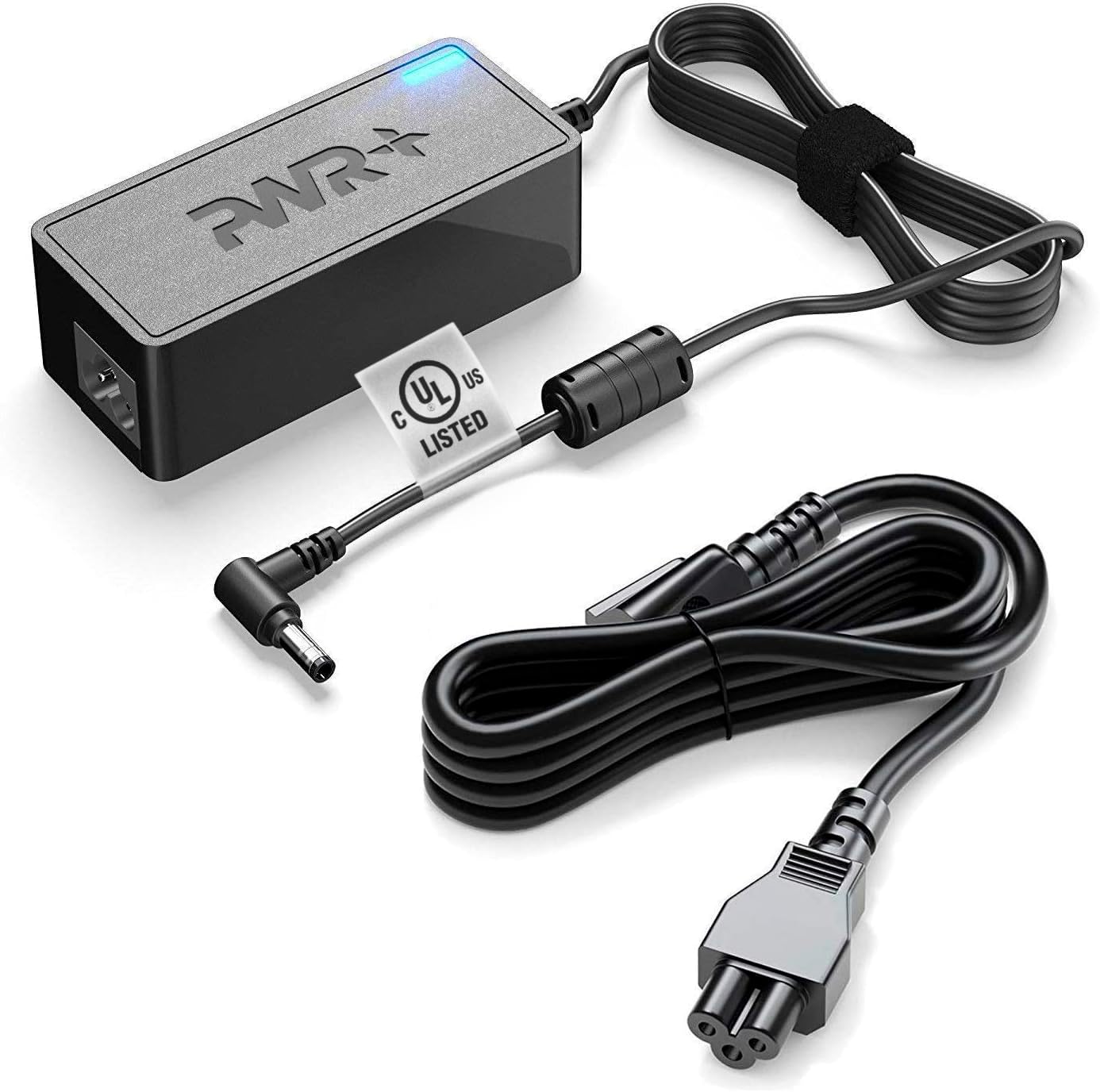
Image: The PWR+ 19V AC Power Adapter displayed with its main unit, the detachable AC input power cord, and the DC output cable with its round tip connector. This provides a clear view of all components required for connection.
6. Linji Gwida Operattivi
- Once connected, the adapter will supply power to your Mini PC.
- The blue indicator light on the adapter signifies active power delivery.
- For optimal performance, operate the adapter in a well-ventilated area.
- Skonnettja l-adapter mis-sokit tal-ħajt meta ma jkunx qed jintuża għal perjodi twal.
7. Manutenzjoni
- Tindif: Uża drapp niexef u artab biex tnaddaf l-adapter. Tużax prodotti tat-tindif likwidi jew solventi.
- Ħażna: Aħżen l-adapter f'post frisk u niexef meta ma tkunx qed tużah. Evita li tgeżwer il-kejbils issikkat iżżejjed biex tevita l-ħsara.
- Spezzjoni: Spezzjona perjodikament il-korda tal-enerġija u l-adapter casing for any signs of damage. If damage is observed, discontinue use and replace the adapter.
8 Issolvi l-problemi
| Problema | Kawża Possibbli | Soluzzjoni |
|---|---|---|
| L-ebda enerġija għall-apparat | Adapter not plugged in; loose connection; faulty outlet; incompatible device. | Ensure all connections are secure. Try a different wall outlet. Verify device compatibility and power requirements. |
| Adapter indicator light off | No power input; internal fault. | Check wall outlet and connections. If problem persists, the adapter may be faulty. |
| Device not charging/powering on | Vol mhux korretttage/amperage; device fault. | Confirm adapter specifications match device requirements. Test device with another known-good power source if available. |
9. Speċifikazzjonijiet Tekniċi
- Numru tal-Mudell: PWR-TAJ190342
- Input Voltage: 100-240V AC
- Ħruġ Voltage: 19V DC
- Kurrent tal-Ħruġ: 3.42 Amps
- Output Wattage: 65 Watts
- Tip ta' Konnettur: Round Tip
- Tul tal-kurdun: 12 Pied (madwar 3.66 metru)
- Ċertifikazzjoni tas-Sigurtà: Elenkat UL
- Karatteristika Speċjali: Dawl Indikatur tal-Iċċarġjar
10. Garanzija u Appoġġ
The PWR+ 19V AC Power Adapter comes with a comprehensive warranty:
- Politika ta' Rifużjoni: 30 Jum Rifużjoni
- Politika ta' Skambju: Skambju ta' 24 Xahar
For any support inquiries or warranty claims, please contact PWR+ customer service. PWR+ is a Washington, USA-based company dedicated to customer satisfaction.

Image: The PWR+ 19V AC Power Adapter with its blue LED indicator illuminated, signifying active power. A '2 year extended warranty' sticker is visible on the adapter unit, emphasizing the product's warranty period.