
Introduzzjoni
This manual provides essential information for setting up, operating, maintaining, and troubleshooting your ASUS G53SX-DH71 Full HD 15.6-Inch Gaming Laptop. Please read this manual thoroughly to ensure proper use and to maximize the performance and longevity of your device.
Prodott Overview
The ASUS G53SX-DH71 is a high-performance gaming laptop designed for immersive gaming experiences. It features an Intel Core i7 processor, NVIDIA GeForce GTX 560M graphics, and a 15.6-inch Full HD display.
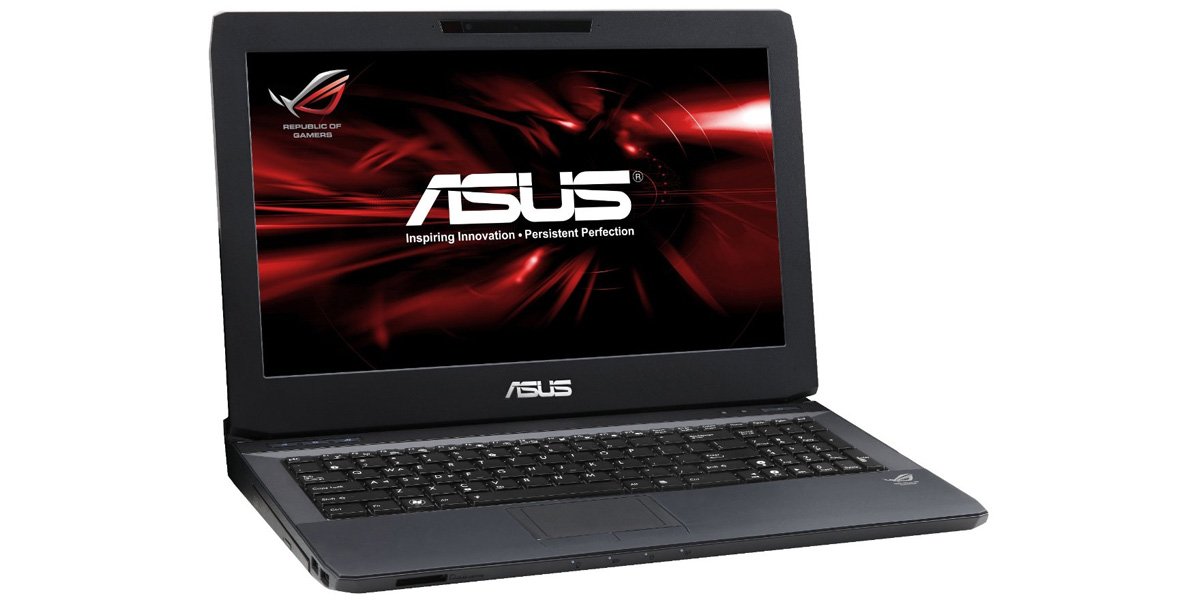
Figure 1: ASUS G53SX-DH71 Gaming Laptop.
Gwida ta' Setup
1. Spakkjar u Spezzjoni Inizjali
- Oħroġ il-laptop u l-aċċessorji kollha mill-imballaġġ bir-reqqa.
- Verify that all components are present: laptop, power adapter, power cord, and any included documentation.
- Spezzjona l-laptop għal xi ħsara fiżika. Jekk issib ħsara, ikkuntattja lill-bejjiegħ tiegħek immedjatament.
2. Konnessjoni tal-Adapter tal-Enerġija
- Qabbad il-korda tad-dawl mal-AC adapter.
- Ipplaggja l-adapter tal-AC f'bokk elettriku ertjat.
- Connect the DC output plug of the AC adapter to the power input port on your laptop.
- Allow the battery to charge for at least 3 hours before initial use, even if the battery indicator shows a full charge.
3. L-Ewwel Boot u s-Setup tas-Sistema Operattiva
- Iftaħ l-għatu tal-laptop u agħfas il-buttuna tal-qawwa.
- Follow the on-screen instructions to complete the Windows 7 Home Premium 64-bit operating system setup. This typically involves selecting language, region, accepting license agreements, and creating a user account.
- Connect to a Wi-Fi network when prompted to ensure the system can download necessary updates.
It-Tħaddim tal-Laptop Tiegħek
Tastiera u Touchpad
The laptop features a full-sized keyboard and a multi-touch touchpad. The keyboard includes a numeric keypad and backlit keys for use in low-light conditions. The touchpad supports gestures for navigation and control.

Figure 2: Keyboard and Touchpad detail.
- Ċwievet tal-Funzjoni (Fn): Combine the Fn key with F1-F12 keys for various functions such as adjusting brightness, volume, or disabling the touchpad (Fn+F9).
- Touchpad: Use the touchpad for cursor control. Two physical buttons below the touchpad serve as left and right mouse clicks.
Modi ta 'Ġestjoni tal-Enerġija
Your laptop offers several power modes to optimize performance or battery life. These can typically be accessed via a dedicated button or through the operating system's power options.
- Prestazzjoni Għolja: Maximizes system speed and responsiveness, ideal for gaming and demanding applications.
- Uffiċċju Kwiet: Reduces fan noise and power consumption for general productivity tasks.
- Entertainment (Theater): Optimizes display and audio settings for media consumption.
- Saver tal-Batterija: Extends battery life by reducing performance and background activity.
Audio and Graphics
The ASUS G53SX-DH71 is equipped with advanced audio and NVIDIA GeForce GTX 560M graphics for an immersive experience. Ensure drivers are up-to-date for optimal performance.
Video 1: Republic of Gamers product overview. This video highlights the laptop's gaming capabilities, 3D audio, and powerful graphics processing unit (GPU) with Intel Core i7 processor.
Manutenzjoni u Kura
- Tindif: Use a soft, lint-free cloth to clean the screen and exterior. Avoid harsh chemicals.
- Kura tal-batterija: To prolong battery life, avoid fully discharging the battery frequently. Store the laptop in a cool, dry place if not used for extended periods.
- Ventilazzjoni: Ensure the laptop's ventilation openings are not blocked to prevent overheating.
Issolvi l-problemi
Kwistjonijiet Komuni u Soluzzjonijiet
- Ebda Qawwa:
- Kun żgur li l-adapter tal-AC huwa konness sew kemm mal-laptop kif ukoll ma' sokit tal-enerġija li jaħdem.
- Ivverifika li s-sokit tal-enerġija jaħdem billi tqabbad apparat ieħor.
- Check if the battery is completely drained. Allow it to charge for a while before attempting to power on.
- Screen Display Issues (e.g., white screen, black screen, pixelation):
- Ibda mill-ġdid il-laptop.
- Connect an external monitor to determine if the issue is with the laptop's display or the graphics card.
- Ensure graphics drivers are updated.
- If the issue persists, it may indicate a hardware problem with the display cable or panel. Contact ASUS support for assistance.
- Is-sħana żejda:
- Ensure ventilation vents are clear of obstructions.
- Use the laptop on a hard, flat surface rather than soft surfaces like beds or couches.
- Consider using a cooling pad.
- Naddaf it-trab mill-ventijiet billi tuża arja kkompressata.
- Prestazzjoni Bil-mod:
- Check power management settings and ensure the laptop is in "High Performance" mode when needed.
- Agħlaq applikazzjonijiet fl-isfond mhux meħtieġa.
- Mexxi skenn tal-virus.
- Ensure sufficient free space on the hard drive.
Speċifikazzjonijiet
| Karatteristika | Speċifikazzjoni |
|---|---|
| Brand | ASUS |
| Numru tal-Mudell | G53SX-DH71 |
| Daqs tal-Iskrin | 15.6 Pulzier |
| Riżoluzzjoni tal-Iskrin | 1920 x 1080 pixels (Full HD) |
| Proċessur | Intel Core i7-2670QM (2.2 GHz) |
| RAM | 12 GB DIMM (1333 MHz) |
| Hard Drive | 750 GB 7200 RPM Serial ATA |
| Koproċessur tal-Grafika | NVIDIA GeForce GTX 560M 2GB GDDR5 |
| Sistema Operattiva | Windows 7 Home Premium 64-bit |
| Tip bla fili | 802.11bgn |
| Portijiet USB 2.0 | 3 |
| Portijiet USB 3.0 | 1 |
| Audio-out Ports | 1 |
| Piż tal-oġġett | 2.1 liri |
| Dimensjonijiet tal-Prodott | 11.7 x 15.6 x 0.8 pulzieri |
| Kulur | Iswed |
| Batteriji | 1 batterija tal-jone tal-litju (inkluża) |
Garanzija u Appoġġ
For warranty information and technical support, please refer to the documentation included with your product or visit the official ASUS support websit. Żomm il-prova tax-xiri tiegħek għal talbiet ta' garanzija.
- Appoġġ ASUS Websit: www.asus.com/support/
- Reġistrazzjoni tal-Prodott: Register your product online to receive updates and support.