
1. Introduzzjoni
This manual provides essential information for the safe and efficient operation of your Showtec Compact Par 7 Tri 42580 LED PAR Light. Please read these instructions thoroughly before installation and use. Keep this manual for future reference.
2. Istruzzjonijiet tas-Sigurtà
- Dejjem qabbad l-apparat ma' żbokk tad-dawl ertjat.
- Tiżgura l-provvista tal-enerġija voltage matches the device's requirements (AC 100-240V).
- Tiftaħx il-kaxxa. Ġewwa m'hemm l-ebda partijiet li jistgħu jiġu sservisjati mill-utent. Irreferi għal kull manutenzjoni f'idejn persunal kwalifikat.
- Evita l-espożizzjoni diretta tal-għajnejn għas-sors tad-dawl.
- Kun żgur li jkun hemm ventilazzjoni adegwata madwar l-unità biex tevita li tissaħħan iżżejjed.
- Mount the device securely using appropriate hardware and safety cables.
- Keep the device away from moisture, rain, and extreme temperatures.
3. Prodott Aktarview
The Showtec Compact Par 7 Tri 42580 is a versatile LED PAR light designed for various lighting applications. It features 7 Tri-color LEDs, offering a wide range of color mixing capabilities and control options.
Karatteristiċi ewlenin:
- 7 Tri-color LEDs for rich color mixing.
- Multiple DMX channel modes (3, 4, 8 channels).
- Standalone operation modes: Auto, Sound Active, Static Color.
- 0-100% electronic dimming and 0-20 Hz strobe effects.
- Robust aluminum and iron housing with an aluminum heatsink for efficient cooling.
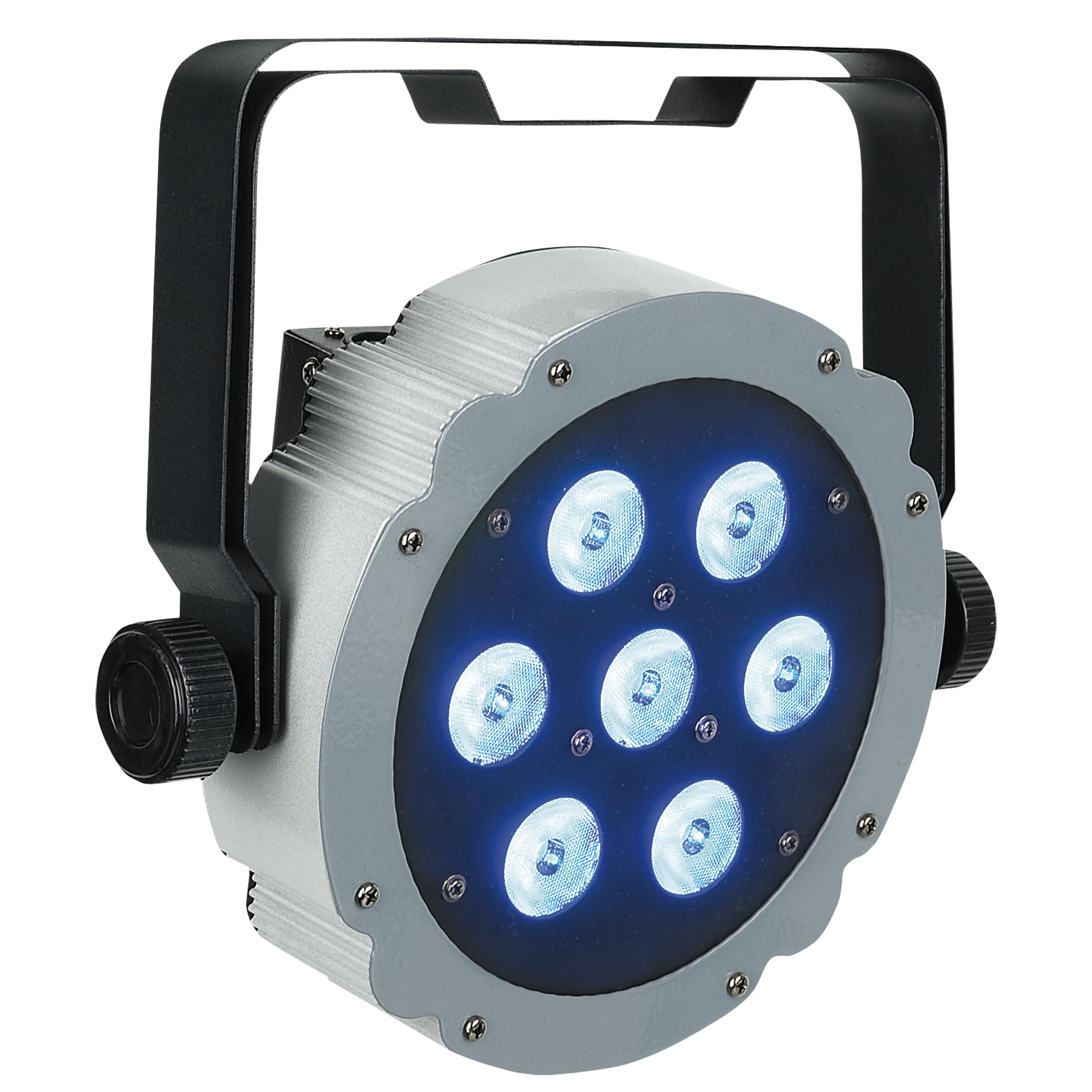
Figura 1: Quddiem view of the Showtec Compact Par 7 Tri 42580 LED PAR light, showcasing its seven LED lenses and robust housing.
4. Setup
4.1 Immuntar
The unit comes with an adjustable mounting bracket. Securely attach the bracket to a truss or stand using appropriate clamps and safety cables. Ensure the mounting surface can support the weight of the fixture. The fixture can also be placed on a flat surface using the bracket as a floor stand.

Figura 2: Ġenb view of the Showtec Compact Par 7 Tri 42580, illustrating the adjustable mounting bracket for versatile positioning.
4.2 Konnessjoni tal-Enerġija
Connect the included IEC power cable to the IEC power input on the rear of the unit and then to a suitable AC 100-240V, 50/60Hz grounded power outlet.
4.3 Konnessjoni DMX
For DMX control, connect a 3-pin XLR cable from your DMX controller's output to the DMX IN port on the fixture. To daisy-chain multiple fixtures, connect a DMX cable from the DMX OUT port of the first fixture to the DMX IN port of the next fixture. Ensure the last fixture in the chain has a DMX terminator installed (not included) for optimal signal integrity.

Figura 3: Wara view of the Showtec Compact Par 7 Tri 42580, displaying the IEC power input, 3-pin XLR DMX input/output, and the control panel with display and buttons.
5. Istruzzjonijiet Operattivi
5.1 Panel tal-Kontroll
The rear panel features a digital display and four control buttons:
- MODALITÀ: Jiċċaqlaq bejn l-għażliet tal-menù prinċipali.
- SETUP: Enters a selected menu option or confirms a setting.
- UP: Increases the value or navigates up through menu options.
- 'L isfel: Decreases the value or navigates down through menu options.
5.2 Kontroll tad-DMX
The Compact Par 7 Tri 42580 can be controlled via DMX-512 protocol. It offers 3, 4, or 8 DMX channel modes. Select the desired DMX channel mode and set the DMX start address using the control panel. Refer to the DMX chart in the specifications section for channel assignments.
5.3 Modi Awtonomi
The fixture can operate without an external DMX controller:
- Modalità Awtomatika: The fixture runs through pre-programmed light shows. Use the UP/DOWN buttons to select different auto programs or adjust speed.
- Modalità Attiva tal-Ħoss: The fixture reacts to sound via its built-in microphone. Use the UP/DOWN buttons to adjust sound sensitivity.
- Modalità tal-Kulur Statiku: Select a fixed color from the available options. Use the UP/DOWN buttons to adjust Red, Green, and Blue intensity levels to create custom colors.
6. Manutenzjoni
6.1 Tindif
Regularly clean the lenses and housing with a soft, lint-free cloth. Do not use abrasive cleaners or solvents. Ensure the unit is powered off and disconnected from the mains before cleaning.
6.2 Ħażna
When not in use, store the fixture in a dry, dust-free environment, away from extreme temperatures. If storing for extended periods, consider using the original packaging or a protective case.
7 Issolvi l-problemi
- Ebda Qawwa: Check the power cable connection, the power outlet, and any circuit breakers.
- Ebda Ħruġ tad-Dawl: Verify power connection. If in DMX mode, ensure the DMX signal is present and the DMX address is correctly set. Check if the dimmer channel is at 0%.
- Kwistjonijiet ta' Kontroll tad-DMX: Ensure DMX cables are correctly connected (IN to OUT). Check DMX address settings. Try a DMX terminator on the last fixture in the chain. Test with a different DMX cable or controller.
- Fixture Overheating: Ensure adequate ventilation. Check for any obstructions around the heatsink. Operate within the specified ambient temperature range.
8. Speċifikazzjonijiet
| Brand | Showtec |
| Mudell | Compact Par 7 Tri 42580 (SHOLEDDESIGNPAR18RG) |
| Provvista tal-Enerġija | AC 100-240 V, 50/60 Hz |
| Konsum tal-Enerġija | 28 W |
| Sistema LED | 7 Tri-color LEDs |
| Lumen | 1540 |
| Lux @ 2m | 2002 |
| Distanza Max | 20 m |
| Riffriskar Rata | 3.9 kHz |
| Modi ta' Kontroll | DMX-512, Auto, Sound Active, Static Color |
| Kanali DMX | 3, 4, 8 |
| Dimmer | 0-100% elettroniku |
| Strobe | 0-20 Hz |
| Angolu tar-raġġ | 40° |
| Djar | Aluminju u Ħadid |
| Kulur | Dark Grey and Black |
| AC Power Ports | IEC |
| Konnessjonijiet tad-Data | 3-pin XLR In/Out |
| Tkessiħ | Heatsink tal-aluminju |
| Temperatura operattiva | -20 ~ 40 °C |
| Dimensjonijiet | 290 x 275 x 115 mm |
| Piż | 2.6 kg |
DMX Channel Chart (8-Channel Mode Example)
| Kanal | Funzjoni | Firxa ta' Valur | Deskrizzjoni |
|---|---|---|---|
| 1 | Master Dimmer | 0-255 | 0-100% Dimming |
| 2 | Intensità Ħamra | 0-255 | 0-100% Aħmar |
| 3 | Intensità ħadra | 0-255 | 0-100% Aħdar |
| 4 | Intensità Blu | 0-255 | 0-100% Blu |
| 5 | Strobe | 0-255 | 0 = No Strobe, 1-255 = Strobe Speed (slow to fast) |
| 6 | Makro tal-Kulur | 0-255 | Pre-programmed color presets |
| 7 | Programm Awtomatiku | 0-255 | Selects and controls auto programs |
| 8 | Ħoss Attiv | 0-255 | Activates sound mode and adjusts sensitivity |
9. Garanzija u Appoġġ
Showtec products are designed for reliability and performance. For warranty information and technical support, please refer to the official Showtec webis-sit jew ikkuntattja lin-negozjant awtorizzat tiegħek. Żomm l-irċevuta tax-xiri tiegħek bħala prova tax-xiri.