
1. Introduzzjoni
This manual provides detailed instructions for the safe and correct installation, operation, and maintenance of your RICOO R02 Tilting TV Wall Mount. Please read all instructions carefully before beginning installation to ensure proper setup and to prevent damage or injury. Keep this manual for future reference.
2. Informazzjoni dwar is-Sigurtà
- Kapaċità tal-piż: Taqbiżx il-kapaċità massima ta 'tagħbija ta' 30 kg (66 lbs).
- Daqs tal-iskrin: Dan il-muntatura huwa ddisinjat għal televiżjonijiet bejn 22 u 37 pulzier.
- Tip ta' Ħajt: The included dowels are suitable for concrete walls only. For other wall types (e.g., wood stud, brick, drywall), consult a professional or purchase appropriate mounting hardware.
- Installazzjoni professjonali: Jekk m'intix ċert dwar il-proċess tal-installazzjoni, fittex l-għajnuna ta' professjonist kwalifikat.
- Għodod: Ensure you have all necessary tools before starting installation.
- Tfal: Żomm it-tfal 'il bogħod miż-żona tal-installazzjoni waqt is-setup.
- Ħsara: Do not install if any parts are damaged. Contact customer support for replacement parts.
3. Kontenut tal-Pakkett
Ivverifika li l-komponenti kollha huma preżenti u mhux imħassra qabel ma tipproċedi bl-installazzjoni.
- Pre-assembled TV bracket
- Dowels (for concrete walls only)
- Screws for screen attachment (various sizes)
- Wall screws and other mounting accessories

Figura 3.1: Technical drawing showing the dimensions and movement capabilities of the R02 wall mount. All measurements are in millimeters.
4. Speċifikazzjonijiet
| Brand | RICOO |
| Numru tal-Mudell | R02 |
| Daqsijiet tal-Iskrin Kompatibbli | 22 - 37 pulzier (56 - 94 ċm) |
| Kapaċità massima tat-Tagħbija | 30 kg (66 lbs) |
| Kompatibilità VESA | 75x75 mm, 100x100 mm, 200x100 mm, 200x200 mm |
| Angolu Mejjel | +/- 15 grad |
| Angolu li jdur | Up to 180 degrees (depending on screen width) |
| Distanza tal-Ħajt | 68 mm - 450 mm |
| Materjal | Azzar Liga |
| Kulur | Iswed |
| Dimensjonijiet tal-Prodott | 29 x 23 x 8 ċm |
| Piż tal-Prodott | 2.88 kg |

Figura 4.1: The RICOO R02 wall mount is designed to safely support televisions weighing up to 30 kg.
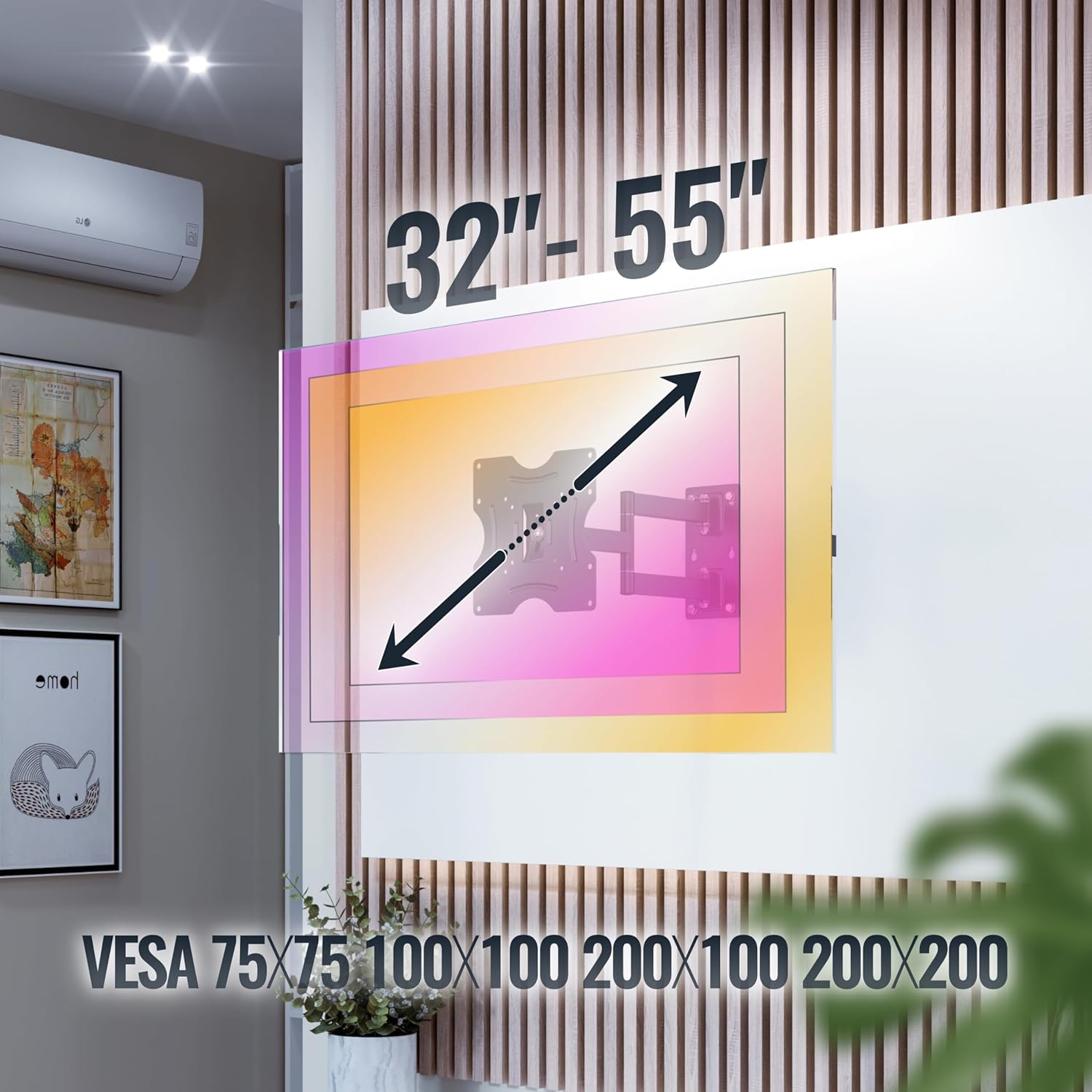
Figura 4.2: This image illustrates the VESA compatibility (75x75, 100x100, 200x100, 200x200 mm) and the recommended screen size range for the mount. Please note that while the image shows 32"-55", the product is specified for 22"-37" TVs.
5. Setup u Installazzjoni
Follow these steps carefully for a secure installation. It is recommended to have two people for installation.
- Ipprepara l-Ħajt:
- Identify the desired mounting location on your wall. Ensure the wall can support the weight of the mount and your TV.
- Use a stud finder to locate wall studs if mounting on a wood stud wall. For concrete walls, ensure there are no hidden pipes or electrical wires.
- Mark the drilling points for the wall plate using the mount as a template.
- Drill toqob:
- Drill pilot holes at the marked locations. The drill bit size will depend on your wall type and the provided screws/dowels.
- Insert the appropriate wall anchors (dowels for concrete walls) into the drilled holes.
- Waħħal il-Pjanċa tal-Ħajt:
- Secure the wall plate of the mount to the wall using the provided wall screws. Ensure it is level and tightly fastened.
- Waħħal il-Brakketti tat-TV mat-TV:
- Poġġi t-TV tiegħek b'attenzjoni wiċċu 'l isfel fuq wiċċ artab u nadif.
- Identifika t-toqob tal-immuntar tal-VESA fuq wara tat-TV tiegħek.
- Select the correct size screws from the provided hardware that fit your TV's VESA holes.
- Attach the TV brackets to the back of your TV using these screws. Do not overtighten.
- Immuntar tat-TV mal-Pjattaforma tal-Ħajt:
- Bl-għajnuna, erfa’ t-TV bir-reqqa bil-parentesi mwaħħla.
- Hook the TV brackets onto the wall plate. Ensure the TV is securely seated on the mount.
- Engage any safety locking mechanisms on the mount to prevent accidental dislodgement.
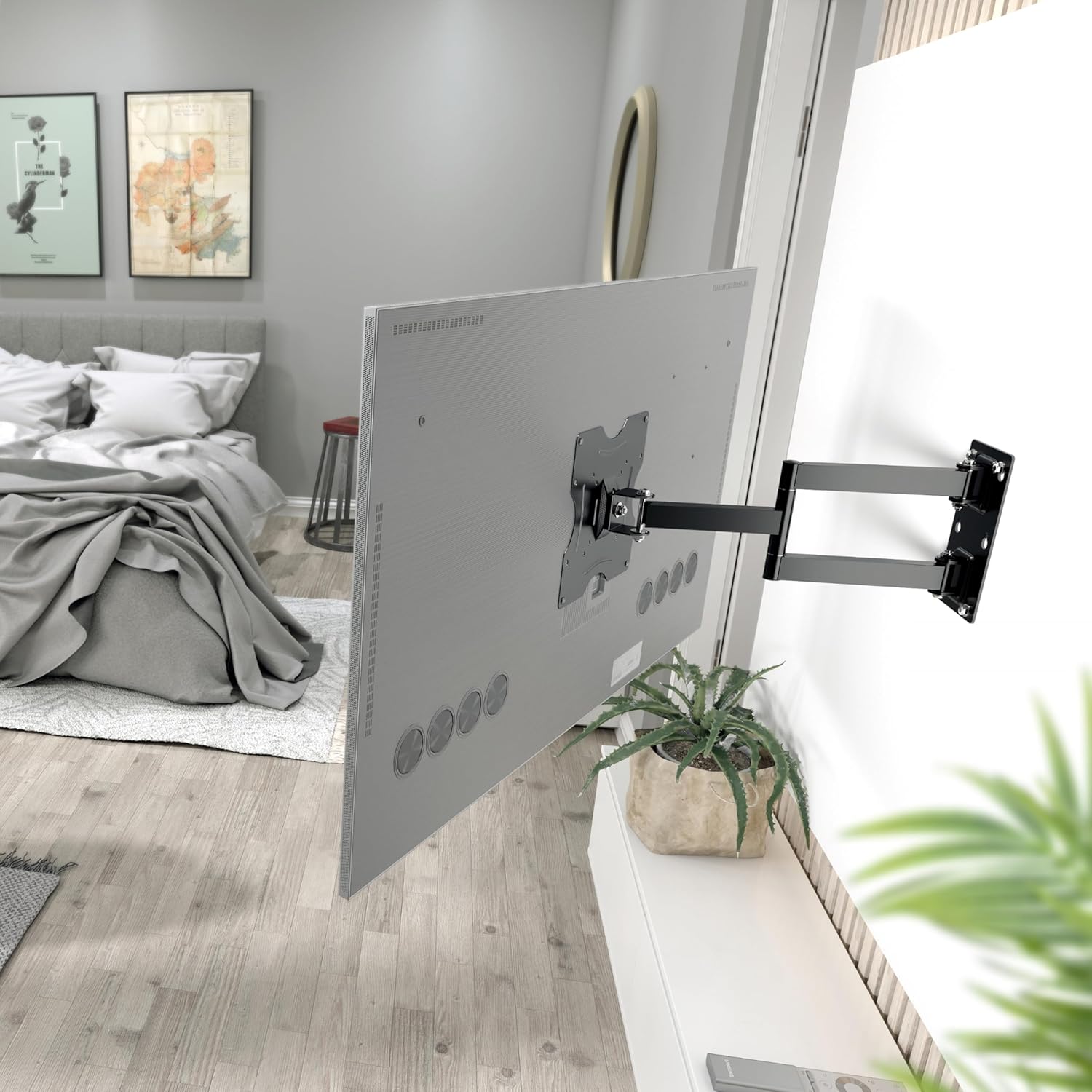
Figura 5.1: The RICOO R02 wall mount securely installed, holding a television at an extended position from the wall.
6. Istruzzjonijiet Operattivi
The RICOO R02 mount offers flexible viewgħażliet:
- Inklinazzjoni: Gently push or pull the top or bottom of the TV to adjust the tilt angle up to +/- 15 degrees. This helps reduce glare and optimize viewing.
- Dawwar: The mount allows for swiveling the TV up to 180 degrees horizontally. Carefully push the TV left or right to achieve the desired viewing angle. The maximum swivel range depends on the width of your TV and its distance from the wall.
- Extending/Retracting: The mount can extend the TV from the wall between 68 mm and 450 mm. Gently pull the TV forward or push it back towards the wall.

Figura 6.1: Illustration of the mount's tilt range (+/- 15 degrees) and swivel range (up to 180 degrees), allowing for optimal viewing minn pożizzjonijiet varji.
7. Manutenzjoni
Manutenzjoni regolari tiżgura l-lonġevità u t-tħaddim sikur tal-muntatura tal-ħajt tat-TV tiegħek.
- Tindif: Imsaħ il-muntatura b'ċarruta ratba u niexfa. Evita prodotti tat-tindif jew solventi li joborxu.
- Verifika tal-Issikkar: Periodically check all screws and bolts to ensure they remain tight. Retighten if necessary, but do not overtighten.
- Kontroll tal-Moviment: Occasionally move the TV through its full range of motion (tilt, swivel, extend) to ensure smooth operation.
- Spezzjoni tal-Ħsara: Spezzjona l-muntatura għal kwalunkwe sinjal ta' xedd, ħsara, jew korrużjoni. Jekk jinstabu xi problemi, waqqaf l-użu u kkuntattja l-appoġġ għall-klijenti.
8 Issolvi l-problemi
| Problema | Kawża Possibbli | Soluzzjoni |
|---|---|---|
| It-TV mhux livellat. | Wall plate not installed level. | Remove TV, adjust wall plate, and re-mount. Use a spirit level during installation. |
| Il-muntatura tħossha maħlula jew instabbli. | Screws are loose; incorrect wall anchors; wall material not strong enough. | Check and tighten all screws. Ensure correct wall anchors were used for your wall type. If the wall is insufficient, consult a professional. |
| Difficulty tilting or swiveling the TV. | Joints are too tight; TV is too close to the wall or other obstructions. | Check for adjustment screws on the mount's joints and loosen slightly if needed. Ensure sufficient clearance around the TV. |
| It-TV ma joqgħodx mal-muntatura. | Mudell VESA jew daqs/piż tat-TV mhux korrett. | Verify your TV's VESA pattern and weight against the mount's specifications (Section 4). Ensure your TV is within the 22-37 inch range and under 30 kg. |
9. Garanzija u Appoġġ
For warranty information or technical support, please contact RICOO customer service. Keep your purchase receipt as proof of purchase.
Manifattur: ENZ Engineering GmbH
GTIN: 04260201860186
For further assistance, please visit the official RICOO webis-sit jew ikkuntattja l-kanali ta' appoġġ tagħhom.