
Introduzzjoni
Il- Amped Wireless High Power Wireless-N Smart Repeater (SR300) is designed to expand the range of your existing 802.11b/g/n wireless network. It repeats the signal from your home or office wireless router, redistributing it to eliminate wireless dead zones and extend network coverage. This device also provides wired connectivity for various network devices.
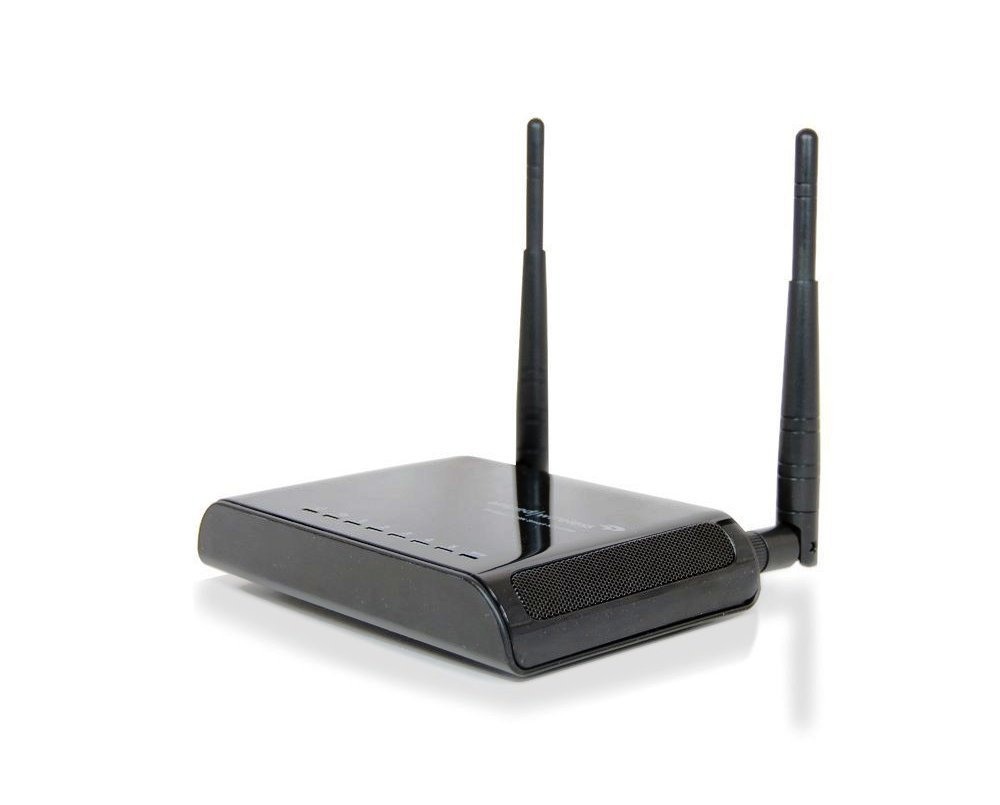
Immaġni: Amped Wireless SR300 High Power Wireless-N Smart Repeater, shown with two external antennas and a sleek black design.
Kontenut tal-Pakkett
Ivverifika li l-oġġetti kollha huma preżenti fil-pakkett:
- High Power Wireless-300N Smart Repeater (SR300)
- 2 Detachable High Gain 3dBi Antennas
- Stand tal-Prodott
- Cable Ethernet
- Gwida ta 'Installazzjoni Mgħaġġla
- CD with Manual and Instructional Videos
Karatteristiċi Ewlenin
- High Speed Wireless-300N: Supports speeds ideal for video streaming and high-traffic networks.
- Kompatibilità Universali: Works with most Wi-Fi routers (2.4GHz 802.11b/g/n).
- Konnettività bil-fili: Includes 5 Ethernet ports for connecting A/V devices and PCs without Wi-Fi capability.
- Installazzjoni faċli: Features a Smart Setup Wizard for quick configuration.
- Qawwa Għolja Amplifier & Antennas: Equipped with a 100mW amplifier and two 3dBi high-gain antennas for extended range.
- Smart Security Features: Allows access restrictions, daily time scheduling, and adjustable wireless output power.
Gwida ta' Setup
Segwi dawn il-passi biex twaqqaf tiegħek Amped Wireless SR300 Smart Repeater:
- Pjazzament: Place the Smart Repeater approximately halfway between your existing wireless router and the area where you need extended Wi-Fi coverage. Ensure it receives a strong signal from your main router.
- Qawwa Mixgħul: Connect the power adapter to the Smart Repeater and plug it into an electrical outlet.
- Qabbad mal-Kompjuter: Use the provided Ethernet cable to connect your computer directly to one of the LAN ports on the Smart Repeater.
- Wizard tas-Setup tal-Aċċess: Iftaħ a web browser fuq il-kompjuter konness tiegħek u naviga lejn setup.ampedwireless.com.
- Skennja għal Netwerks: Follow the on-screen instructions in the Smart Setup Wizard. It will scan for available wireless networks. Select your home Wi-Fi network from the list. It is recommended to connect to a network with greater than 70% signal strength for stability.
- Configure Security & Repeater Settings: Enter your existing Wi-Fi network's security password. You will then be prompted to configure the settings for your new extended network, including its name (SSID) and password.
- Review & Apply: Review the setup summary and apply the settings. The repeater will reboot, and your extended network will become active.
Vidjow Istruttiv: Amped Wireless Smart Repeaters
Vidjo: Overview of Amped Wireless Smart Repeaters, demonstrating how they extend Wi-Fi range and provide wired connections. This video covers the benefits and basic setup process.
Istruzzjonijiet Operattivi
Extending Wireless Range
Once configured, the SR300 will automatically repeat your existing Wi-Fi signal, creating an extended network. Devices can connect to this extended network to access the internet and local network resources. The high-power amplifier and antennas ensure a strong, stable signal across a wider area, up to 5,000 square feet.
Adding Wired Connections
The SR300 features five RJ-45 10/100 LAN ports. These ports allow you to connect devices that require a wired connection or do not have Wi-Fi capabilities. Examples include desktop computers, gaming consoles (Xbox, Wii, PS3), Blu-ray players, smart TVs, and network printers. Simply connect an Ethernet cable from your device to one of the available LAN ports on the repeater.
Smart Security Features
The Smart Repeater includes various security options accessible through its web interface:
- Access Restrictions: Control which users or devices can connect to your extended network.
- Wireless Access Scheduling: Set specific days and times when the network is available.
- Wireless Coverage Control: Adjust the output power (15% - 100%) to manage the reach of your extended wireless network.
- Konfigurazzjoni tal-WPS: Supports secure push-button setup for WPS-enabled devices.
- Encryption: Supports WEP, WPA, WPA2, and WPA Mixed security protocols.
Speċifikazzjonijiet
| Karatteristika | Dettall |
|---|---|
| Brand | Amped Wireless |
| Mudell | SR300 |
| Standard Wireless | 802.11n, 802.11b/g |
| Banda ta' Frekwenza | 2.4 GHz (Banda Unika) |
| Veloċità Wireless | 300Mbps (Rx), 300Mbps (Tx) |
| Ampaktar ħaj | Ħoss Baxx Amplifier, 100mW Output Power |
| Antenni | 2 x Detachable High Gain 3dBi Antennas, 2 x Reverse SMA Connectors |
| Portijiet | 5 x RJ-45 10/100 LAN ports |
| Sigurtà mingħajr fili | WEP, WPA, WPA2, WPA Imħallat, WPS |
| Skedar ta' Aċċess mingħajr Fili | Specific day and time |
| Kontroll tal-Kopertura mingħajr Fili | 15% - 100% Output Power |
| Firxa | Sa 5,000 pied kwadru |
| Piż tal-oġġett | 1 Lira |
| Kulur | Iswed |
| Apparati Kompatibbli | Wi-Fi enabled devices such as routers, smartphones, tablets, laptops, computers, smart TVs, gaming consoles, printers, and security cameras |
Issolvi l-problemi
- Sinjal Wi-Fi Dgħajjef jew Żoni Mejta: Ensure the repeater is placed optimally, roughly halfway between your main router and the weak signal area. Walls and other obstructions can degrade signals. Adjusting the repeater's position slightly can improve performance.
- Buffering or Lagging Internet: If you experience buffering during streaming or online gaming, check the signal strength between your repeater and the main router. A weak connection to the main router will result in a weak extended signal. Consider repositioning the repeater closer to the main router or adjusting its antennas.
- Cannot Access Setup Page: Jekk ma tistax taċċessa setup.ampedwireless.com, ensure your computer is directly connected to the repeater via Ethernet and that the repeater is powered on. Try restarting both your computer and the repeater.
- Aġġornamenti tal-Firmware: Perjodikament iċċekkja l- Amped Wireless website for firmware updates. Firmware updates can improve performance, add features, and resolve known issues. Follow the instructions provided by Amped Wireless carefully when performing updates.
- No Internet Access on Extended Network: Verify that your main router has an active internet connection. Ensure the repeater is successfully connected to your main Wi-Fi network with the correct password.
Manutenzjoni
Biex tiżgura l-aħjar prestazzjoni u l-lonġevità tiegħek Amped Wireless SR300, consider the following:
- Żomm ventilat: Kun żgur li l-apparat jitqiegħed f'żona b'ventilazzjoni tajba biex tevita sħana żejda.
- Naddaf bil-mod: Use a soft, dry cloth to clean the exterior of the device. Avoid liquid cleaners.
- Reboots Regolari: Occasionally restarting the repeater (power cycling) can help resolve minor connectivity issues and improve performance.
Informazzjoni dwar Garanzija
Il- Amped Wireless SR300 High Power Wireless-N Smart Repeater comes with a Garanzija ta' 1 snin mill-manifattur. Please retain your proof of purchase for warranty claims. For detailed warranty terms and conditions, refer to the documentation included with your product or visit the official Amped Wireless websit.
Appoġġ Tekniku
Amped Wireless provides free U.S. Based Technical Support for all its products. If you encounter any issues or have questions regarding the setup, operation, or troubleshooting of your SR300 Smart Repeater, please contact their support team. Contact information can be found in your Quick Installation Guide or on the official Amped Wireless websit.