
Introduzzjoni
The ADATA S102PRO is a high-performance USB 3.0 flash drive designed for fast and reliable data storage and transfer. Its durable design and high-speed interface make it ideal for everyday use, allowing you to carry important files, documents, photos, and videos with ease.
Setup
Follow these steps to begin using your ADATA S102PRO USB Flash Drive:
- Identifika Port USB: Locate an available USB port on your computer. For optimal performance, use a USB 3.0 port (often colored blue internally). The ADATA S102PRO is backward compatible with USB 2.0 ports, but data transfer speeds will be limited to USB 2.0 rates.
- Neħħi l-Kap: Carefully remove the protective cap from the USB flash drive to expose the USB connector.
- Daħħal id-Drive: Insert the USB connector firmly into the USB port on your computer. Ensure it is inserted correctly; do not force it.
- Rikonoxximent tas-Sistema: Your operating system (Windows, macOS, Linux) should automatically detect and install the necessary drivers. A notification may appear indicating that the device is ready for use. The drive will typically appear as a removable disk or volume in your file esploratur.
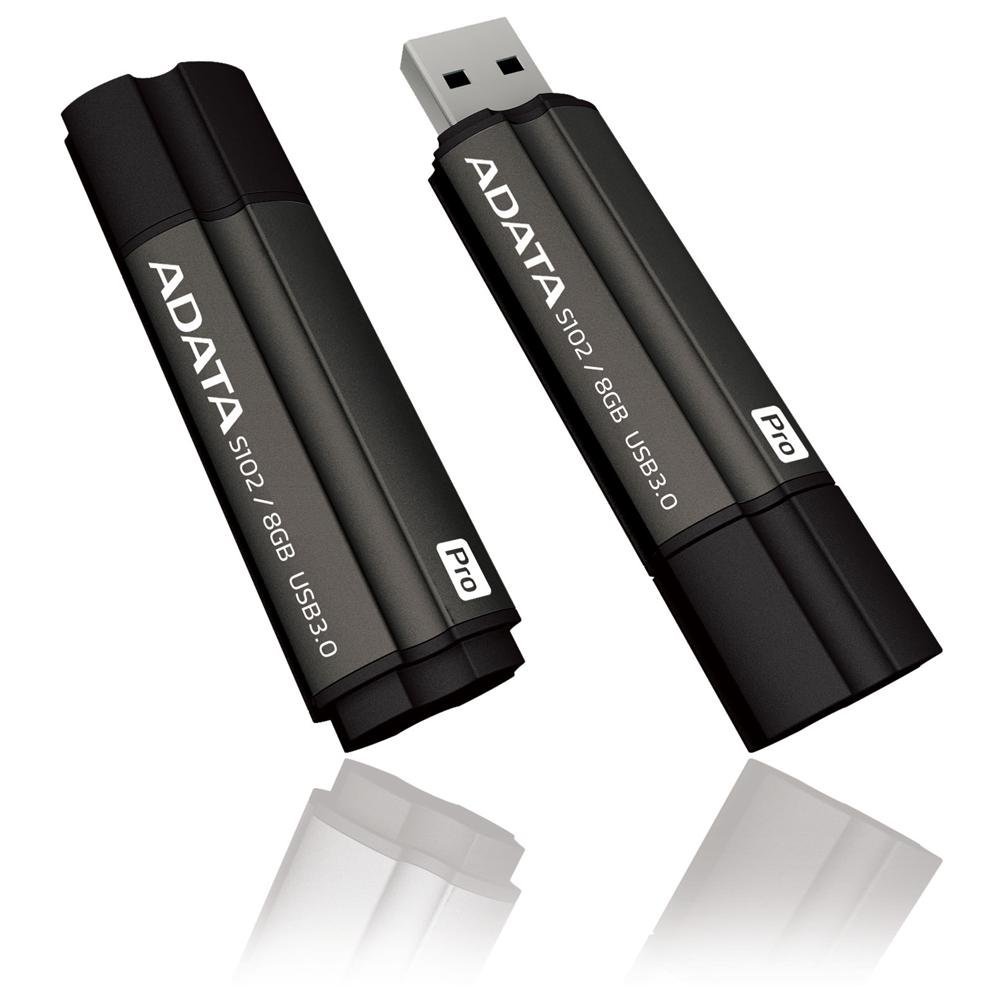
Image: The ADATA S102PRO USB Flash Drive shown with its protective cap on and with the cap removed, revealing the USB 3.0 connector. This illustrates the physical appearance and how to prepare the drive for insertion.
Operazzjoni
Once the ADATA S102PRO is recognized by your computer, you can begin transferring files:
- Aċċess għad-Drive:
- Windows: Open "This PC" or "My Computer" and locate the drive listed under "Devices and drives" (e.g., "Removable Disk" or a drive letter like E:).
- macOS: The drive icon will appear on your desktop or in the Finder sidebar under "Locations."
- Trasferiment Files:
- Biex tikkopja files biex the flash drive, drag and drop them from your computer's folders into the flash drive's window.
- Biex tikkopja files minn the flash drive, drag and drop them from the flash drive's window to a folder on your computer.
- You can also use the standard copy (Ctrl+C / Command+C) and paste (Ctrl+V / Command+V) functions.
- Tneħħi l-Drive b'mod sikur: It is crucial to safely eject the flash drive before physically removing it to prevent data corruption.
- Windows: Click the "Safely Remove Hardware and Eject Media" icon in the system tray (bottom-right corner), then select your flash drive and click "Eject." Wait for the "Safe to Remove Hardware" message.
- macOS: Drag the drive icon from the desktop to the Trash, or click the Eject button next to the drive name in the Finder sidebar. Wait for the icon to disappear before removing the drive.
Manutenzjoni
Proper care will help ensure the longevity and reliability of your ADATA S102PRO USB Flash Drive:
- Ipproteġi l-Konnettur: Always keep the protective cap on the USB connector when the drive is not in use to prevent dust, dirt, and physical damage.
- Evita Kundizzjonijiet Estremi: Do not expose the drive to extreme temperatures, direct sunlight, high humidity, or strong magnetic fields.
- Immaniġġja b'Kura: Avoid dropping the drive or subjecting it to strong impacts.
- Do Not Remove During Transfer: Never unplug the drive while data is being read from or written to it. Always follow the safe removal procedure.
- Backups regolari: While flash drives are reliable, it is always recommended to back up critical data to another storage device or cloud service.
Issolvi l-problemi
If you encounter issues with your ADATA S102PRO, try the following solutions:
- Sewqan Mhux Rikonoxxut:
- Kun żgur li d-drajv huwa mdaħħal kompletament fil-port USB.
- Ipprova port USB differenti fuq il-kompjuter tiegħek.
- Test the drive on another computer to rule out a computer-specific issue.
- Iċċekkja l-Maniġer tal-Apparat (Windows) jew l-Informazzjoni tas-Sistema (macOS) tal-kompjuter tiegħek biex tara jekk id-drajv huwiex elenkat, anke jekk ma jidhirx fil-lista. File Esploratur/Finder.
- Veloċitajiet ta' Trasferiment Baxxi:
- Ensure you are connected to a USB 3.0 port for optimal performance. USB 2.0 ports will limit speeds.
- Trasferiment ta' ħafna intrapriżi żgħar files jista' jkun aktar bil-mod milli tittrasferixxi ftit kbar files.
- Agħlaq applikazzjonijiet oħra li jistgħu jkunu qed jużaw riżorsi tas-sistema jew iwettqu operazzjonijiet fuq id-diska.
- Ma Nistax Nikteb Files biex issuq:
- Iċċekkja jekk id-drajv hux mimli. Ħassar dak li mhux meħtieġ files jew ittrasferihom għal post ieħor.
- Tiżgura l- file system (e.g., FAT32, NTFS, exFAT) is compatible with your operating system and allows writing. If formatted as NTFS on macOS, you may only have read access without third-party software.
- Check for any software-based write protection or permissions issues on your computer.
Speċifikazzjonijiet
| Brand | ADATA |
| Isem tal-Mudell | S102PRO |
| Numru tal-Mudell | AT806-4G-CPK |
| Kapaċità tal-Ħżin tal-Memorja | 4 GB |
| Interface tal-Ħardwer | USB 3.0 (Kompatibbli b'lura ma' USB 2.0) |
| Manifattur | A-DATA TECHNOLOGY (USA) CO. L |
| UPC | 842243005080 |
| ASIN | B004AVOGW8 |
Garanzija u Appoġġ
For detailed warranty information, product registration, and technical support, please visit the official ADATA websit. Tipikament tista' ssib riżorsi ta' appoġġ, FAQs, u informazzjoni ta' kuntatt għas-servizz tal-konsumatur hemmhekk.
ADATA Official Websit: www.adata.com