
PWR+ USB-C Laptop Charger Instruction Manual
Model: PWR-TAJ65PD
1. Introduzzjoni
This manual provides essential information for the safe and effective use of your PWR+ USB-C Laptop Charger, Model PWR-TAJ65PD. This charger is designed to provide reliable power to compatible LG Gram laptops and other USB-C powered devices. Please read these instructions carefully before use and retain them for future reference.
2. Informazzjoni dwar is-Sigurtà
Your PWR+ charger is designed with multiple safety features and is UL Safety Certified to ensure protection for both the device and the user.

Image: UL Safety Certified Logo, indicating the product meets rigorous safety standards.
Protezzjonijiet tas-Sigurtà Inkorporati:
- Protezzjoni Short Circuit (SCP): Jipprevjeni ħsara minn short circuits.
- Over Current Protection (OCP): Salvagwardji kontra fluss eċċessiv ta' kurrent.
- Fuq Voltage Protezzjoni (OVP): Jipproteġi l-apparati minn voltage spikes.
- Over Temperature Protection (OTP): Jipprevjeni s-sħana żejda waqt it-tħaddim.

Image: A diagram showing the internal safety protections (SCP, OCP, OVP, OTP) and the high-quality construction of the power cord, including high-grade copper, wire insulation, aluminum foil shield, protective tinned copper braid, and PVC cable jacket.
Always use the charger in a well-ventilated area and avoid covering it during use to prevent heat buildup.
3. Kontenut tal-Pakkett
The PWR+ USB-C Laptop Charger package includes:
- 1 x PWR+ USB-C Laptop Charger (Model: PWR-TAJ65PD)
- 1 x Korda tal-Enerġija AC

Image: The PWR+ USB-C Laptop Charger, including the main adapter unit and the detachable AC power cord, shown alongside its product packaging.
4. Speċifikazzjonijiet
| Karatteristika | Dettall |
|---|---|
| Numru tal-Mudell | PWR-TAJ65PD |
| Input Voltage | 100-240V |
| Output | 5V 3A, 9V 3A, 12V 3A, 15V 3A, 20V 3.25A (30W, 45W, 65W Compatible) |
| Wattage | 65 Watts |
| Ampetà | 3.25 Amps |
| Tip ta' Konnettur | USB Tip Ċ |
| Portijiet USB totali | 1 |
| Tul tal-Kunda tal-Enerġija | 12 Feet (Total AC/DC cord length) |
| Ċertifikazzjoni tas-Sigurtà | UL/cUL Elenkat |
| Piż tal-oġġett | 1.12 liri |
| Dimensjonijiet tal-Pakkett | 8.43 x 3.54 x 3.5 pulzieri |
5. Kompatibilità
This PWR+ USB-C Laptop Charger is compatible with a wide range of LG Gram laptops and other devices requiring USB-C Power Delivery (PD) charging. Compatible LG Gram models include, but are not limited to:
- LG Gram 14, 15, 16, 17 series
- Specific models: 14Z90N, 14Z90R, 14T90R, 14T90P, 14Z90RS, 14Z90Q, 14Z90P, 15Z90N, 15Z995, 15Z90R, 15Z95N, 15Z95P, 15Z90Q, 16Z90R, 16Z90P, 16Z90RS, 16T90R, 16T90Q, 16T90SP, 17Z90P, 17U70P, 17Z90N, 17Z95N, 17Z90Q, 17Z90R, 17Z90SP, 17Z95P
- Part numbers: ADT-65DSU-D03-2, EAY65910831, EAY65895901, LP65WFC20P-NJB
For a complete list of compatible models, please refer to the product listing or contact PWR+ customer support.
6. Setup u Konnessjoni
Follow these steps to connect and begin using your PWR+ USB-C Laptop Charger:
- Connect the AC power cord to the charger unit. Ensure a firm connection.
- Plug the AC power cord into a standard wall outlet (100-240V).
- Insert the USB-C connector of the charger into the USB-C charging port on your compatible laptop or device.
- The charger features a blue LED indicator light that illuminates when power is supplied, confirming proper connection and operation.
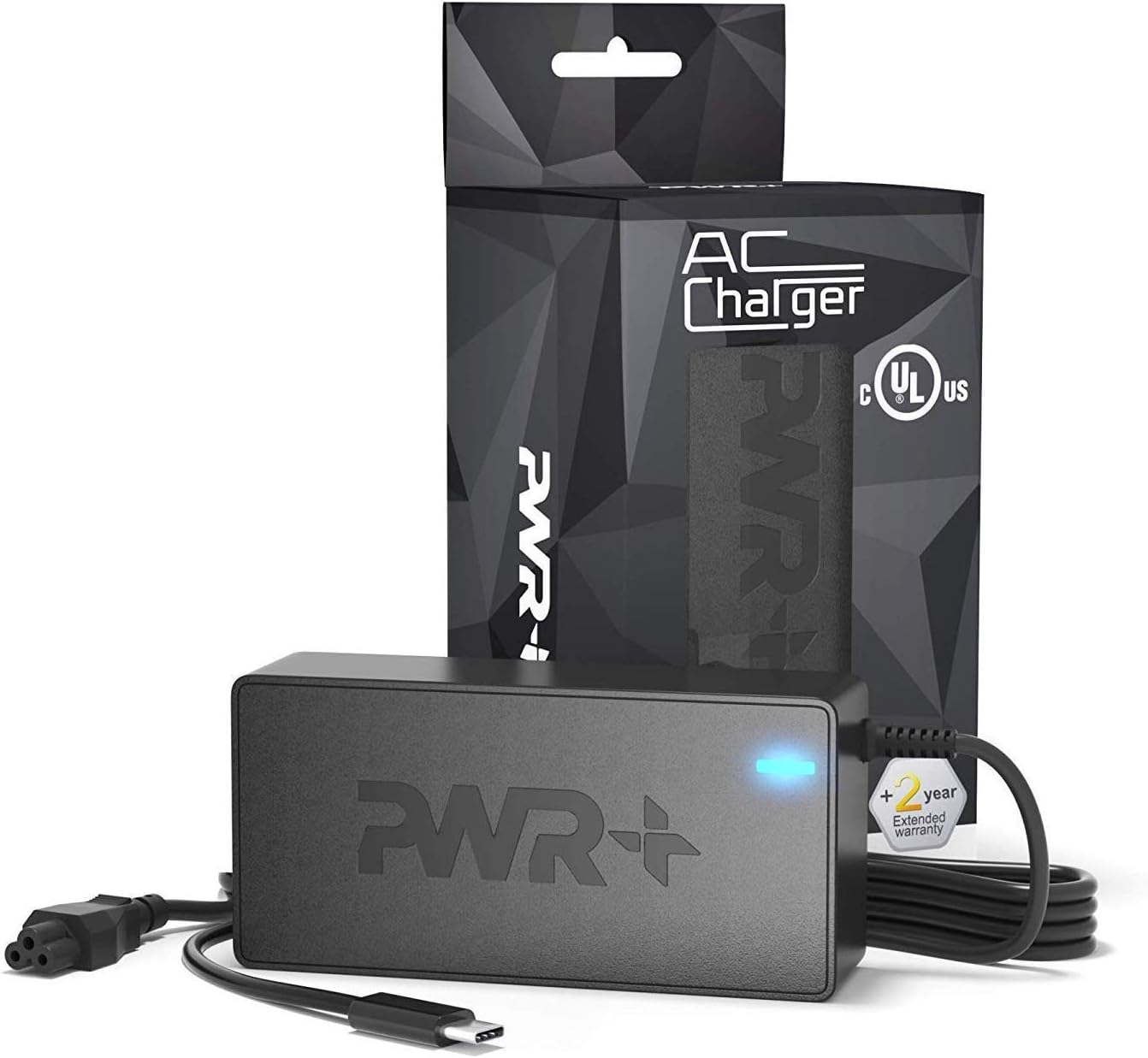
Image: The PWR+ USB-C Laptop Charger connected to a laptop, demonstrating the proper setup for charging.
7. Operazzjoni
Once connected, the PWR+ USB-C Laptop Charger will automatically detect your device's power requirements and deliver the appropriate voltage and current (up to 65W) using Power Delivery (PD) technology. The blue LED indicator on the charger will remain lit during operation.
Video: An official PWR+ video demonstrating the charger's features and compatibility with various laptop brands, highlighting its reliable power delivery.
The extra-long 12-foot power cord provides flexibility for use in various environments, from office desks to home settings.
8. Manutenzjoni
To ensure the longevity and optimal performance of your PWR+ USB-C Laptop Charger, follow these maintenance guidelines:
- Tindif: Disconnect the charger from the power outlet and your device before cleaning. Use a soft, dry cloth to wipe the surface. Avoid liquid cleaners or abrasive materials.
- Ħażna: When not in use, store the charger in a cool, dry place. Avoid extreme temperatures and direct sunlight.
- Kura tal-Cable: Tgħawwiġx, iddawwarx, jew tiġbidx il-kejbils b'mod eċċessiv. Evita li tpoġġi oġġetti tqal fuq il-kejbils.
- Spezzjoni: Spezzjona l-ċarġer u l-kejbils perjodikament għal xi sinjali ta’ ħsara, bħal wajers imqattgħin jew kejbils imxaqqaq.asing. If damage is found, discontinue use and contact customer support.
9 Issolvi l-problemi
If you encounter issues with your PWR+ USB-C Laptop Charger, refer to the following common problems and solutions:
- Charger Not Working / No Power:
- Ensure the AC power cord is securely connected to both the charger unit and the wall outlet.
- Ivverifika li s-sokit tal-ħajt jaħdem billi tittestjah b'apparat ieħor.
- Check if the blue LED indicator on the charger is lit. If not, there may be an issue with the power supply or the charger itself.
- Slow Charging / Device Displays "Slow Charging" Message:
- Confirm that your device is fully compatible with the charger's power output (up to 65W PD). Some devices may require specific power profiles.
- Ensure no other power-intensive tasks are running on your laptop that might draw more power than the charger can consistently deliver, especially when the battery is very low.
- Try disconnecting and reconnecting the charger to reset the power delivery negotiation.
- Charger Gets Warm During Use:
- It is normal for chargers to become warm during operation, especially under heavy load.
- Ensure the charger is in a well-ventilated area and not covered by blankets or other materials.
- Jekk il-ċarġer jisħon iżżejjed meta tmiss, skonnettjah immedjatament u kkuntattja l-appoġġ għall-klijenti.
- Loose Connection at the Wall Outlet or Charger Unit:
- Ensure all connections are snug. If the AC cord connection to the brick feels loose, it might affect power delivery.
If these steps do not resolve the issue, please contact PWR+ customer support for further assistance.
10. Garanzija u Appoġġ
PWR+ stands behind the quality of its products. This USB-C Laptop Charger comes with a Garanzija Estiża ta 'Sentejn.

Image: A red stamp graphic indicating a "2 Year Warranty" for the product.
For warranty claims, technical support, or any questions regarding your PWR+ product, please visit the official PWR+ website or contact their customer service department. Please have your model number (PWR-TAJ65PD) and purchase details ready when contacting support.