
Introduzzjoni
This manual provides detailed instructions for the operation and maintenance of your Garmin GPSMAP 78sc 2.6-Inch Waterproof Marine GPS and Chartplotter. The GPSMAP 78sc series is designed for recreational navigation, featuring a bright 2.6-inch LCD color display, built-in basemap, and a high-sensitivity GPS receiver. All models are waterproof to IPX7 standards and float in water, making them suitable for boating and watersports. Key features include a built-in microSD card slot for additional maps and a dedicated Man Over Board (MOB) button.
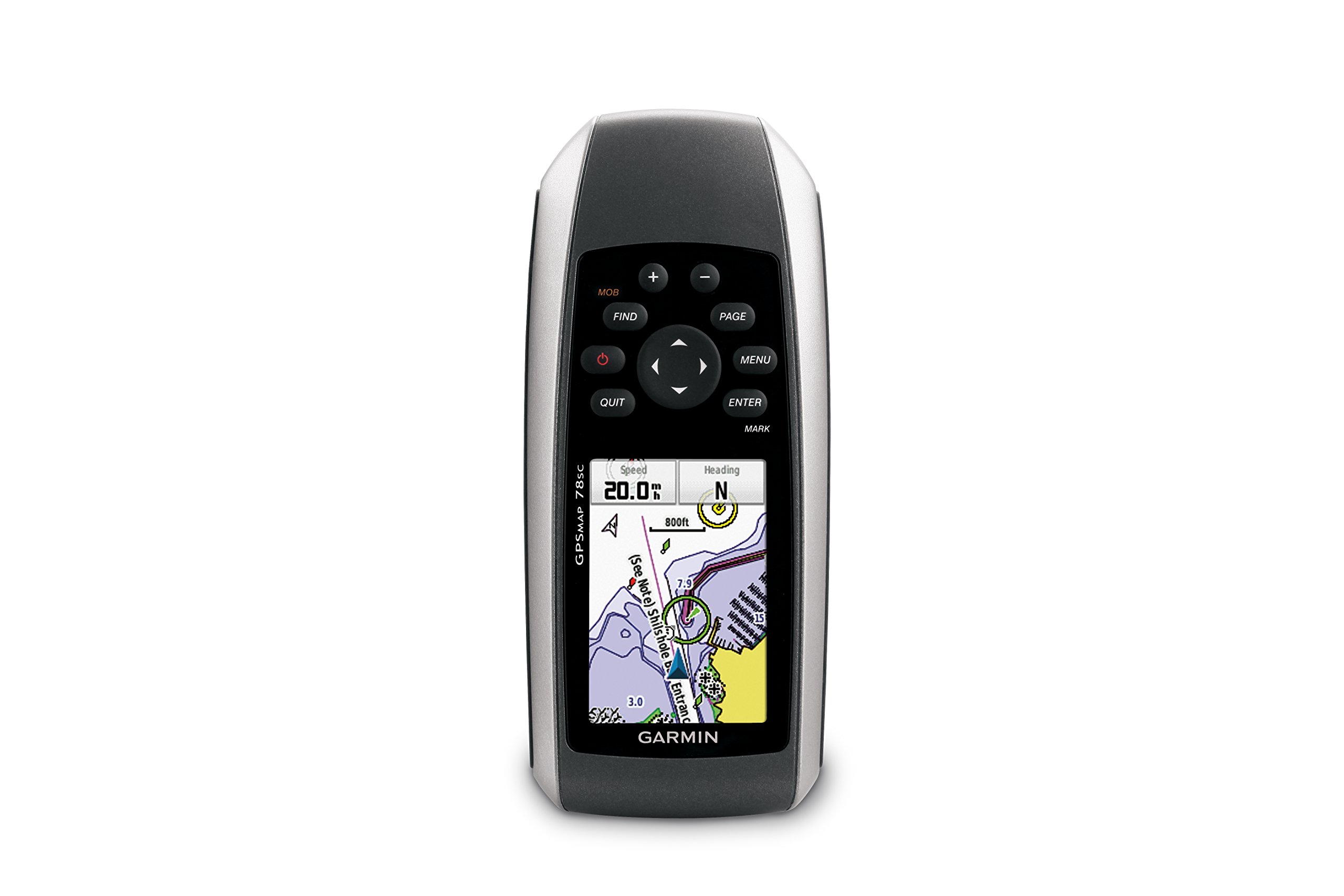
Figura 1: Quddiem view of the Garmin GPSMAP 78sc handheld marine GPS and chartplotter.
Prodott Overview
Karatteristiċi ewlenin:
- Marine-friendly handheld with high-sensitivity GPS receiver and 2.6-inch color TFT display.
- Waterproof to IPX7 standards; floats in water.
- Built-in BlueChart g2 U.S./Bahamas coastal charts with shorelines, depth contours, navaids, harbors, marinas, and more.
- Built-in 3-axis tilt-compensated electronic compass and barometric altimeter for heading, altitude, and weather information.
- Wireless sharing of waypoints, tracks, routes, and geocaches with other compatible devices.
X'hemm fil-Kaxxa:
- GPSMAP 78sc device
- Ċinga tal-polz
- Kejbil USB
- Manwal

Figura 2: Angolat view of the Garmin GPSMAP 78sc, highlighting its button interface.
Vidjows tal-Prodott:
Garmin GPSmap 78 handheld GPS Overview
Dan il-filmat jipprovdi ħarsa ġenerali lejnview of the Garmin GPSMAP 78 handheld GPS, demonstrating its features and design.
Prodott Overview Video
A concise product overview video from the seller, highlighting key aspects of the device.
Setup
1. Installazzjoni ta 'batteriji:
The GPSMAP 78sc operates on two AA batteries (not included). To install:
- Sib l-għatu tal-kompartiment tal-batterija fuq wara tal-apparat.
- Dawwar iċ-ċirku D kontra l-arloġġ biex tiftaħ u tneħħi l-għatu.
- Daħħal żewġ batteriji AA, waqt li tiżgura l-polarità korretta (+ u -).
- Erġa' poġġi l-għatu u dawwar iċ-ċirku D lejn l-arloġġ biex twaħħalh.

Figura 3: Lura view of the Garmin GPSMAP 78sc, illustrating the battery compartment.
2. Tixgħel/Jitfi:
Agħfas u żomm il- Qawwa button (located on the left side) to turn the device on or off. A short press will adjust the backlight.
3. Issettjar Inizjali:
Upon first use, the device may prompt you to set language, time zone, and other preferences. Follow the on-screen instructions using the directional pad and DĦUL buttuna.
Operazzjoni
Navigation Basics:
- Menu Prinċipali: Agħfas il- MENU button twice to access the main menu.
- Buttuna tal-paġna: Agħfas PAĠNA to cycle through the main pages (Map, Compass, Trip Computer, etc.).
- Pad Direzzjonali: Use the directional pad to scroll through menus, pan the map, or adjust settings.
- Buttuna ENTER: Agħfas DĦUL to select an item or confirm an action.
- QUIT Button: Agħfas ĦEQQ to return to the previous page or cancel an action.
Ħolqien ta' Waypoints:
To mark your current location as a waypoint:
- Agħfas il- MARKA buttuna.
- Edit the waypoint name, symbol, and coordinates if desired.
- Agħżel Magħmul or Ħlief to store the waypoint.
Man Over Board (MOB) Function:
F'każ ta' emerġenza, agħfas il-buttuna MOB button to immediately mark the current location and initiate navigation back to that point. This feature is critical for safety in marine environments.
Manutenzjoni
Tindif tal-Apparat:
Imsaħ l-apparat b'ċarruta dampened with a mild detergent solution. Dry thoroughly. Avoid using abrasive cleaners or solvents that could damage the device's finish or screen.
Kura tal-batterija:
Always use fresh, high-quality AA batteries. If the device will not be used for an extended period, remove the batteries to prevent leakage and corrosion.
Aġġornamenti tas-Software:
Iċċekkja l-Garmin perjodikament website for software updates to ensure optimal performance and access to the latest features. Updates can typically be installed by connecting the device to a computer via the USB cable.
Issolvi l-problemi
L-Apparat Mhux Jixgħel:
- Kun żgur li l-batteriji huma installati b'mod korrett u kompletament iċċarġjati.
- Try new batteries.
- Iċċekkja l-kuntatti tal-batterija għall-korrużjoni.
Sinjal GPS fqir:
- Kun żgur li l-apparat għandu ċar view tas-sema.
- Avoid areas with tall buildings, dense foliage, or other obstructions.
- Allow sufficient time for the device to acquire satellites, especially after being off for a long period.
L-Iskrin Ma Jirrispondix:
- Perform a soft reset by removing and reinserting the batteries.
- Kun żgur li l-iskrin ikun nadif u ħieles mill-fdalijiet.
Speċifikazzjonijiet
| Karatteristika | Dettall |
|---|---|
| Brand | Garmin |
| Isem tal-Mudell | mappa gps |
| Numru tal-Mudell | 010-00864-02 |
| Daqs tal-Iskrin | 2.6 Pulzier |
| Tip ta 'Wiri | LCD |
| Riżoluzzjoni | 160 x 240 pixel |
| Klassifikazzjoni li ma jgħaddix ilma minnha | IPX7 (floats) |
| Ħajja tal-batterija | 20 Hours (typical) |
| Tip ta 'batterija | 2 batteriji AA (mhux inklużi) |
| Kapaċità tal-Ħżin tal-Memorja | 1 GB |
| Compatible Flash Memory Type | microSD |
| Sistema ta' Navigazzjoni bis-Satellita Appoġġjata | GPS |
| Karatteristiċi Speċjali | Rugged case, Barometric altimeter, Garmin Connect compatible, Electromagnetic compass, Garmin HotFix, Custom POIs, Automatic routing, Hunt/fish calendar, Geocaching, Photo navigation |
| Dimensjonijiet tal-oġġett L x W x H | 2.6"T x 1.2"W x 6"Għ |
| Piż tal-oġġett | 7.7 uqija |
Garanzija u Appoġġ
The Garmin GPSMAP 78sc comes with a 1 Year Limited Warranty. For detailed warranty information, product support, or service inquiries, please refer to the official Garmin website or contact Garmin customer service directly. The included manual also contains contact information and further support resources.