
Informazzjoni Importanti dwar is-Sigurtà
Please read this instruction manual thoroughly before installation and use. Improper installation or use may cause damage to the product, TV, or personal injury. Keep this manual for future reference.
- Kun żgur li l-wiċċ tal-immuntar jista' jsostni b'mod sikur il-piż ikkombinat tal-immuntar u tat-TV.
- Teċċedix il-kapaċità massima tal-piż ta' 70kg (154lbs).
- Use appropriate tools and follow all steps carefully. If unsure, consult a qualified installer.
- Żomm it-tfal u l-annimali domestiċi 'l bogħod waqt l-installazzjoni.
Kontenut tal-Pakkett
Verify all components are present before beginning installation. If any parts are missing or damaged, do not proceed with installation and contact customer support.
- Assemblaġġ tal-Bracket tal-Ħajt tal-Ħajt
- TV Mounting Arms (2x)
- Mounting Hardware Kit (screws, washers, spacers for various TV types and wall fixings)
- Manwal ta' Istruzzjoni
Note: Specific screw sizes and quantities may vary. Refer to the hardware kit for exact contents.
Għodod Meħtieġa (Mhux Inklużi)
- Drill
- Drill Bits (appropriate for wall type and screw size)
- Stud Finder (for stud wall installation)
- Livell
- Lapes
- Tejp tal-Kejl
- Tornavit tar-ras Phillips
- Ċavetta tas-Sokit jew Spanner
Istruzzjonijiet għall-installazzjoni
This mount is designed for flat screens up to 65 inches (165cm) and 70kg (154lbs). It supports VESA and non-VESA mounting patterns. The installation process involves mounting the wall plate and then attaching the TV with its arms.
Pass 1: Ipprepara t-TV
- Carefully place the TV face down on a soft, clean surface.
- Attach the TV mounting arms to the back of your TV using the appropriate screws, washers, and spacers from the hardware kit. Ensure the arms are securely fastened and evenly spaced.
- Verify the VESA pattern compatibility. This mount fits various VESA patterns.
Step 2: Mark and Drill Wall Holes
- Iddetermina l-għoli mixtieq għat-TV tiegħek.
- Position the wall mount bracket against the wall at the desired location. Use a level to ensure it is perfectly horizontal.
- Mark the drilling points through the holes on the wall mount bracket with a pencil.
- For concrete/brick walls: Drill pilot holes using an appropriate drill bit. Insert wall anchors (if provided and necessary for your wall type).
- For stud walls (up to 32 inches apart): Locate the center of the studs using a stud finder. Drill pilot holes into the center of the studs.
Step 3: Mount the Wall Bracket
- Allinja l-bracket tal-immuntar mal-ħajt mat-toqob imtaqqbin.
- Secure the bracket to the wall using the provided wall screws and washers. Tighten all screws firmly, but do not overtighten.
- Double-check that the wall bracket is securely fastened and level.
Pass 4: Hang it-TV
- With assistance, carefully lift the TV with the attached mounting arms.
- Hook the TV mounting arms onto the wall mount bracket. This is a simple 'hook-on' installation.
- Ensure both TV arms are securely seated on the wall bracket.
- Engage any safety locking mechanisms on the TV arms to prevent accidental dislodgement.
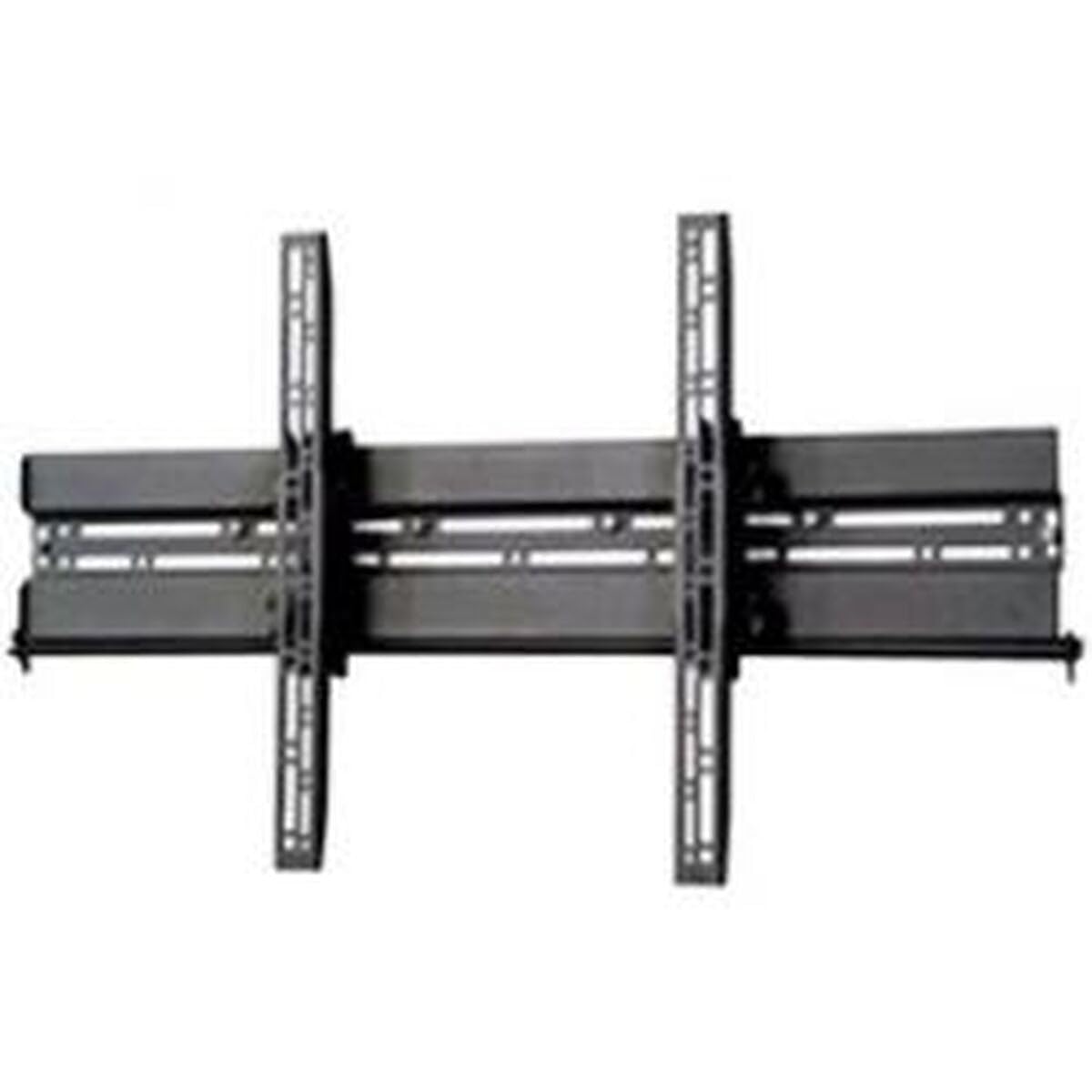
Immaġni: Eżample of a TV mounted using a similar flat screen wall mount. The BT8432 mounts the screen approximately 80mm (3.1 inches) from the wall.
Istruzzjonijiet Operattivi
Aġġustament tal-Mejjel
The BT8432 mount features a simple tilt adjustment of +/-15 degrees. This allows you to optimize your viewing angle and reduce glare.
- Locate the tilt adjustment knobs or bolts on the side of the TV mounting arms.
- Loosen the knobs/bolts slightly.
- Carefully tilt the TV to the desired angle.
- Tighten the knobs/bolts firmly to secure the TV in the new position. Do not overtighten.
Manutenzjoni
- Tindif: Uża drapp artab u niexef biex tnaddaf il-muntatura. Evita prodotti tat-tindif jew solventi li joborxu.
- Kontrolli perjodiċi: Iċċekkja l-viti u l-boltijiet kollha perjodikament biex tiżgura li jibqgħu ssikkati u mwaħħlin sew. Erġa' ssikkahom jekk meħtieġ.
- Kapaċità tal-piż: Tiddendelx oġġetti addizzjonali jew taqbeż il-kapaċità massima tal-piż tal-muntatura.
Issolvi l-problemi
It-TV mhux livellat wara l-installazzjoni:
- Ensure the wall mount bracket was installed perfectly level. If not, you may need to adjust its position.
- Check if the TV mounting arms are attached evenly to the back of the TV.
Il-muntatura tħossha maħlula mal-ħajt:
- Neħħi t-TV mill-muntatura immedjatament.
- Check all wall screws for tightness.
- Verify that the wall anchors (if used) are properly seated and suitable for your wall type.
- Ensure the wall material is strong enough to support the mount and TV.
Diffikultà biex tmejjel it-TV:
- Ensure the tilt adjustment knobs/bolts are sufficiently loosened before attempting to adjust the angle.
- Do not force the tilt mechanism.
Speċifikazzjonijiet
| Numru tal-Mudell | BT8432 |
| Daqs Massimu tal-Iskrin | 65 pulzieri (165cm) |
| Kapaċità massima tal-piż | 70kg (154lbs) |
| Tip ta 'Immuntar | Mount Wall |
| Tip ta' Moviment | Mejjel |
| Aġġustament tal-Mejjel | +/-15 grad |
| Distanza mill-Ħajt | 80mm (3.1 pulzier) |
| Tipi ta' Ħitan Kompatibbli | Concrete / Brick, Stud Walls (up to 32 inches) |
| Materjal | Acrylonitrile Butadiene Styrene (ABS) |
| Dimensjonijiet tal-Prodott | 5.83 x 27.56 x 16.54 pulzieri |
| Piż tal-oġġett | 11.22 liri |
| Manifattur | B-Tech |
| ASIN | B002C1OZYC |
| GTIN | 05019318084294 |
Garanzija u Appoġġ
Specific warranty information for the B-Tech BT8432 wall mount may vary by region and retailer. Please refer to your purchase documentation or contact the retailer where you purchased the product for details regarding warranty coverage.
For technical support or inquiries, please visit the official B-Tech webis-sit jew ikkuntattja lid-dipartiment tas-servizz tal-konsumatur tagħhom. Żomm il-prova tax-xiri tiegħek fil-qrib meta tfittex għajnuna.