
1. Introduzzjoni u Fuqview
This manual provides detailed instructions for the safe and efficient use of the Helios ESA 3 Surface-Mounted Fan Speed Controller, Model 239. This device is designed to regulate the speed of compatible ventilation fans, offering precise control over airflow. Please read this manual thoroughly before installation and operation to ensure proper function and safety.
2. Istruzzjonijiet tas-Sigurtà
TWISSIJA: Electrical shock hazard. Always disconnect power before installing, servicing, or cleaning this device. Installation should only be performed by a qualified electrician in accordance with all local and national electrical codes.
- Ensure the power supply matches the device's requirements (230 Volts).
- Teċċedix il-klassifikazzjoni massima tal-kurrent ta' 2.5 Amperes or power rating of 575 Watts.
- Do not operate the device with damaged wiring or if it has been exposed to moisture.
- Keep children away from the device during operation and maintenance.
- Dan l-apparat huwa maħsub għall-użu fuq ġewwa biss.
3. Kontenut tal-Pakkett
Iċċekkja li l-komponenti kollha huma preżenti qabel tibda l-installazzjoni:
- Helios ESA 3 Fan Speed Controller (Model 239)
- Installation material (screws, anchors, etc.)
4. Setup u Installazzjoni
The Helios ESA 3 is designed for surface mounting. Follow these steps for proper installation:
- Agħżel Post: Select a suitable, dry, and easily accessible location for surface mounting. Ensure adequate space for wiring and operation.
- Skonnettja l-Enerġija: Before making any electrical connections, ensure the main power supply to the installation area is completely disconnected at the circuit breaker.
- Immonta l-Apparat: Use the provided installation material to securely mount the controller to the chosen surface. The device dimensions are approximately 16 x 7 x 27 cm.
- Konnessjonijiet tal-Wiring: This device uses screw terminals for wiring. Connect the power supply and the fan wiring according to the electrical diagram provided with the device (not included in this manual, refer to product packaging or manufacturer's website for specific wiring diagrams). Ensure all connections are tight and secure. The connector type is plug-in.
- Ivverifika l-Installazzjoni: Iċċekkja darbtejn il-konnessjonijiet kollha u s-sigurtà tal-immuntar qabel ma terġa' tagħti l-enerġija.
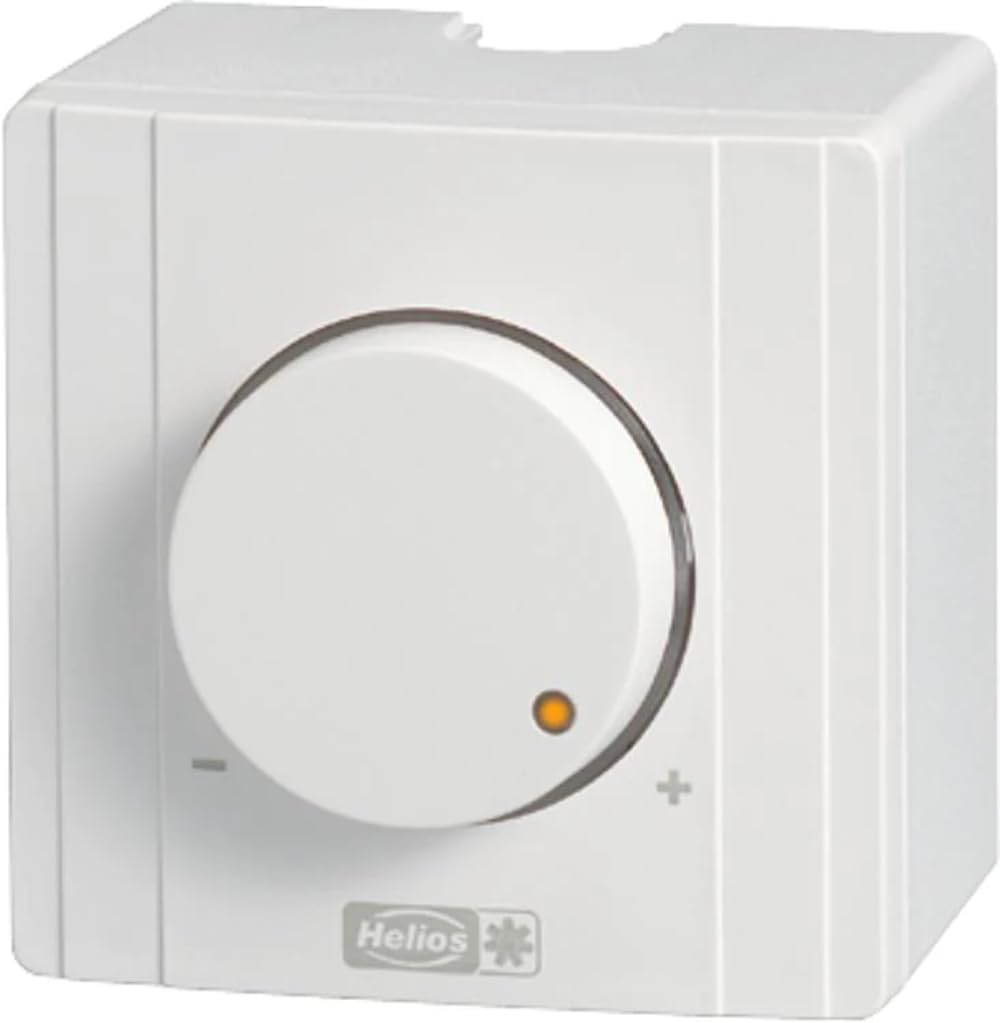
Figura 1: Quddiem view of the Helios ESA 3 Fan Speed Controller. This image shows the general appearance of the device, which is designed for surface mounting and features control buttons.
5. Istruzzjonijiet Operattivi
The Helios ESA 3 Fan Speed Controller operates with a simple ON-OFF mode and allows for speed adjustment via button control or remote control.
- Qawwa ON/OFF: Use the main push-button actuator to switch the connected fan ON or OFF.
- Aġġustament tal-veloċità: Once the fan is ON, use the control buttons on the device or the remote control (if applicable and purchased separately) to adjust the fan speed. The transistor switch type allows for smooth regulation.
- Metodu ta' Kontroll: The device supports both direct button control and remote control functionality.
6. Manutenzjoni
Regular maintenance ensures the longevity and optimal performance of your speed controller.
- Tindif: Disconnect power before cleaning. Wipe the exterior of the device with a soft, dry cloth. Do not use abrasive cleaners or solvents.
- Spezzjoni: Periodically inspect the wiring connections for any signs of wear or loosening.
- Spare Parts: Information regarding the availability of spare parts for this model is currently unavailable. Please contact Helios customer support for assistance if replacement parts are needed.
7 Issolvi l-problemi
If you encounter issues with your Helios ESA 3 Fan Speed Controller, refer to the following common problems and solutions:
| Problema | Kawża Possibbli | Soluzzjoni |
|---|---|---|
| L-apparat ma jixgħelx. | Ebda provvista tal-enerġija; wajers maħlula; circuit breaker difettuż. | Check power supply at the source. Verify all wiring connections are secure. Reset the circuit breaker. |
| Il-veloċità tal-fann ma tistax tiġi aġġustata. | Incorrect wiring; incompatible fan; faulty control buttons/remote. | Ensure wiring is correct according to the diagram. Confirm the fan is compatible with speed control. Test control buttons or remote. |
| Fan operates erratically. | Loose connections; electrical interference; device malfunction. | Check all wiring connections. Ensure the device is not near sources of strong electrical interference. If problem persists, contact support. |
If troubleshooting steps do not resolve the issue, please contact Helios customer support.
8. Speċifikazzjonijiet
| Numru tal-Mudell | 239 |
| Brand | Helios |
| Dimensjonijiet (L x W x H) | 16 x 7 x 27 ċm |
| Piż | 2 kilogrammi |
| Vol Operattivtage | 230 Volts |
| Klassifikazzjoni kurrenti | 2.5 Amperes |
| Qawwa | 575 Watts |
| Mod ta' Operazzjoni | ON-OFF |
| Tip ta 'Immuntar | Immuntar tal-wiċċ |
| Metodu ta' Kontroll | Button Control, Remote Control |
| Tip ta' Attwatur | Imbotta Buttuna |
| Tip ta' Swiċċ | Transistor |
| Tip ta' Terminal | Invita |
| Tip ta' Konnettur | Plug-in |
| Materjal | Plastic (housing), Copper (contact material) |
| Ċertifikazzjonijiet | CE, ISO 9001, TÜV |
| Komponenti Inklużi | Materjal ta 'installazzjoni |
9. Garanzija u Appoġġ
Helios products are manufactured to high-quality standards. For specific warranty information, please refer to the documentation included with your purchase or visit the official Helios website. For technical support, service, or inquiries about spare parts, please contact your retailer or Helios customer service directly.