
Introduzzjoni
This manual provides essential information for setting up, operating, maintaining, and troubleshooting your Lenovo TopSeller SL400 laptop, Model 27439YU. Please read this guide thoroughly to ensure proper use and longevity of your device.
1. Setup
1.1 Tneħħija tal-kaxxa u Spezzjoni Inizjali
Oħroġ il-laptop tiegħek u l-aċċessorji kollha mill-imballaġġ bir-reqqa. Ivverifika li l-komponenti kollha huma preżenti:
- Lenovo TopSeller SL400 Laptop
- Adapter tal-Enerġija AC u Korda tal-Enerġija
- Pakkett tal-batterija
- Dokumentazzjoni (dan il-manwal, informazzjoni dwar il-garanzija)
Inspect the laptop for any physical damage. If any components are missing or damaged, contact your vendor immediately.
1.2 Connecting Power and Charging the Battery
Before first use, it is recommended to fully charge the battery. Connect the AC power adapter to the laptop's power input port and then plug the power cord into a wall outlet.
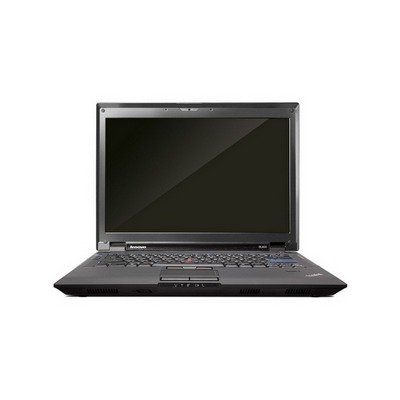
Image: The Lenovo TopSeller SL400 laptop shown with its power adapter connected, illustrating the charging process.
The battery indicator light will show the charging status. A full charge typically takes several hours when the laptop is off.
1.3 L-Istartjar Inizjali u s-Setup tas-Sistema Operattiva
Press the power button to turn on your laptop. The first boot-up may take longer as the operating system initializes. Follow the on-screen instructions to complete the operating system setup, which typically includes:
- Language and region selection
- Accepting license agreements
- Creating a user account and password
- Konnessjoni ma 'netwerk Wi-Fi
2. It-Tħaddim tal-Laptop Tiegħek
2.1 Tastiera u Touchpad
The laptop features a full-sized keyboard and a multi-touch touchpad. Familiarize yourself with the function keys (Fn) which provide quick access to system settings like volume, brightness, and wireless toggles.
- Ġesti tat-touchpad:
- Tektek: Single-finger tap for left-click, two-finger tap for right-click.
- Skrollja: Two-finger drag up or down.
- Zoom: Pinch in or out with two fingers.
2.2 Ġestjoni tal-Enerġija
To conserve battery life and manage system performance:
- Modalità Sleep: Closes open applications and puts the laptop into a low-power state. Press the power button or close the lid to enter sleep mode.
- Tfigħ: Completely powers off the laptop. Use the operating system's shutdown option for a proper shutdown.
- Ibda mill-ġdid: Shuts down and then immediately restarts the laptop. Useful for applying updates or resolving minor issues.
2.3 Connecting to a Wireless Network (Wi-Fi)
Biex tikkonnettja mal-internet:
- Ikklikkja l-ikona tal-Wi-Fi fit-tray tas-sistema (ġeneralment fin-naħa t'isfel tal-lemin tal-iskrin).
- Agħżel in-netwerk mixtieq tiegħek mil-lista tan-netwerks disponibbli.
- Daħħal iċ-ċavetta tas-sigurtà tan-netwerk (password) jekk tintalab.
- Ikklikkja "Qabbad".
Your laptop supports 802.11bgn and 802.11n wireless standards.
3. Manutenzjoni
3.1 Tindif tal-Laptop Tiegħek
Regular cleaning helps maintain performance and appearance:
- Skrin: Uża drapp ratba u mingħajr ħelu ftit dampLaħlaħ bl-ilma jew b'tindif tal-iskrin. Tisprejjax likwidu direttament fuq l-iskrin.
- Tastiera u Chassis: Uża drapp artab. Għal ħmieġ iebes, neħħi ftit drapp.amp Jista' jintuża drapp b'soluzzjoni ta' sapun ħafif, biex tiżgura li l-ebda likwidu ma jidħol fil-fetħiet.
- Ventijiet: Use compressed air to clear dust from cooling vents to prevent overheating.
3.2 Kura tal-Batterija
Biex timmassimizza l-ħajja tal-batterija:
- Evita temperaturi estremi.
- Tneħħix il-batterija kompletament ta' spiss.
- Jekk se taħżen il-laptop għal perjodu estiż, iċċarġja l-batterija sa madwar 50-60%.
3.3 Software Updates and Data Backup
Keep your operating system and drivers updated to ensure optimal performance and security. Regularly back up your important data to an external drive or cloud storage to prevent data loss.
4 Issolvi l-problemi
Din it-taqsima tindirizza kwistjonijiet komuni li tista’ tiltaqa’ magħhom.
4.1 Il-Laptop Ma Jixgħelx
- Kun żgur li l-adapter tal-AC huwa konness sew kemm mal-laptop kif ukoll ma' sokit tal-enerġija li jaħdem.
- Ivverifika li s-sokit tal-enerġija jaħdem billi tqabbad apparat ieħor.
- Jekk qed tuża l-enerġija tal-batterija, kun żgur li l-batterija tkun iċċarġjata.
- Try removing the battery (if removable) and powering on with only the AC adapter.
4.2 L-ebda Wiri fuq l-Iskrin
- Check if the laptop is powered on (listen for fan noise, check indicator lights).
- Adjust screen brightness using the function keys (e.g., Fn + F5/F6).
- Connect an external monitor to see if a display appears there. This can help determine if the issue is with the laptop's internal display or the graphics card.
4.3 Kwistjonijiet ta' Konnessjoni tal-Wi-Fi
- Ensure Wi-Fi is enabled on your laptop (check function keys or operating system settings).
- Erġa' ibda r-router/modem mingħajr fili tiegħek.
- Forget the network and reconnect, re-entering the password.
- Aġġorna s-sewwieqa tal-adapter mingħajr fili tiegħek.
4.4 Prestazzjoni bil-mod
- Agħlaq l-applikazzjonijiet bla bżonn li jkunu qed jaħdmu fl-isfond.
- Iċċekkja għal u neħħi kwalunkwe malware jew viruses.
- Kun żgur li s-sistema operattiva u s-sewwieqa tiegħek huma aġġornati.
- Ħeles spazju mid-diska.
- Consider adding more RAM or upgrading to a Solid State Drive (SSD) if applicable (consult a professional).
Jekk dawn il-passi ma jsolvux il-problema tiegħek, jekk jogħġbok irreferi għat-taqsima tal-Garanzija u l-Appoġġ għal aktar assistenza.
5. Speċifikazzjonijiet
The following table outlines the key technical specifications for the Lenovo TopSeller SL400 (Model 27439YU) laptop:
| Karatteristika | Speċifikazzjoni |
|---|---|
| Isem tal-Mudell | Lenovo Thinkpad SL400 (27439YU) |
| Daqs tal-Wiri tal-Iskrin Permanenti | 14.1 Pulzier |
| Riżoluzzjoni tal-Iskrin | 1366 x 768 pixels (Max: 1920x1080) |
| Proċessur | Intel Core i5-2430M |
| Deskrizzjoni tal-Kard Grafika | Integrata |
| Tip ta' Memorja tal-Kompjuter | DDR4 SDRAM |
| Tip bla fili | 802.11bgn, 802.11n, Bluetooth |
| Piż tal-oġġett | 6 liri (madwar 2.72 kg) |
| Dimensjonijiet tal-Prodott (LxWxH) | 16.75 x 6.25 x 13 pulzieri (madwar 42.5 x 15.9 x 33 ċm) |
| Karatteristiċi Speċjali | Webcam, Wifi |
6. Garanzija u Appoġġ
6.1 Garanzija tal-Prodott
Your Lenovo TopSeller SL400 laptop is covered by a manufacturer's warranty. Please refer to the warranty card included in your product packaging for specific terms, conditions, and duration. Keep your proof of purchase for warranty claims.
Optional protection plans may be available for extended coverage, such as 2-Year or 4-Year plans. Consult your retailer for details.
6.2 Appoġġ Tekniku
For technical assistance, driver downloads, or further troubleshooting not covered in this manual, please visit the official Lenovo support website or contact Lenovo customer service. Have your laptop's model number (27439YU) and serial number ready when contacting support.
Tipikament tista' ssib riżorsi ta' appoġġ fuq: support.lenovo.com
6.3 Politika ta' Ritorn
If purchased from Amazon, this product typically has a 30-day return policy for refund or replacement, subject to Amazon's terms and conditions.